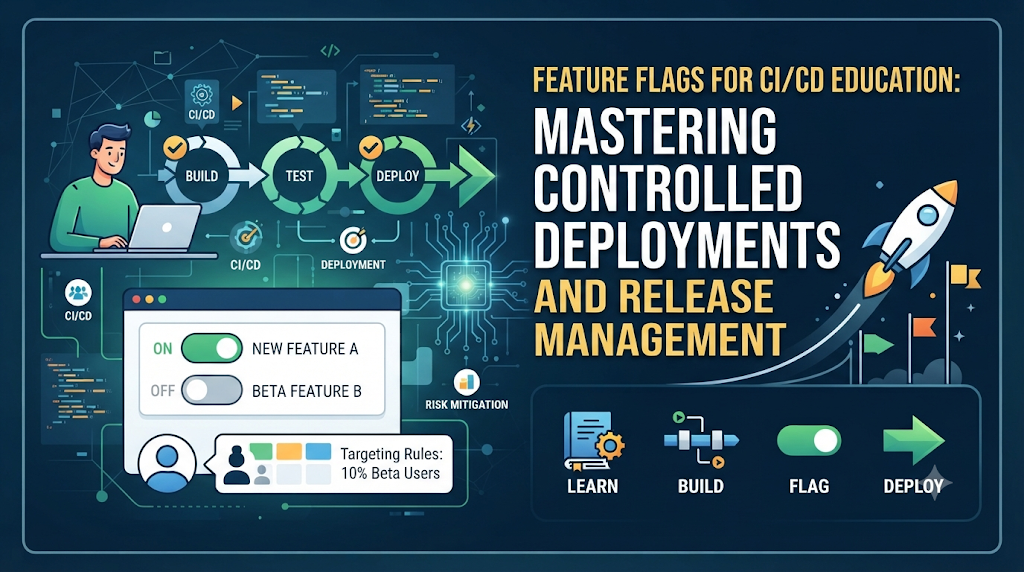
Imagine a development team pushing code updates to a production environment. Under traditional workflows, every piece of code included in that build becomes immediately visible to all users. If a single new button, backend query, or interface redesign contains a subtle bug, the entire deployment is compromised, often forcing an emergency rollback or hotfix. Now, consider a different scenario. The team deploys the exact same codebase to production, but the unfinished or experimental feature remains hidden behind a logical conditional switch. The code lives safely in the production environment, yet ordinary users cannot see or interact with it. Only specific QA testers or internal team members have access. This decoupling of code deployment from feature release is made possible by feature flags. For students, developers, and DevOps learners, understanding how to manage these switches is a critical part of modern CI/CD education. Feature flags transform software delivery from an all-or-nothing event into a controlled, flexible process.
Understand the Difference Between Deploying and Releasing
Before diving into pipeline integration or lab exercises, it is essential to establish a clear vocabulary. In modern software engineering, deployment and release are two distinct phases.
- Code Deployment: The mechanical process of moving compiled code, binaries, or container images from a repository or build server into a target environment, such as staging or production.
- Feature Activation: Turning on a specific capability within an application using configuration settings, environment variables, or dynamic switches.
- Feature Release: Making a feature available to a specific target audience, whether that is internal staff, beta testers, or 100% of the user base.
- Rollback and Feature Deactivation: Reverting changes or instantly disabling a faulty feature without needing to redeploy the entire application package.
Feature Management and Common Flag Types
Feature management involves controlling these switches throughout their lifecycle. Feature flags (also known as feature toggles) are categorized into several types based on their purpose and expected duration:
- Release Flags: Short-lived flags used to decouple deployment from release. Once a feature is fully rolled out and stable, the flag and its conditional code blocks are permanently removed from the codebase.
- Ops (Operational) Flags: Flags used to control system behavior, manage load shedding, or toggle underlying database adapters during maintenance windows. These may be short-lived or long-lived depending on operational needs.
- Experiment Flags: Flags used for A/B testing and multivariate user experience experiments. They dictate which version of a user interface or algorithm a specific user group experiences.
- Permission-Based Flags: Flags that control access to premium tiers, beta programs, or administrative features based on user attributes.
How Feature Flags Fit Into a CI/CD Workflow
Integrating feature flags into a Continuous Integration and Continuous Delivery (CI/CD) pipeline changes how teams ship software. Instead of waiting for every feature to be 100% complete before merging into the main branch, developers commit code continuously behind disabled flags.
The typical lifecycle of a feature flag in a CI/CD pipeline follows a structured path:
- A developer writes a new feature and wraps it inside a conditional check governed by a unique flag identifier, defaulting to disabled.
- The code is committed to the version control system, triggering automated CI builds, unit tests, and security scans.
- The application is built, packaged, and deployed automatically to staging or production environments.
- Because the flag is disabled, the new feature remains dormant in production, invisible to regular users.
- Automated and manual testing occur against the deployed environment with the flag enabled for tester accounts.
- Once verified, the feature is enabled for a small subset of users or internal staff.
- Monitoring tools evaluate system performance, error rates, and user engagement.
- The flag audience is gradually expanded until the feature reaches 100% rollout.
- After stability is confirmed, the developer removes the flag code and cleans up the technical debt.
This workflow eliminates fear from deployments. Teams can push code dozens of times a day while maintaining absolute control over when features reach end users.
The Technical Building Blocks of Feature Flag Management
Building or utilizing a robust feature flag system requires several core technical components. Understanding these building blocks helps learners design scalable release architectures:
- Flag Definitions and Unique Identifiers: Every flag requires a unique string key (e.g.,
enable-dark-mode) referenced within application logic. - Application-Level Evaluation Logic: The code blocks that check whether a flag evaluates to
trueorfalsefor a given context. - Configuration Storage: Where flag states are stored—ranging from simple JSON files and environment variables to centralized databases or dedicated feature management services.
- Environment-Specific Settings: The ability to configure flags differently across development, staging, and production environments.
- User or Group Targeting: Rules that evaluate attributes such as user ID, email domain, geographic region, or subscription tier.
- Flag Management Interface: A dashboard or administrative API used by developers, QA, and product managers to toggle states without modifying code.
- Audit History and Access Permissions: Logs tracking who changed a flag and when, accompanied by role-based access controls to prevent unauthorized modifications.
- Monitoring and Evaluation Events: Telemetry capturing flag evaluation results to track performance impact and user exposure.
Simple configuration-based flags rely on environment variables or static files loaded at startup, requiring a service restart or configuration reload to update. Centralized feature management platforms, by contrast, evaluate flags dynamically in memory via lightweight SDKs, updating flag states in milliseconds without restarting applications.
A Beginner-Friendly Feature Flag Lab
To truly understand feature flags, hands-on practice is essential. This guided lab walks through implementing a basic feature toggle in a small Node.js application.
Lab Overview
- Prerequisites: Node.js installed locally, a code editor, and basic familiarity with JavaScript and command-line tools.
- Objective: Create a simple web server with a greeting feature controlled by a local feature flag.
Step-by-Step Instructions
Step 1: Initialize the Project
Create a new directory and initialize a basic Node.js project:
Bash
mkdir feature-flag-lab
cd feature-flag-lab
npm init -y
Step 2: Install Express
Install Express to set up a lightweight web server:
Bash
npm install express
Step 3: Create the Application File
Create a file named app.js and add the following code:
JavaScript
const express = require('express');
const app = express();
const PORT = process.env.PORT || 3000;

// Simple feature flag configuration object
const featureFlags = {
  enableNewBanner: process.env.ENABLE_NEW_BANNER === 'true'
};

app.get('/', (req, res) => {
  let bannerHTML = '<h2>Welcome to our standard homepage!</h2>';

  // Evaluate the feature flag
  if (featureFlags.enableNewBanner) {
    bannerHTML = '<div style="background: #e0f7fa; padding: 15px;"><h2>🎉 Welcome to our NEW AI-Powered Dashboard Experience!</h2></div>';
  }

  res.send(`
    <html>
      <head><title>Feature Flag Lab</title></head>
      <body style="font-family: Arial; padding: 40px;">
        <h1>DevOpsSchool Learning Portal</h1>
        ${bannerHTML}
        <p>Current flag state (ENABLE_NEW_BANNER): <strong>${featureFlags.enableNewBanner}</strong></p>
      </body>
    </html>
  `);
});

app.listen(PORT, () => {
  console.log(`Server running on port ${PORT}`);
});
Step 4: Run the Application with the Flag Disabled
Start the application without setting the environment variable:
Bash
node app.js
Open http://localhost:3000 in your browser. You will see the standard banner, confirming the flag defaults to disabled.
Step 5: Enable the Flag Through Configuration
Stop the server (Ctrl + C) and restart it with the environment variable enabled:
Bash
ENABLE_NEW_BANNER=true node app.js
Refresh http://localhost:3000. The new promotional banner appears instantly without altering source code.
Step 6: Disable the Flag and Verify Resilience
Stop the server again and restart it without the variable. Confirm that the application reverts cleanly to the standard state and continues operating without errors.
Common Mistakes in This Lab
- Forgetting that environment variables in Node.js are strings (
'true'), requiring explicit comparison rather than boolean checks. - Failing to restart the application when using static environment variables.
Connecting Feature Flags With CI/CD Pipelines
Moving beyond local execution, feature flags must be integrated into automated CI/CD pipelines. This ensures that configuration changes and code deployments follow a disciplined, traceable path.
A robust pipeline incorporates feature flags across several stages:
- Environment-Specific Flag Configuration: Pipeline scripts inject appropriate flag defaults (e.g., disabled in production, enabled in staging).
- Automated Build and Test Stages: CI runners execute unit and integration tests for both flag-enabled and flag-disabled code paths.
- Configuration Validation: Pipelines validate JSON flag schemas or configuration files before deployment.
- Deployment Approvals: Manual or automated gates check that staging verification is complete before promoting code to production.
- Post-Deployment Verification: Automated smoke tests confirm the application responds correctly with default flag settings.
- Release Notifications: Webhooks notify chat channels when flags are modified in production.
Simplified Pipeline Example (YAML)
YAML
name: CI/CD Pipeline with Feature Flag Control

on:
  push:
    branches: [ main ]

jobs:
  build-and-test:
    runs-on: ubuntu-latest
    steps:
      - name: Checkout Code
        uses: actions/checkout@v4

      - name: Set up Node.js
        uses: actions/setup-node@v4
        with:
          node-version: '18'

      - name: Install Dependencies
        run: npm install

      - name: Run Automated Tests
        run: npm test

  deploy-to-production:
    needs: build-and-test
    runs-on: ubuntu-latest
    steps:
      - name: Deploy Application Artifacts
        run: echo "Deploying container image to production cluster..."

      - name: Verify Production Health
        run: curl --fail https://api.example.com/health
Notice that deployment handles pushing the code safely, while feature activation is handled separately via management consoles or API calls after deployment validation succeeds.
Hands-On Exercises for Different Learning Levels
To build practical mastery, learners should progress through five structured exercises.
Exercise A: Basic On/Off Toggle
- Objectives: Implement a boolean flag that toggles a simple UI element.
- Steps: Define a flag
show-promo-box, wrap a footer component in anifstatement, and test bothtrueandfalsestates locally. - Expected Outcome: The UI component appears or disappears based on the flag value.
- Troubleshooting: If the component remains stuck, check cache layers or server restart procedures.
Exercise B: Environment-Based Flags
- Objectives: Configure different flag defaults across environments.
- Steps: Set
ENABLE_NEW_CHECKOUT=falsein production andENABLE_NEW_CHECKOUT=truein staging. - Expected Outcome: Staging users see the new checkout flow, while production users experience the legacy flow.
- Troubleshooting: Ensure environment variables are correctly mapped in your hosting provider settings.
Exercise C: User-Based Targeting
- Objectives: Target features based on user metadata.
- Steps: Write evaluation logic that checks if
user.emailends@company.combefore enabling an internal diagnostic panel. - Expected Outcome: Internal employees see the panel; regular external users do not.
- Troubleshooting: Verify that user context objects are correctly passed into the flag evaluation function.
Exercise D: Gradual Feature Release
- Objectives: Simulate a percentage-based rollout.
- Steps: Hash the user ID into a numerical range from 1 to 100. If the hash is less than or equal to 10, enable the feature (a 10% rollout).
- Expected Outcome: Roughly 1 out of 10 random user sessions accesses the new feature.
- Troubleshooting: Check distribution uniformity if hashing algorithms cluster user IDs.
Exercise E: Emergency Feature Deactivation
- Objectives: Practice using a kill switch during a simulated incident.
- Steps: Introduce a mock error in a new feature, deploy it with the flag enabled, simulate high error rates, and instantly flip the flag to disabled.
- Expected Outcome: The error rate drops to zero immediately without requiring a code rollback or redeployment.
- Troubleshooting: Ensure your flag evaluation layer responds to changes in near real-time.
Testing Applications That Use Feature Flags
Feature flags introduce a new dimension to software testing. When code contains multiple flags, the number of potential execution paths multiplies exponentially ($2^n$ where $n$ is the number of active flags).
Essential Testing Strategies
- Testing Enabled and Disabled States: Every feature branch must be tested under both flag configurations to prevent regressions in legacy code paths.
- Unit and Integration Testing: Mock feature flag clients in unit tests to ensure both conditional branches execute correctly.
- Automated End-to-End (E2E) Testing: Configure test suites to run twice—once with all flags disabled and once with all flags enabled.
- Combinatorial Testing Management: Avoid testing every permutation of 50 simultaneous flags. Instead, focus on critical flag intersections and isolate independent features.
- Environment Configuration Validation: Ensure staging and production flag schemas match to prevent configuration drift.
- Flag Targeting and Permission Testing: Verify that user segmentation rules accurately restrict access according to specification.
Feature Flags and Progressive Delivery
Feature flags form the technical foundation of Progressive Delivery—the practice of delivering software in increments to minimize blast radius and gather rapid feedback.
Advanced release techniques powered by feature flags include:
- Canary Releases: Releasing new features to a tiny fraction of infrastructure or users before wider distribution.
- Percentage-Based Rollouts: Scaling user exposure gradually from 1% to 5%, 25%, 50%, and 100%.
- A/B Testing: Serving different feature variations to randomized user cohorts to measure conversion rates and performance metrics.
- User-Segment Releases: Targeting features to specific geographic regions, beta tester groups, or premium subscribers.
- Internal Employee Previews: Dogfooding new features safely within the organization before public exposure.
- Operational Kill Switches: Instantly shutting down misbehaving subsystems without redeploying code.
While deployment strategies (such as rolling updates or blue-green deployments) operate at the infrastructure and network layer, feature flags operate at the application logic layer. Combining both provides bulletproof release control.
Tools and Technologies for Learning Feature Flags
Learners exploring feature flags will encounter various tools and open standards. Understanding their ecosystems helps teams choose the right solution.
- LaunchDarkly: A leading enterprise feature management platform offering robust user targeting, real-time streaming, and extensive SDK support. Great for learning advanced targeting and governance.
- Unleash: An open-source, enterprise-ready feature flag platform offering both hosted and self-hosted options. Excellent for learners wanting to inspect backend flag evaluation mechanics.
- Flagsmith: A flexible, open-source feature flagging and remote configuration platform available as a SaaS or self-hosted container.
- OpenFeature: A vendor-agnostic, community-driven open standard for feature flagging that provides a unified API across different providers, preventing vendor lock-in.
- ConfigCat: A hosted feature flag service emphasizing simple setup, straightforward pricing, and lightweight SDKs.
When learning, open-source or standards-based tools like OpenFeature and Unleash help students understand the underlying mechanics of client SDKs, caching, and evaluation algorithms without complex commercial setup.
Security and Governance in Feature Flag Usage
While feature flags offer immense flexibility, poorly managed flags introduce significant security and governance risks.
Major Risks and Mitigations
- Exposing Unfinished Functionality: Attackers examining client-side JavaScript can discover hidden endpoints or unfinished features. Mitigation: Perform server-side evaluation for sensitive features.
- Allowing Unauthorized Flag Changes: Uncontrolled access to flag dashboards can lead to accidental production outages. Mitigation: Implement Role-Based Access Control (RBAC) and multi-factor authentication (MFA).
- Storing Sensitive Information: Putting API keys or PII inside flag configuration payloads. Mitigation: Keep flag configurations strictly limited to toggle states and user targeting attributes.
- Using Client-Side Flags for Security Enforcement: Relying on a client-side flag to restrict admin panels. Mitigation: Always enforce security permissions on the backend server; use flags solely for UI presentation.
- Forgetting to Remove Temporary Flags (Technical Debt): Accumulating dead code flags over months or years. Mitigation: Establish regular technical debt sprints to prune expired feature flags.
- Uncontrolled Production Changes: Making ad-hoc flag modifications during critical incidents without review. Mitigation: Enforce peer review or change management workflows for production flag updates.
Common Mistakes Learners and Teams Should Avoid
Even experienced engineers occasionally stumble when adopting feature flags. Recognizing these pitfalls accelerates mastery.
| Common Mistake | Practical Correction |
| Creating flags without a purpose | Define an expiration date and ticket reference for every new release flag before writing code. |
| Using inconsistent flag names | Establish a strict naming convention (e.g., team-feature-purpose, like checkout-enable-apple-pay). |
| Leaving old flags in the codebase | Schedule automated alerts or code reviews to remove flags once rollouts hit 100%. |
| Testing only one flag state | Always write test cases covering both true and false evaluations. |
| Mixing deployment and activation responsibilities | Deploy code continuously, but treat feature activation as a separate business or product decision. |
| Hardcoding production settings | Use external configuration stores or SDKs rather than hardcoding boolean toggles in source files. |
| Using flags as authorization replacements | Implement robust authentication and authorization checks alongside feature flags. |
| Creating too many flag combinations | Limit simultaneous active flags per component to avoid untestable combinatorial complexity. |
A Learning Roadmap for Feature Flag Skills
To master feature flags and integrate them into a professional DevOps career, learners should follow a structured progression:
- Understand Deployment Versus Release: Grasp the fundamental conceptual difference between pushing code and releasing features.
- Build a Simple Flag-Controlled Application: Write a local script or web server using environment variables or configuration objects to toggle features.
- Add Flags to a CI/CD Pipeline: Automate builds, tests, and deployments while controlling feature states across environments.
- Test Multiple Flag States: Write unit and integration tests covering both enabled and disabled code branches.
- Practice Targeted and Gradual Releases: Implement user segmentation, percentage rollouts, and beta previews.
- Add Monitoring and Audit Controls: Track flag evaluation metrics and implement proper access governance.
- Implement Flag Cleanup and Governance: Practice removing technical debt by pruning expired flags from production codebases.
Demonstrating these skills through a portfolio project—such as a full-stack web application with automated CI/CD pipelines, canary release scripts, and audit logs—provides tangible proof of expertise to prospective employers and engineering teams.
Frequently Asked Questions
What is a feature flag in CI/CD?
A feature flag is a software development technique that allows teams to turn features on or off dynamically without deploying new code, decoupling deployment from release.
Why are feature flags important for DevOps learners?
They teach learners how to manage risk, perform controlled progressive rollouts, automate testing pipelines, and separate infrastructure delivery from business release cycles.
Do feature flags require a new deployment to activate?
No. Once code containing a feature flag is deployed, the feature can be enabled or disabled instantly via configuration changes or management dashboards without redeploying.
What is the difference between feature flags and feature toggles?
They are synonymous terms describing the same conditional mechanism used to control software functionality.
How can feature flags be tested automatically?
By mocking flag client states in unit tests and running end-to-end test suites across both enabled and disabled flag configurations.
Can feature flags support canary releases?
Yes. By restricting feature visibility to a small percentage of users or specific infrastructure nodes, teams can execute safe canary releases.
Are feature flags suitable for small projects?
Yes. Even on small projects, feature flags help isolate work-in-progress code, simplify trunk-based development, and facilitate safe experimentation.
How should teams manage feature flag configuration across environments?
By using centralized feature management platforms or environment-specific configuration files that isolate development, staging, and production settings.
What is a feature flag kill switch?
An operational toggle used to instantly disable a misbehaving feature in production during an incident without rolling back code.
Why should old feature flags be removed?
Leaving stale flags creates unnecessary technical debt, increases code complexity, and makes future code maintenance difficult.
Conclusion: Learn Release Control Through Practical Experiments
Mastering feature flags is a transformative milestone for any student, developer, or DevOps engineer. As explored throughout this guide, separating code deployment from feature release eliminates the anxiety traditionally associated with shipping software. By embracing progressive delivery, structured lab exercises, automated pipeline integration, and disciplined flag governance, engineering teams achieve unprecedented speed and stability.
Through continuous practice, hands-on experimentation, and careful lifecycle management, learners can harness feature flags to build resilient, production-ready systems that deliver value safely and continuously.