Introduction
Consider a realistic scenario familiar to many modern training programs: students are actively building CI/CD pipelines, deploying containerized applications, and practicing cloud automation. They write code, configure deployment scripts, and push updates to shared repositories. Everything seems to work smoothly until a student accidentally commits a live database password into a public repository, or a deployment script provisions cloud infrastructure with wide-open permissions.
In many traditional training settings, security is treated as an afterthought—a specialized module taught at the very end of a course rather than an intrinsic element of day-to-day engineering. This separation fosters unsafe habits. When learners practice automation and deployment without integrated security controls, they frequently rely on hardcoded credentials, excessive permissions, unprotected repositories, and insecure configurations. These habits easily cross over into professional environments.
To build truly competent engineers, security education must be woven into every stage of a technical learning pipeline. From the first coding exercise to final cloud deployment, learners need to experience security not as a blocker, but as a core pillar of software development and operations. Organizations and educational institutions like DevOpsSchool emphasize this exact philosophy, helping professionals and learners develop robust DevOps and DevSecOps skills through hands-on, secure implementation practices.
1. Understanding the Learning Pipeline
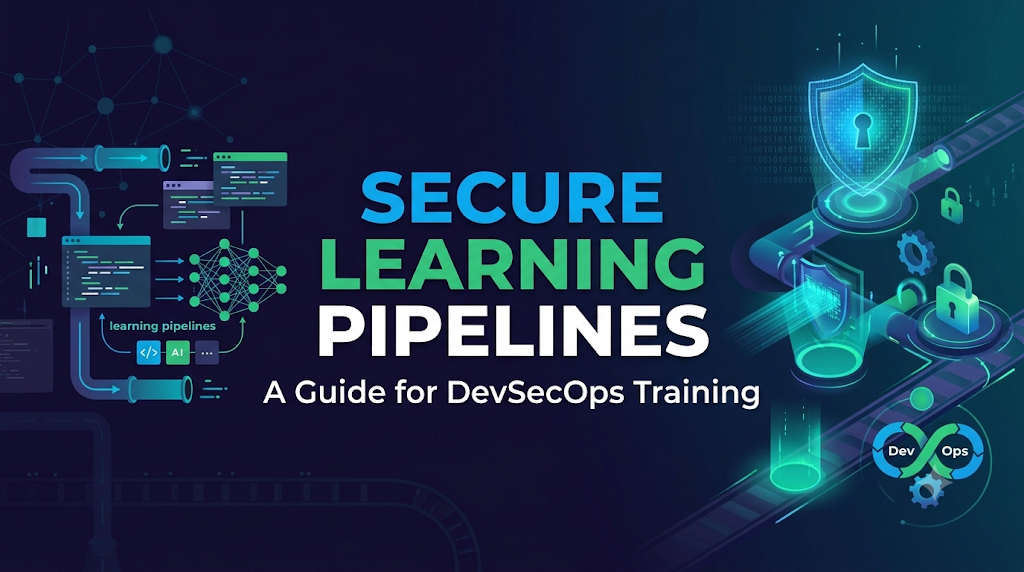
A learning pipeline in technical education goes beyond a standard code deployment workflow. It combines technical practice, instruction, automated assessment, and continuous feedback.
Traditional CI/CD vs. Learning Pipelines
While a production CI/CD pipeline focuses strictly on building, testing, and releasing software efficiently and securely, a learning pipeline prioritizes educational value, safety, and progressive skill acquisition. It must tolerate trial and error while maintaining strict guardrails against infrastructure abuse or credential leaks.
Typical Stages of a Learning Pipeline
- Learning Objectives and Course Preparation: Defining what technical and security concepts the learner will master.
- Source Code and Project Creation: Writing the initial application code or infrastructure scripts.
- Version Control: Staging and committing changes to a repository.
- Build and Testing Exercises: Compiling code and running unit or integration tests.
- Automated Security Validation: Scanning code, dependencies, and configurations for vulnerabilities.
- Deployment into Training Environments: Pushing applications to isolated sandbox or staging platforms.
- Monitoring and Feedback: Reviewing pipeline logs, error messages, and scanner reports.
- Project Assessment: Evaluating the learner’s implementation against established security and functionality criteria.
2. Identify Security Risks in Training Environments
Hands-on technical learning environments introduce unique vulnerabilities. Because learners are experimenting and making mistakes, training platforms can quickly become insecure if proper boundaries are missing.
- Accidental Exposure of API Keys and Passwords: Students frequently paste real tokens or connection strings into code files.
- Public Repositories Containing Sensitive Information: Misconfigured public repositories can leak intellectual property or test credentials.
- Shared Cloud Accounts and Infrastructure: Multiple students sharing a single cloud environment risk overwriting or interfering with each other’s resources.
- Excessive Student Permissions: Granting admin-level rights so “everything works” teaches poor privilege management.
- Insecure Virtual Machines and Containers: Running labs with default passwords or outdated, unpatched base images.
- Vulnerable Third-Party Dependencies: Using intentionally or unintentionally flawed open-source packages without scanning.
- Unsafe Sample Applications: Copying sample code that lacks input validation or authentication checks.
- Unprotected CI/CD Configurations: Exposing build runners or deployment tokens within workflow files.
- Improper Handling of Learner Data: Storing personal information or assessment results insecurely.
- Uncontrolled Access to Shared Lab Resources: Allowing unauthorized users to access staging or testing endpoints.
These risks compromise the training infrastructure, disrupt other learners, and instill dangerous technical habits that are difficult to unlearn later.
3. Design a Secure Learning Pipeline Architecture
A resilient training platform must isolate learners while providing full visibility into how security controls operate.
Key Architectural Requirements
- Separate Environments for Individual Learners: Each student should have isolated sandboxes to prevent cross-contamination.
- Isolated Project Workspaces: Dedicated directories or virtual networks for specific lab exercises.
- Controlled Access to Shared Resources: Read-only access to master templates and controlled write access to individual directories.
- Secure Source Code Repositories: Enforced private repositories with strict branch policies.
- Dedicated Build Runners: Ephemeral build agents that spin up and tear down per job, preventing state leakage.
- Restricted Deployment Environments: Sandboxed cloud namespaces or resource groups with strict quotas.
- Centralized Logging: Aggregating build logs and security alerts for instructor review.
- Environment Cleanup: Automated purging of test resources after lab completion to save costs and eliminate lingering vulnerabilities.
Text-Based Learning Pipeline Architecture Flow
Plaintext
[ Learner Workstation ]
        │
        ▼ (Secure Commit / Push)
[ Private Repository + Secret Scanner ]
        │
        ▼ (Trigger CI/CD Pipeline)
[ Ephemeral Build Runner ] ──► [ SAST & Dependency Scanning (SCA) ]
        │
        ▼ (Policy & IaC Validation)
[ Isolated Training Sandbox ] ──► [ Automated Security Gate ] ──► [ Secure Deployment ]
4. Introduce Security Fundamentals at the Beginning
Security should never wait until advanced modules. From day one, foundational concepts must be paired with every practical exercise.
Core Concepts to Introduce Early
- Authentication and Authorization: Understanding who is accessing a system and what they are allowed to do.
- Least-Privilege Access: Granting only the exact permissions needed to complete a task.
- Secure Coding Principles: Validating inputs, handling errors safely, and avoiding hardcoded secrets.
- Password and Credential Protection: Recognizing why credentials never belong in source code.
- Repository Security: Managing visibility, access tokens, and commit history.
- Safe Configuration Management: Keeping environment-specific settings out of source code.
- Basic Threat Awareness: Understanding how attackers exploit misconfigurations.
- Responsible Use of Cloud Resources: Monitoring costs, quotas, and resource lifecycles.
Instructors can demonstrate these concepts through small, focused troubleshooting exercises where students identify and fix deliberate security flaws in sample code.
5. Protect Source Code and Learning Repositories
Version control is the backbone of DevOps training. Ensuring repositories are secure teaches learners professional workflow habits.
Repository Best Practices
- Private Repositories: Default all training projects to private unless open-source contribution is explicitly being taught.
- Branch Protection: Require pull requests, mandatory peer or automated reviews, and passing status checks before merging to main branches.
- Code Review Exercises: Teach students how to review peers’ code specifically for security anti-patterns.
- Repository Access Permissions: Use role-based access control (RBAC) to restrict who can push, merge, or alter repository settings.
- Commit History and Auditability: Teach learners how git history records changes and how to inspect past commits for sensitive data.
- Secret Scanning: Enable automated scanning tools that block commits containing high-entropy strings or known token formats.
- Safe Sample Configuration Files: Provide template files (such as
.env.example) instead of completed configuration files containing real values.
Example: Handling an Accidentally Committed Secret
If a learner accidentally commits a secret, instructors should guide them through remediation:
- Revoke the compromised credential immediately in the target service provider.
- Remove the file or scrub the secret from the local working directory.
- Use repository tools or filter-branch utilities to purge the secret from the git history, or create a fresh commit overriding the sensitive data.
- Push the cleaned history and verify that automated scanners report no remaining secrets.
6. Integrate Secure Secrets Management Into Practical Labs
Hardcoding passwords or API keys in configuration files is one of the most common beginner mistakes. Labs must teach proper secret handling from the start.
Modern Secret Management Techniques
- Environment Variables: Injecting runtime variables rather than embedding them in source code.
- CI/CD Secret Stores: Utilizing built-in platform secret managers (such as repository or organization secrets).
- Cloud Secret Managers: Integrating enterprise tools for centralized secret retrieval.
- Short-Lifed Credentials: Using tokens that expire quickly rather than static, long-lived keys.
- OIDC-Based Authentication: Authenticating CI/CD pipelines to cloud providers without storing static long-term access keys.
- Secret Masking in Logs: Ensuring build pipelines automatically redact sensitive values from output logs.
- Credential Rotation: Regularly updating test credentials used across training environments.
Comparison: Insecure vs. Secure Approach
| Approach | Implementation Example | Security Risk / Benefit |
| Insecure (Hardcoded) | DB_PASSWORD = "SuperSecretPassword123" inside config.py | Exposed to anyone with read access to the repository; high risk of leakage. |
| Secure (Environment Variable / Secret Store) | DB_PASSWORD = os.environ.get("DB_PASSWORD") retrieved at runtime | Separates code from secrets; easily managed, rotated, and protected by CI/CD permission layers. |
7. Add Automated Security Checks to Learning Pipelines
Security validation should run automatically alongside unit tests. This gives learners immediate feedback without requiring manual security audits.
Essential Security Checks in Learning Pipelines
| Security Practice | Pipeline Stage | What Learners Check | Issue Identified | How to Resolve |
| Static Application Security Testing (SAST) | Code Build / Linting | Source code patterns and syntax | SQL injection, cross-site scripting (XSS), insecure cryptographic functions | Refactor code using secure coding libraries or parameterized queries. |
| Software Composition Analysis (SCA) | Dependency Resolution | Third-party packages and libraries | Known vulnerabilities in imported modules (CVEs) | Update dependency version to a patched release in package manifests. |
| Secret Scanning | Pre-commit / Early Pipeline | Plaintext strings in code or commit history | Hardcoded API keys, passwords, private keys | Remove secret, revoke credential, and use environment variables. |
| Container Image Scanning | Container Build | Base images and installed packages | Operating system vulnerabilities in Docker images | Switch to minimal or updated base images (e.g., Alpine, distroless). |
| Infrastructure as Code (IaC) Scanning | IaC Validation | Terraform, CloudFormation, or Kubernetes manifests | Public S3 buckets, open security groups, missing encryption | Modify configuration files to enforce encryption and restrict ingress rules. |
Instructors should introduce these checks progressively, starting with simple secret scanning and dependency checks before moving on to advanced SAST and IaC policy validation.
8. Create Safe Cloud, Container and Kubernetes Labs
Hands-on cloud and container exercises are essential for DevOps training, but they require strict guardrails to prevent resource abuse or accidental exposure.
Protecting Infrastructure Labs
- Individual Cloud Accounts or Isolated Projects: Ensure each student operates within dedicated resource boundaries.
- Budget Limits and Resource Quotation: Set strict financial and compute caps to prevent runaway automation scripts from incurring massive bills or crashing nodes.
- Restricted IAM Permissions: Provide scoped roles that allow learners to practice necessary administrative tasks without granting full root privileges.
- Secure Network Configuration: Default to private subnets, restrict inbound security group rules, and require HTTPS for all web endpoints.
- Container Isolation: Run containers with non-root user privileges and limit container capabilities.
- Kubernetes Namespaces and RBAC: Isolate student workloads into separate namespaces enforced by strict Role-Based Access Control policies.
- Safe Image Usage: Mandate approved base image registries and discourage pulling unverified public images.
- Resource Cleanup and Expiration: Automatically spin down lab environments after scheduled hours or course completion.
- Monitoring Unexpected Resource Consumption: Set up alerts for unusual CPU spikes, cryptomining signatures, or unexpected outbound network traffic.
9. Teach Policy as Code Through Practical Exercises
Policy as Code allows learners to codify security and governance rules, validating infrastructure configurations automatically before deployment.
Core Concepts
- Infrastructure Configuration Rules: Defining mandatory encryption, tagging, and logging requirements.
- Access Control Policies: Ensuring resources never permit public write or read permissions unless explicitly intended.
- Container Deployment Restrictions: Prohibiting privileged container execution in shared clusters.
- Compliance Checks: Aligning lab outputs with industry-standard benchmarks.
Hypothetical Exercise: Fixing an Insecure Terraform Script
In this exercise, learners review a Terraform script that provisions an AWS S3 bucket:
Terraform
resource "aws_s3_bucket" "student_bucket" {
  bucket = "training-data-bucket"
  acl    = "public-read" # Security flaw!
}
An automated Policy as Code scanner (such as OPA/Conftest or tfsec) intercepts the build and fails the pipeline with the message: Policy Violation: S3 bucket ‘training-data-bucket’ must not be publicly readable.
Learner Resolution: The student updates the script to enable server-side encryption and block public access:
Terraform
resource "aws_s3_bucket" "student_bucket" {
  bucket = "training-data-bucket"
}

resource "aws_s3_bucket_public_access_block" "block" {
  bucket                  = aws_s3_bucket.student_bucket.id
  block_public_acls       = true
  block_public_policy     = true
  ignore_public_acls      = true
  restrict_public_cumulatives = true
}
The pipeline re-runs, passes the policy check, and proceeds successfully.
10. Build Security Into Learning Assessments
Assessments should measure not only whether an application works, but whether it was built securely.
Assessment Criteria
- Secure Coding Assessments: Evaluating how well learners handle inputs, errors, and authentication.
- Pipeline Configuration Reviews: Inspecting CI/CD workflow files for exposed tokens or missing security stages.
- Vulnerability Remediation Exercises: Giving learners intentionally vulnerable projects and grading their ability to patch them correctly.
- Secrets-Management Tasks: Verifying that applications retrieve configuration data dynamically without hardcoded values.
- Access-Control Assignments: Checking whether IAM roles and Kubernetes RBAC policies adhere to the principle of least privilege.
- Infrastructure Security Checks: Auditing deployed Terraform or Kubernetes manifests for compliance.
- Incident Response Simulations: Testing how learners respond to simulated security alerts or broken builds.
- Final Project Security Reviews: Requiring students to present a security walkthrough of their final capstone architecture.
Assessments should reward learners who can articulate why specific security decisions were made, reinforcing conceptual understanding alongside technical execution.
11. A Practical Project: Build a Secure Learning Pipeline
This hands-on training project guides learners through building a small application and deploying it via a security-aware CI/CD pipeline.
Project Overview
- Objective: Deploy a simple web application using a secure, automated pipeline incorporating repository protection, secret management, and security scanning.
- Environment: Isolated student sandbox (clearly labeled as a training environment).
- Prerequisites: Basic Git knowledge, introductory container concepts, and access to a training CI/CD platform.
Step-by-Step Implementation Guide
- Create a Sample Application and Source Repository: Initialize a private git repository containing a basic Python or Node.js web application and a Dockerfile.
- Configure a Basic CI/CD Workflow: Write a pipeline configuration file (e.g., GitHub Actions or GitLab CI) that triggers on push requests.
- Add Secure Repository Permissions: Enable branch protection rules requiring pull request reviews.
- Configure Secrets Without Hardcoding: Store database connection strings in the CI/CD platform’s secret manager rather than code files.
- Integrate Code and Dependency Scanning: Add an SCA scanner step to check installed dependencies for known CVEs.
- Validate Container Images and Infrastructure: Add a container scanning step to check the built Docker image for OS vulnerabilities.
- Add a Security Gate Before Deployment: Configure the pipeline to halt deployment if critical vulnerability thresholds are exceeded.
- Deploy Into an Isolated Learning Environment: Push the validated artifact to a staging namespace or sandbox server.
- Review Pipeline Logs and Security Findings: Inspect scan reports, resolve any reported issues, and re-run the pipeline.
- Document Security Controls: Write a short markdown summary outlining the security measures implemented in the pipeline.
Troubleshooting Common Lab Issues
- Build fails on dependency scanner: Update the vulnerable package version specified in
package.jsonorrequirements.txt. - Secret masking failure: Ensure sensitive environment variables are prefixed correctly according to the CI/CD platform documentation.
- Resource quota exceeded: Clean up unused local Docker images or terminate older sandbox containers.
12. The Instructor’s Role in Maintaining Secure Learning Environments
Instructors and training administrators play a critical role in modeling secure engineering behaviors.
Core Instructor Responsibilities
- Preparing Secure Lab Templates: Providing well-structured boilerplate code that adheres to security best practices.
- Reviewing Learning Infrastructure: Regularly auditing training clusters, runners, and storage buckets.
- Creating Safe Demonstration Data: Using mock data and randomized test credentials rather than real production information.
- Managing Student Permissions: Provisioning and revoking access credentials promptly as cohorts begin and end.
- Monitoring Shared Environments: Keeping an eye on resource consumption and unusual lab activity.
- Explaining Security Mistakes Constructively: Turning compilation errors and scanner warnings into valuable teaching moments.
- Updating Tools and Lab Configurations: Keeping scanners, base images, and software development kits aligned with current standards.
- Providing Feedback on Secure Decisions: Encouraging students to discuss security trade-offs during project reviews.
13. Common Problems and How to Improve the Learning Experience
Implementing security in training pipelines introduces distinct operational challenges. Here is how to address them effectively:
- Security Checks Slowing Down Exercises:
- Improvement: Optimize scanner caching and run lightweight checks (like secret scanning) on every commit, saving deeper scans (like full SAST or container analysis) for pull request merges.
- Learners Receiving Too Many Scanner Alerts:
- Improvement: Configure severity thresholds so learners focus on high and critical vulnerabilities first, avoiding alert fatigue.
- Limited Cloud Resources:
- Improvement: Utilize ephemeral environments that auto-destroy after lab sessions and enforce strict instance sizing quotas.
- Inconsistent Lab Environments:
- Improvement: Provide containerized development environments (such as Dev Containers or pre-configured virtual machines) to ensure parity across all student setups.
- Confusing Security Documentation:
- Improvement: Supplement tool documentation with concise, step-by-step remediation guides tailored to specific lab tasks.
- Difficulty Explaining False Positives:
- Improvement: Teach learners how to evaluate scanner findings critically and document exceptions when necessary.
14. A Four-Week Plan to Introduce Security Into Learning Pipelines
Training organizations can adopt this structured roadmap to integrate security progressively into their curricula:
- Week 1 – Environment Preparation:
- Focus: Review existing lab infrastructure, identify security risks, establish isolated student environments, and define strict access policies.
- Deliverables: Secured repository templates and isolated sandbox accounts.
- Week 2 – Basic Security Controls:
- Focus: Introduce repository branch protection, credential management, and secure configuration practices.
- Deliverables: Labs focused on environment variables and secret management.
- Week 3 – Automated Validation:
- Focus: Add SAST, dependency scanning, secret detection, and infrastructure security checks into pipeline workflows.
- Deliverables: Functional CI/CD pipelines featuring automated security gates.
- Week 4 – Practical Assessment:
- Focus: Conduct secure deployment exercises, review learner capstone projects, and refine training feedback loops.
- Deliverables: Completed secure deployment projects and instructor evaluations.
Conclusion
Security should never be taught as an isolated, theoretical subject detached from daily engineering work. When security controls are built directly into learning pipelines, students experience them as natural components of coding, building, testing, deploying, and operating software.
By grounding security education in practical, hands-on implementation—backed by structured environments and automated validation—learners develop professional habits they can immediately apply in real-world engineering careers. Organizations and professionals looking to strengthen their expertise in modern DevOps and DevSecOps can leverage comprehensive educational resources from DevOpsSchool to master secure pipeline design and implementation.