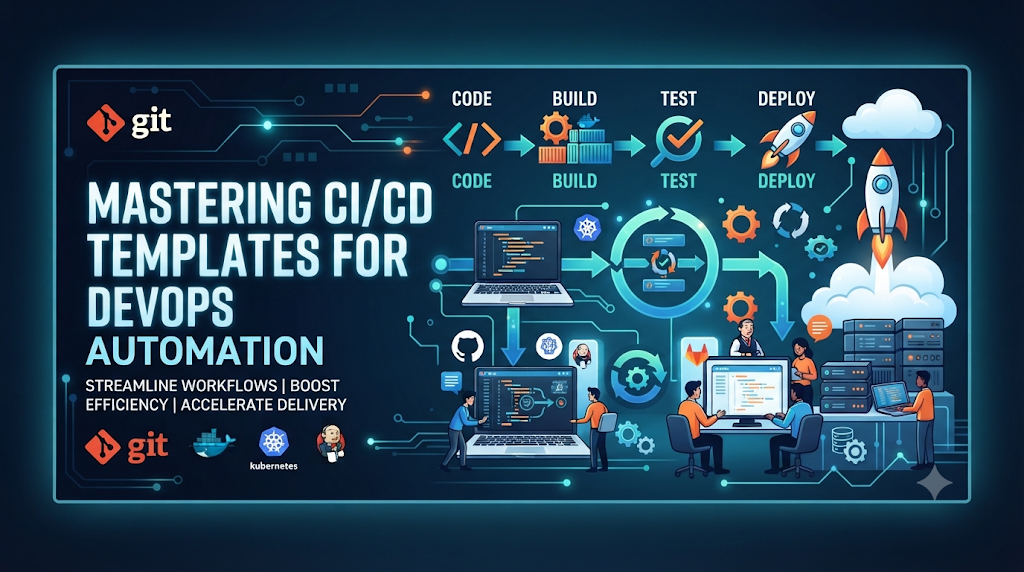
Picture a typical software development workflow: a developer writes code, saves the file, manually runs compilation commands, executes tests locally, packages the application into an archive, logs into a remote server via SSH, and copies the files over to update the environment. While this manual approach works for small prototypes, it quickly breaks down as projects grow. It introduces human error, consumes valuable hours, and makes consistent releases nearly impossible. This is where automation changes everything. By introducing a Continuous Integration and Continuous Deployment (CI/CD) workflow, teams transform fragmented manual tasks into a repeatable, automated sequence. However, for learners stepping into DevOps, writing a pipeline configuration file from a blank screen can feel intimidating.
This is where pre-configured templates come in. CI/CD templates serve as structured starting points that turn complex automation concepts into practical, modular exercises. Instead of trying to memorize abstract syntax, learners can take a working template, study its structure, modify its stages, test it locally or in the cloud, and observe how code moves securely from a repository to a running environment. This guide provides a structured collection of practical CI/CD templates, platform comparisons, troubleshooting patterns, and a four-week practice plan to help you build real-world automation skills. For professionals seeking structured learning in practical DevOps and automation training, resources like DevOpsSchool offer comprehensive programs designed to bridge the gap between theory and hands-on execution.
What Is a CI/CD Template?
A CI/CD template is a pre-defined, reusable configuration file or set of components that outlines how code should be built, tested, and deployed. Rather than rewriting pipeline logic for every new repository, teams and learners use templates to standardize workflows across multiple projects.
Core Anatomy of a Template
- Pipeline Configuration Files: The declarative text files (usually YAML or Groovy) that define the workflow structure.
- Reusable Jobs and Stages: Logical groupings of tasks (such as build, test, and deploy) that execute sequentially or concurrently.
- Variables and Parameters: Dynamic values injected into the pipeline at runtime, such as environment names, build versions, or configuration flags.
- Shared Workflow Components: Modular snippets that can be referenced across multiple pipelines to eliminate duplicate code.
- Environment-Specific Settings: Configurations tailored to isolate development, staging, and production environments.
- Template Versioning: Tagging or referencing specific versions of a template to ensure stability and prevent breaking changes when updates occur.
Understanding the Hierarchy
To use templates effectively, it helps to understand their structural differences:
- Complete Pipeline Template: A self-contained workflow configuration that defines everything from code checkout to final deployment.
- Reusable Job: A specific subset of tasks (such as running a linter or building a Docker image) designed to be called within larger pipelines.
- Shared Workflow Component: A centralized configuration snippet imported across multiple repositories to enforce organization-wide compliance and testing standards.
Prepare a Practice Environment Before Using Templates
Before deploying pipelines to production infrastructure, you need a safe, controlled workspace to experiment, fail, and learn. Setting up a reliable local or development environment ensures you can test templates without risking live systems.
Essential Components of a Practice Setup
- A Git Repository: A platform like GitHub, GitLab, or a local Gitea instance to store your source code and pipeline configurations.
- A Sample Application: A lightweight application (such as a simple Node.js, Python Flask, or Go service) with existing unit tests.
- A CI/CD Platform: Access to a CI/CD engine such as GitHub Actions, GitLab CI/CD, or Jenkins.
- A Build Environment or Runner: The execution agent (either hosted or self-hosted) responsible for running pipeline commands.
- Required Dependencies: Language runtimes, package managers, and CLI tools installed on the runner or containerized within the build environment.
- A Test Environment: A local sandbox or staging server where applications can be safely deployed during practice.
- Secure Configuration for Credentials: Using platform secret managers to store API keys, tokens, and SSH keys rather than hardcoding them into configuration files.
Eight CI/CD Templates Every Learner Should Practice
The following collection of eight templates introduces automation capabilities step by step, moving from basic compilation to secure production-grade releases.
Template 1: Basic Build Automation
Purpose
Demonstrate how to automatically trigger a build workflow whenever code is pushed to the repository, ensuring the source code compiles successfully.
Important Configuration Elements
- Trigger Event: Listening for
pushorpull_requestevents on the main branch. - Source Checkout: Fetching the repository code into the runner workspace.
- Dependency Installation: Downloading required project packages.
- Compilation: Executing build commands to generate application binaries or static assets.
- Build-Result Validation: Failing the pipeline immediately if syntax errors or missing dependencies break the build.
Learning Outcomes
Learners understand how pipeline triggers initiate execution and how workspace environments handle code checkout and dependency caching.
Exercise
Create a simple repository with a script, add a basic build configuration file, push a change, and verify that the build runner successfully executes the compilation step.
Template 2: Automated Unit Testing
Purpose
Show how to run unit tests automatically after a code change to verify functional correctness before code merges or progresses.
Important Configuration Elements
- Test Stage Definition: Placing the test job immediately after the build or dependency installation stage.
- Test Execution Command: Running test frameworks (e.g., Jest, PyTest, JUnit).
- Test Reports and Artifacts: Capturing test result summaries and coverage logs.
- Failure Handling: Ensuring that any test failure halts the pipeline and notifies the author.
Learning Outcomes
Understanding how automated gates prevent broken code from propagating through the pipeline lifecycle.
Exercise
Intentionally introduce a failing unit test into your sample application, push the code, and observe how the pipeline catches the error and aborts subsequent stages.
Template 3: Code Quality Validation
Purpose
Introduce formatting checks, code linting, static analysis, and basic quality gates to maintain code readability and catch potential bugs early.
Important Configuration Elements
- Linter Integration: Running style checkers (e.g., ESLint, Flake8) to enforce coding standards.
- Static Application Security Testing (SAST): Scanning code for known vulnerabilities or anti-patterns.
- Quality Thresholds: Setting rules that fail the build if code complexity or warning counts exceed acceptable limits.
Learning Outcomes
Learning how automated code inspection enforces team standards without requiring manual code review bottlenecks for basic formatting issues.
Exercise
Configure a linter in your pipeline template, submit code with improper indentation or unused variables, and review the linter output in the pipeline logs.
Template 4: Docker Image Build
Purpose
Demonstrate packaging application source code and its runtime dependencies into a standardized, portable Docker container image.
Important Configuration Elements
- Dockerfile Reference: Pointing the runner to a valid Dockerfile in the repository root.
- Image Tagging Strategy: Applying dynamic tags based on Git commit hashes or semantic versioning.
- Build Validation: Running container build checks to ensure all layers compile correctly.
Learning Outcomes
Mastering containerization concepts within CI/CD pipelines and understanding how build context affects image size and security.
Exercise
Write a basic Dockerfile for your sample application, add a container build step to your template, and verify that the image builds successfully on the runner.
Template 5: Container Registry Publishing
Purpose
Explain how a pipeline securely authenticates with a container registry and publishes a validated container image for distribution.
Important Configuration Elements
- Registry Authentication: Using securely stored credentials (
DOCKER_USER,DOCKER_PASSWORD) to log into Docker Hub, GitHub Packages, or AWS ECR. - Image Push Command: Uploading the tagged image to the remote repository.
- Credential Protection: Ensuring tokens and passwords are never exposed in plaintext build logs.
Learning Outcomes
Understanding secure credential management and artifact publishing workflows in cloud-native environments.
Exercise
Set up a free container registry account, store your credentials in your repository’s secret manager, and configure your pipeline to push a newly built image upon successful test completion.
Template 6: Infrastructure as Code Validation
Purpose
Show how to validate Infrastructure as Code (IaC) configurations—such as Terraform templates—before applying changes to live environments.
Important Configuration Elements
- Formatting Check: Running
terraform fmt -checkto ensure consistent syntax. - Initialization: Executing
terraform initto download required providers. - Validation and Plan Review: Running
terraform validateand generating aterraform planartifact to preview resource changes.
Learning Outcomes
Learning how automated validation catches syntax errors, missing variables, and unexpected infrastructure modifications before execution.
Exercise
Create a basic Terraform configuration file, add an IaC validation stage to your pipeline, and inspect the generated execution plan in the pipeline output.
Template 7: Automated Application Deployment
Purpose
Create a basic deployment workflow that automatically pushes the application package or container to a development environment.
Important Configuration Elements
- Environment Configuration: Designating target deployment servers or orchestrators (e.g., Kubernetes, SSH targets, PaaS platforms).
- Deployment Execution: Running deployment scripts or updating container tags in deployment manifests.
- Post-Deployment Verification: Running basic health checks to confirm the service is responding after deployment.
Learning Outcomes
Grasping the mechanics of continuous deployment and understanding how environment-specific parameters are injected into release scripts.
Exercise
Configure a deployment job in your template that copies your application build output to a local directory or development server container.
Template 8: Security Validation and Release Approval
Purpose
Demonstrate how to add secret scanning, dependency vulnerability checks, and a manual approval gate before deploying code to production environments.
Important Configuration Elements
- Dependency Scanning: Checking project libraries for known CVEs using tools like Trivy or Snyk.
- Secret Scanning: Ensuring no API keys or passwords were accidentally committed to the repository.
- Manual Approval Gate: Requiring explicit human authorization before triggering production deployment jobs.
Learning Outcomes
Balancing automation speed with essential governance, compliance, and risk mitigation practices.
Exercise
Add a manual approval requirement to your production deployment stage and test the workflow by requesting approval before the final release job executes.
Implement the Templates Across Popular CI/CD Platforms
While core automation concepts remain identical across platforms, syntax and configuration structures vary significantly. Understanding these differences prevents platform lock-in.
Platform Comparison
- Jenkins Pipeline: Utilizes Groovy-based Domain Specific Language (DSL) scripts (Jenkinsfiles) executed on master-agent architectures. Highly flexible and customizable through a vast plugin ecosystem.
- GitHub Actions: Uses YAML configuration files stored in
.github/workflows/. Deeply integrated with GitHub repositories, events, and a massive marketplace of community actions. - GitLab CI/CD: Relies on a centralized
.gitlab-ymlconfiguration file with robust built-in container registry integration, auto-devops, and staged pipeline execution. - Azure Pipelines: Uses YAML-based pipelines integrated with Azure DevOps, supporting multi-platform builds and complex enterprise approval gates.
Illustrative Syntax Examples
GitHub Actions Workflow Snippet (.github/workflows/ci.yml)
YAML
name: CI Pipeline
on: [push]
jobs:
  build-and-test:
    runs-on: ubuntu-latest
    steps:
      - name: Checkout Code
        uses: actions/checkout@v4
      - name: Set up Node.js
        uses: actions/setup-node@v4
        with:
          node-version: '20'
      - name: Install Dependencies
        run: npm ci
      - name: Run Unit Tests
        run: npm test
GitLab CI/CD Snippet (.gitlab-ci.yml)
YAML
stages:
  - build
  - test

build_job:
  stage: build
  script:
    - npm ci
    - npm run build

test_job:
  stage: test
  script:
    - npm test
A Complete Practice Project: From Code Commit to Deployment
To solidify your understanding, combine the individual templates into a single end-to-end learning exercise using a sample web application.
End-to-End Workflow Stages
- Developer pushes code: A developer commits a bug fix or feature to the repository.
- Pipeline checks out source: The CI/CD runner clones the repository at the specific commit SHA.
- Dependencies installed: Package managers restore project libraries and dependencies.
- Application tests run: Unit and integration test suites execute to verify logic.
- Code quality checks: Linters and static code analyzers evaluate style and security.
- Docker image created: A multi-stage Dockerfile packages the application and runtime.
- Image published: The container image is pushed to a secure container registry with a unique commit tag.
- Deployment executed: The development environment pulls the new image and updates the running service.
- Smoke test verified: An automated health check script verifies that application endpoints return HTTP 200 status codes.
- Pipeline reports result: The system sends a success notification or alerts the team if any stage fails.
Customize Templates Instead of Using Templates Blindly
Templates are designed to be starting points, not rigid solutions. Relying blindly on templates without understanding their internal mechanisms leads to brittle pipelines.
Key Customization Areas
- Adapting Build Commands: Tailoring compilation and packaging commands to match your specific tech stack and project layout.
- Adjusting Stages: Adding security scans or removing unnecessary testing steps based on project scope.
- Defining Environment Variables: Managing non-sensitive configuration parameters across different deployment targets.
- Secret Management: Injecting API keys and passwords securely through platform secret stores rather than plaintext files.
- Configuring Runner Requirements: Selecting appropriate runner operating systems, hardware resources, or self-hosted tags.
- Reusing Common Jobs: Creating modular workflow components to maintain consistency across multiple repositories.
Troubleshooting Exercises for Pipeline Practice
Pipeline debugging is a critical skill for any DevOps engineer. Below are common failure scenarios you should practice reproducing and resolving:
- Build Failure Caused by Missing Dependencies:
- Investigation: Inspect runner build logs for
module not foundorcommand not founderrors. - Resolution: Ensure dependency installation steps precede build commands and that package manager configuration files (
package.json,requirements.txt) are up to date.
- Investigation: Inspect runner build logs for
- Unit Test Failure:
- Investigation: Review test execution reports to identify failing assertion statements.
- Resolution: Fix the underlying application code or update mock test fixtures.
- Incorrect Docker Configuration:
- Investigation: Check container build logs for missing file paths or incorrect working directories.
- Resolution: Correct paths in the Dockerfile and verify build context settings.
- Registry Authentication Failure:
- Investigation: Look for
unauthorizedorforbiddenerrors during the image push stage. - Resolution: Verify that repository secrets are correctly configured and that credentials have appropriate push permissions.
- Investigation: Look for
- Invalid Terraform Configuration:
- Investigation: Run manual validation checks or inspect
terraform planoutput. - Resolution: Fix syntax errors, correct resource attribute names, or supply missing input variables.
- Investigation: Run manual validation checks or inspect
- Deployment Permission Error:
- Investigation: Check SSH connection logs or cloud provider authentication errors.
- Resolution: Ensure deployment tokens, SSH keys, or IAM roles have necessary write permissions on the target server.
- Missing Environment Variable:
- Investigation: Look for application startup crashes referencing undefined configuration keys.
- Resolution: Add required environment variables to the pipeline configuration or platform secret settings.
- Failed Post-Deployment Health Check:
- Investigation: Inspect application container logs and HTTP response status codes.
- Resolution: Ensure the application starts correctly on the expected port and that routing rules are properly configured.
Advanced Template Practices for Reusable Automation
Once you have mastered basic pipelines, advanced capabilities help scale automation across larger engineering organizations:
- Reusable Workflows: Defining centralized workflow templates that can be called by multiple independent repositories.
- Shared Pipeline Libraries: Writing custom Groovy libraries in Jenkins or shared composite actions in GitHub Actions.
- Conditional Execution: Running specific jobs only when changes occur in designated file paths or branches.
- Parallel Jobs: Executing independent test suites concurrently to reduce total pipeline runtime.
- Artifact Passing: Storing build outputs in intermediate storage so subsequent stages can consume them without rebuilding.
- Matrix Builds: Running tests across multiple language versions or operating systems simultaneously.
- Pipeline Caching: Caching downloaded dependencies (e.g.,
node_modules,pip cache) to speed up subsequent pipeline runs.
Security and Maintenance Rules for Pipeline Templates
Shared pipeline templates require careful governance to prevent security vulnerabilities and technical debt.
- Least-Privilege Permissions: Limit pipeline tokens and runner service accounts to only the permissions required for their specific tasks.
- Secure Secret Storage: Never store passwords, private keys, or tokens in template code; always inject them via secure secret managers.
- Protected Branches: Restrict write access to template repositories to ensure changes undergo rigorous code review.
- Dependency and Action Version Management: Pin third-party actions and plugins to specific commit hashes or immutable version tags rather than floating tags like
@main. - Trusted Runner Configuration: Isolate build runners using containerization or virtual machines to prevent cross-job contamination.
- Artifact Integrity: Sign and verify container images and build artifacts to ensure they haven’t been tampered with.
- Regular Template Reviews: Periodically audit shared templates for deprecated actions, outdated runtimes, and security flaws.
A Four-Week CI/CD Template Practice Plan
This structured four-week plan takes learners from foundational build automation to advanced reusable pipeline design.
Week 1 – Basic Automation
- Focus: Setting up repositories, source checkouts, compilation, and automated unit testing.
- Activities: Write basic workflow configurations, execute simple builds, and introduce automated test suites.
- Measurable Outcome: Successfully run a pipeline that checks out code, installs dependencies, and passes unit tests.
Week 2 – Build and Package
- Focus: Containerization and artifact management.
- Activities: Build Docker images from application source code, manage image tagging, and publish images to a test container registry.
- Measurable Outcome: Automatically build and push a validated Docker image to a remote registry on every successful code commit.
Week 3 – Deployment Automation
- Focus: Continuous deployment and environment configuration.
- Activities: Create deployment pipelines for development servers, configure environment variables, and implement post-deployment smoke tests and troubleshooting exercises.
- Measurable Outcome: Automatically deploy an application to a staging environment and verify its availability via automated health checks.
Week 4 – Security and Reusability
- Focus: Governance, security scanning, and modular templates.
- Activities: Add static security analysis, implement manual approval gates for production, and build reusable workflow templates.
- Measurable Outcome: Design an end-to-end pipeline featuring security scanning, manual approval gates, and modular reusable components.
How to Know Whether Your Pipeline Skills Are Improving
To evaluate your progress, look beyond simply making a sample pipeline turn green once. True mastery is measured by your ability to design, adapt, and troubleshoot automation workflows independently.
Practical Assessment Criteria
- Pipeline Creation from Scratch: Can you write a functional CI/CD configuration without copying code line-for-line?
- Stage Comprehension: Do you understand what each pipeline stage accomplishes and how data flows between them?
- Template Customization: Can you adapt a generic template to fit a unique application framework or deployment target?
- Reliable Test Execution: Can you configure test suites to run efficiently without causing flaky pipeline failures?
- Secure Credential Handling: Do you consistently store secrets securely without exposing keys in logs?
- Failure Diagnosis: When a pipeline fails, can you pinpoint the exact log output and resolve the root cause quickly?
- Deployment Verification: Do you know how to verify that an application is healthy after deployment?
- Documentation and Reuse: Can you document your pipeline components so other team members can easily reuse them?
Frequently Asked Questions
What are CI/CD pipeline templates?
CI/CD pipeline templates are pre-configured workflow definitions that standardize how code is built, tested, and deployed across software projects, reducing setup time and manual effort.
Which CI/CD platform should beginners practice first?
Beginners often find GitHub Actions or GitLab CI/CD approachable because their YAML-based configurations integrate directly into popular code hosting platforms without requiring separate server management.
Can I learn CI/CD using free or local environments?
Yes. Most major CI/CD platforms offer generous free tiers for public and private repositories, and tools like act or Jenkins running in Docker allow you to test pipelines locally.
What should a basic CI/CD template include?
A basic template should include source code checkout, dependency installation, build compilation, and automated unit testing stages.
How are reusable workflows different from pipeline templates?
Pipeline templates provide a complete starting configuration for a repository, whereas reusable workflows are modular components designed to be imported and executed within larger pipelines.
Should beginners learn Jenkins or GitHub Actions first?
GitHub Actions is generally easier for beginners due to its native repository integration, whereas Jenkins offers deeper insight into server administration and extensible pipeline scripting for intermediate learners.
How can I build a complete CI/CD practice project?
Start with a simple web application, write a workflow that tests and builds it into a Docker image, push the image to a registry, and deploy it to a staging environment with an automated health check.
Final Thoughts: Reusable Templates as a Path to Mastery
Mastering CI/CD is not about memorizing syntax or copying complex configuration files word-for-word. It is about understanding the underlying automation patterns that govern modern software delivery. By starting with basic templates, systematically adding stages like testing, containerization, and security gates, and practicing hands-on troubleshooting, you develop the confidence to design robust pipelines for any project.
Remember that a template is only a starting point. True DevOps proficiency comes from knowing how to adapt, secure, test, and maintain your automation workflows as applications scale and evolve.