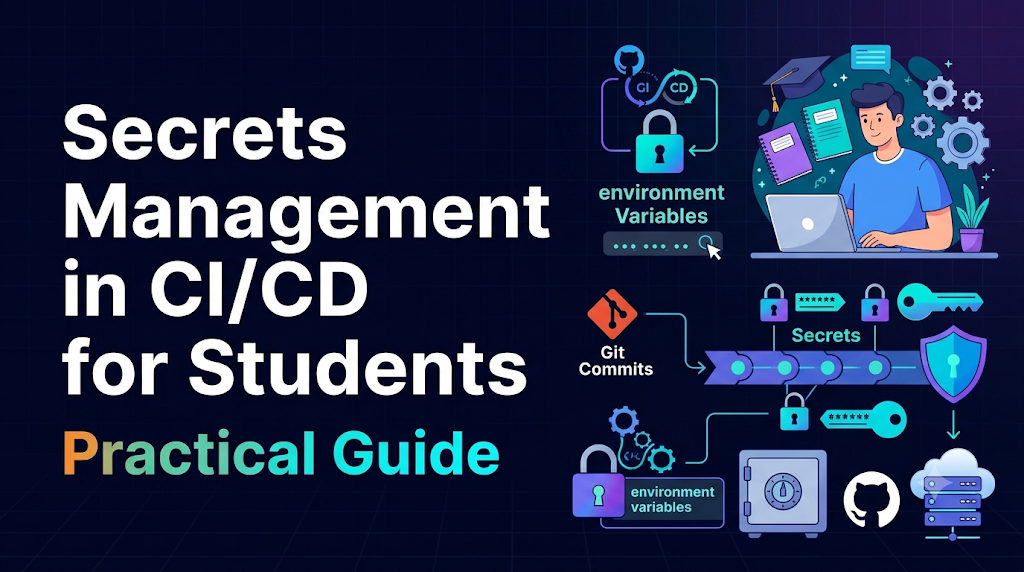
When developers write code locally on their own laptops, running an application is relatively straightforward. Database passwords, third-party API keys, and private configuration settings often sit inside a local .env file or local configuration file. The code runs, communicates with external APIs, and tests pass. However, modern software engineering relies on continuous integration and continuous delivery (CI/CD). Instead of manually running tests and uploading build files from a laptop, developers push code to automated servers that build, verify, package, and deploy applications automatically. These automated systems do not have an interactive human sitting at a terminal ready to type in passwords each time a build runs. The pipeline must authenticate with cloud providers, container registries, artifact repositories, and database servers autonomously. If automated pipelines need credentials to function, how can developers hand those credentials over without baking them directly into code repositories or splashing them across public build logs?
This challenge is known as secrets management in CI/CD for students and early-career engineers. Navigating credentials, access policies, and automated delivery is a foundational milestone in any DevOps learning journey. Whether you are learning independently, collaborating on university group projects, or exploring curated curriculum paths at DevOpsSchool, mastering how to handle sensitive credentials in automated pipelines is one of the most critical skills you can develop.
What Counts as a Secret in Software Delivery?
Before securing sensitive data, you must clearly distinguish between ordinary program configuration, public application metadata, and genuine secrets.
+-----------------------------------------------------------------------------+
|                          APPLICATION DATA SPECTRUM                          |
+------------------------------------+----------------------------------------+
| PUBLIC / NON-SENSITIVE             | SECRETS (SENSITIVE CREDENTIALS)        |
+------------------------------------+----------------------------------------+
| • Server Port (e.g., 8080)         | • API Keys (Stripe, SendGrid)          |
| • Log Level (DEBUG, INFO)          | • Personal Access Tokens (PATs)        |
| • Public Domain / API Base URL     | • Database Passwords                   |
| • UI Theme Settings                | • SSH Private Keys                     |
| • Feature Flags                    | • TLS / Code-Signing Private Keys      |
+------------------------------------+----------------------------------------+
Definitions of Common Secret Types
A secret is any piece of digital information that serves as proof of identity, grants access to protected resources, or enables the decryption of sensitive data. If an unauthorized individual gains access to a secret, they can impersonate a system, steal private data, or disrupt operations.
Here are the primary types of secrets encountered in software delivery pipelines:
- API Keys: Unique alphanumeric strings issued by external software platforms (such as payment gateways, SMS dispatchers, or mapping services). The pipeline or application uses this key to authenticate requests and attribute billing or usage.
- Passwords: Traditional string credentials used to unlock user accounts, database servers, message queues, and administrator consoles.
- Access Tokens: Temporary or scoped tokens—such as OAuth access tokens, JSON Web Tokens (JWTs), or platform-specific Personal Access Tokens (PATs)—that grant specific permissions to interact with code repositories or container registries.
- SSH Keys: Asymmetric cryptographic key pairs. Pipelines use the private key to authenticate against remote virtual servers to run deployment commands without passwords.
- Database Connection Strings: URI strings that bundle a database hostname, port, database name, username, and password into a single line (for example:
postgres://dbuser:mypassword@db.example.com:5432/production). - Code-Signing and TLS Certificates: Private keys used to verify that software artifacts are authentic and have not been tampered with, or used to terminate encrypted web traffic.
- Sensitive Environment Variables: Environment variables that store any of the above credentials inside a running operating system process.
Secrets vs. Ordinary Configuration vs. Public Values
A frequent point of confusion for beginners is the boundary between configuration and secrets.
- Public values are details intended to be visible to the world. Examples include a frontend web client’s public base URL, application version numbers, and static CSS assets.
- Ordinary configuration consists of operational settings that adjust application behavior across different environments (such as development, staging, and production) without granting administrative authority. Examples include server port numbers (
PORT=8080), database pool sizes (DB_POOL_MAX=20), and log verbosity levels (LOG_LEVEL=DEBUG). These settings can safely reside in plain text within your repository because exposing them does not grant unauthorized access to private data. - Secrets are strictly restricted values that authorize access or decrypt private data. While configuration settings define how an application runs, secrets define who the application is allowed to be when communicating with secure boundaries.
How Secrets Can Leak Through a Pipeline
CI/CD platforms are built to maximize developer visibility. They compile code, run test suites, print output diagnostics to real-time build logs, and archive finished binaries. Because these systems are designed to report diagnostic data freely, sensitive credentials can easily leak if not handled carefully.
                          COMMON LEAK VECTORS

  [ Source Code ] --------> Accidental hardcoded commits into Git history
         |
  [ Pipeline Run ] -------> Unmasked output printed to build console logs
         |
  [ Build Artifact ] -----> Packaging local .env files into release zip/tar files
         |
  [ Docker Build ] -------> Baking secrets directly into container image layers
         |
  [ Pull Request ] -------> Malicious PR running workflow on a public runner
Source Control and the Git History Trap
The most common mistake beginners make is committing a secret directly into source control. A student might write apiKey = "test_12345" during local debugging and accidentally include it in git commit -am "fixed tests" and git push.
Many beginners believe that running a subsequent commit removing the key fixes the issue:
Bash
# A common beginner mistake:
git rm secret.txt
git commit -m "removed secrets"
git push origin main
This does not protect the secret. Git is an append-only version control system designed to preserve history. The sensitive string remains permanently readable inside the preceding commit object. Anyone who clones the repository, inspects past commits, or browses the commit history can extract the credential. Automated internet bots continuously scan public repositories for newly pushed commits containing API key patterns, often compromising leaked credentials within seconds of exposure.
Build Logs and Diagnostic Output
CI/CD engines capture standard output (stdout) and standard error (stderr) from every command executed in a pipeline script and display them in a web interface for troubleshooting.
If a build script executes commands like:
Bash
# Dangerous: prints all environment variables to logs
printenv
env

# Dangerous: displays command line arguments including secrets
curl -u admin:$API_TOKEN https://api.example.com/deploy
The secret is printed in plain text directly to the console log. Even if your repository is private, build logs are often accessible to an entire team, teaching assistants, or public contributors. Furthermore, build logs are cached, indexed, and stored on remote servers, increasing the attack surface.
Build Artifacts and Packaged Binaries
Pipelines often assemble binaries, .zip archives, or frontend web distribution folders (dist/). If a build script copies an entire local workspace—including development configuration files like .env.local or testing private keys—into the packaged artifact, that secret is bundled directly into the distributable application. In frontend development, any environment variable embedded into client-side JavaScript (like React or Vue builds) is completely readable by anyone who opens their browser’s developer tools.
Container Images and Layer Caching
When building Docker containers in a pipeline, every instruction in a Dockerfile (RUN, COPY, ENV) produces an immutable layer:
Dockerfile
# Highly insecure practice:
FROM alpine
ENV DB_PASSWORD="SuperSecretPassword123"
RUN echo "Setting up database..."
Even if a later line in the Dockerfile deletes or unsets the variable, the value remains permanently embedded inside the underlying filesystem layer. Anyone with pull access to the container image can run tools like docker history or inspect the image manifest to recover the secret.
Shared Runners and Untrusted Workflows
Many free CI/CD tiers run jobs on shared compute runners. If a pipeline runs a build triggered by an untrusted pull request from a public fork, that pull request could contain altered workflow steps designed to inspect the runner environment and transmit stored secrets to an external server.
Understand the Basic Secrets Management Model
To prevent these exposure points, security engineers rely on a structured, layered model for managing automated credentials. Rather than treating secrets as simple strings pasted into scripts, consider the complete lifecycle of a secret.
       THE SECRETS LIFECYCLE

  +-------------------------------+
  |   1. Store (Encrypted Storage)|
  +---------------+---------------+
                  |
                  v
  +-------------------------------+
  |   2. Authenticate (Identity)  |
  +---------------+---------------+
                  |
                  v
  +-------------------------------+
  |   3. Authorize (RBAC Policy)  |
  +---------------+---------------+
                  |
                  v
  +-------------------------------+
  |   4. Retrieve (Inject at Run) |
  +---------------+---------------+
                  |
                  v
  +-------------------------------+
  |   5. Audit, Rotate & Revoke   |
  +-------------------------------+
Core Concepts
- Secret Store: An isolated, encrypted storage system specifically designed to house sensitive values. Values inside the store are encrypted at rest using strong cryptographic algorithms (such as AES-256).
- Identity and Authentication: Before a pipeline job can read a secret, the job must prove its identity. The secret store needs a dependable way to verify: Is this incoming request genuinely coming from my project’s automated test runner, or is it an attacker?
- Authorization Policies: Access controls that define what an authenticated runner can read. Through the principle of least privilege, a simple integration test job running on a development branch should only have access to disposable test credentials, never production deployment credentials.
- Secret Retrieval and Delivery: The controlled mechanism by which the pipeline fetches the decrypted value into memory precisely when needed, without saving it to disk or writing it to the console.
- Rotation: The regular process of invalidating an existing credential and replacing it with a fresh one to minimize the window of opportunity for an undetected leak.
- Auditing and Logging: Immutable audit records that document every access event: who requested the secret, which workflow executed the request, and the exact timestamp of the query.
- Revocation: The immediate invalidation of a credential when an exposure is suspected, cutting off unauthorized access.
Storing vs. Safely Delivering Secrets
Storing a secret securely is only half the battle. Storing an API key encrypted inside a database or credential vault is standard practice. The greater architectural challenge lies in secure delivery: transporting that secret into an ephemeral (short-lived) virtual runner, injecting it into an application process, and cleaning it up after execution without leaving traces in logs, temporary files, or child processes.
Compare Common Ways to Provide Secrets
There is no single universal tool for managing secrets. Engineering teams choose between different strategies based on team size, infrastructure complexity, and security requirements.
| Method | Best Suited For | Key Advantages | Trade-Offs / Risks |
| CI/CD Platform Built-in Secrets | Beginners, small-to-medium teams, individual student projects. | Zero external infrastructure; native masking in logs; simple key-value UI. | Bound to that specific platform; difficult to share secrets across multiple tools. |
| Dedicated Secret Managers (e.g., HashiCorp Vault, AWS Secrets Manager) | Enterprise organizations, multi-cloud architectures. | Centralized control; rich audit logs; fine-grained access policies; dynamic secrets. | Added operational complexity; requires dedicated infrastructure and maintenance. |
| Workload Identity / OIDC | Cloud deployments (AWS, Azure, GCP) from modern CI/CD runners. | Eliminates long-lived static credentials entirely; issues short-lived, scoped tokens. | Requires deeper knowledge of identity federation and cloud IAM configurations. |
| Encrypted Configuration Files (e.g., SOPS, git-crypt) | GitOps workflows, teams wanting versioned configurations. | Secrets can be versioned alongside code; track changes to configurations. | Key management challenge: you must still safely distribute the master decryption key to the CI runner. |
Why Plain-Text Files Are Inadequate
Storing credentials in local .env files is common during early programming courses. However, committing these files to version control introduces massive risks.
Even if a project team uses a .gitignore file to prevent committing .env, a single developer running git add -f or improperly editing the .gitignore can immediately commit raw credentials to the shared repository. Relying entirely on developer discipline without automated guardrails will eventually fail.
A Safe Beginner Lab: Hands-On Pipeline Secrets
To understand how a CI/CD engine injects, masks, and protects credentials, work through this educational lab.
This lab uses a nonfunctional, fake credential inside a disposable test workflow. It teaches you how to configure a secret, pass it into a runner process, and verify its presence without exposing the value.
LAB ARCHITECTURE

[ GitHub Repository Settings ]
              |
      (Stores Secret: FAKE_API_KEY)
              |
              v
[ GitHub Actions Runner (Ubuntu VM) ]
              |
              +---> Step 1: Python checks variable presence (PASS/FAIL)
              +---> Step 2: Safe masking demonstration (prints *** instead of value)
Lab Prerequisites
- A free personal account on a Git hosting platform with built-in CI/CD (such as GitHub or GitLab).
- A new, empty private repository named
secrets-lab.
Step 1: Add a Fake Secret to the Platform Store
In your repository web interface:
- Navigate to Settings > Secrets and variables > Actions.
- Click New repository secret.
- In the Name field, enter:Plaintext
DEV_MOCK_API_KEY - In the Secret field, enter a fake, nonfunctional placeholder token:Plaintext
mock_secret_token_abc123xyz890 - Click Add secret.
The platform now stores your secret in an encrypted database. Notice that once saved, you can update or delete the secret, but the platform will never show you the plain-text value again.
Step 2: Create a Safe Validation Script
In your local repository, create a small Python script named verify_secrets.py.
This script validates that the secret has been successfully injected into the operating system environment without printing the actual value:
Python
"""
verify_secrets.py
Educational script to safely validate credential injection.
"""

import os
import sys

def main():
    # Read the secret from the process environment
    secret_value = os.getenv("APP_SECRET")

    print("[DIAGNOSTIC] Checking credential availability...")

    # Check 1: Does the variable exist?
    if not secret_value:
        print("[ERROR] Verification Failed: APP_SECRET is missing or empty.")
        sys.exit(1)

    # Check 2: Does it meet minimum expected formatting?
    # (Checking shape and prefix without printing the content)
    if not secret_value.startswith("mock_secret_"):
        print("[ERROR] Verification Failed: Secret does not match expected prefix pattern.")
        sys.exit(1)

    # Check 3: Safe character length inspection
    length = len(secret_value)
    print(f"[SUCCESS] APP_SECRET is present in the runner environment.")
    print(f"[DIAGNOSTIC] Secret string length: {length} characters.")
    print("[SUCCESS] All pre-flight security checks passed.")

if __name__ == "__main__":
    main()
Step 3: Write the CI/CD Workflow File
Create a workflow file in your repository at .github/workflows/secrets_test.yml:
YAML
name: Safe Secrets Validation Lab

# Trigger workflow on pushes to branches, but limit access logic
on:
  push:
    branches:
      - main

jobs:
  validate-secrets:
    runs-on: ubuntu-latest

    steps:
      - name: Check out repository code
        uses: actions/checkout@v4

      - name: Set up Python
        uses: actions/setup-python@v5
        with:
          python-version: "3.11"

      - name: Execute safe verification script
        # Map the stored platform secret to an environment variable in this step only
        env:
          APP_SECRET: ${{ secrets.DEV_MOCK_API_KEY }}
        run: |
          python verify_secrets.py

      - name: Demonstrate automatic log masking
        env:
          EXPOSED_SECRET: ${{ secrets.DEV_MOCK_API_KEY }}
        run: |
          echo "Testing platform log redaction behavior:"
          # The runner recognizes this registered secret and intercepts it
          echo "The value of EXPOSED_SECRET is: $EXPOSED_SECRET"
Step 4: Run the Workflow and Inspect Results
Commit both files and push them to your repository:
Bash
git add verify_secrets.py .github/workflows/secrets_test.yml
git commit -m "add safe secrets verification lab"
git push origin main
Navigate to the Actions tab in your repository and select the running workflow.
Expected Output
- The
Execute safe verification scriptstep will run. The console log will display:Plaintext[DIAGNOSTIC] Checking credential availability... [SUCCESS] APP_SECRET is present in the runner environment. [DIAGNOSTIC] Secret string length: 30 characters. [SUCCESS] All pre-flight security checks passed. - The
Demonstrate automatic log maskingstep will run. Inspect the output:PlaintextTesting platform log redaction behavior: The value of EXPOSED_SECRET is: ***
The platform’s built-in log mask replaced the sensitive string with three asterisks (***).
Distinguishing This Lab From Production
In this beginner lab, you mapped a long-lived, static secret from repository settings directly to an environment variable.
In enterprise production environments, teams avoid long-lived credentials entirely. Instead, pipelines use workload identity federation (OIDC) to exchange short-lived tokens with cloud providers, eliminating the need to store long-lived tokens in settings menus.
Step 5: Lab Cleanup
After completing the exercise:
- Return to Settings > Secrets and variables > Actions.
- Locate
DEV_MOCK_API_KEYand click the Delete icon. - This ensures disposable test values do not linger indefinitely in inactive repositories.
Protect Secrets During Builds and Deployments
Automated masking is an important safeguard, but relying entirely on log redaction is dangerous. Mature CI/CD pipelines use defensive architectural patterns to protect credentials at every step.
+----------------------------------------------------------------------------+
|                       PIPELINE ISOLATION PRINCIPLES                        |
+----------------------------------------------------------------------------+
| [ Code Linting & Static Analysis ]   ---> NO SECRETS INJECTED              |
| [ Automated Unit Tests ]            ---> MOCK / STUB SECRETS ONLY          |
| [ Build & Packaging ]                ---> NO SECRETS INJECTED              |
| [ Integration Tests ]                ---> LOW-PRIVILEGE LAB SECRETS ONLY   |
| [ Deployment to Production ]         ---> HIGH-PRIVILEGE PRODUCTION SECRETS |
+----------------------------------------------------------------------------+
The Limits of Log Masking
Most CI/CD runners maintain a memory table of all strings retrieved from their internal secret stores. When any command produces terminal output, the runner matches lines against this table. If it finds a match, it replaces the string with ***.
However, masking can easily be bypassed by simple encoding transformations:
- Base64 Encoding: If your application code or a diagnostic command converts a secret into Base64 (e.g.,
echo $SECRET | base64), the resulting string will look completely different from the original value. The runner will not recognize the string and will print the encoded secret directly to the console. - String Slicing: If an error dumps the secret broken apart into individual characters or split across lines, log filters will often fail to match the sequence.
- Character Escaping: URL-encoded characters (like
%20or%2F) alter the string representation, preventing naive pattern matchers from masking the output.
The Principle of Least Privilege
The principle of least privilege states that a subject should be granted only the minimum permissions necessary to complete its assigned task.
Within a CI/CD pipeline, not every step needs access to credentials:
- Code linting, static analysis, and syntax checks require only source files. Secrets should never be injected into these jobs.
- Unit tests should test application logic using simulated mocks, stubs, or fake in-memory databases. They do not require live third-party API credentials.
- Production deployment jobs are the only steps that need deployment tokens. Keep these jobs strictly isolated from general build and test jobs.
Branch Protection and Environment Rules
Modern platforms let you scope secrets to specific environments (such as development, staging, and production) rather than providing them globally to the entire repository.
By pairing environments with branch protection rules, you can establish strong guardrails:
- Configure the
productionenvironment so that secrets are accessible only from runs executing on the protectedmainbranch. - Require mandatory pull request reviews from another team member before any code can be merged into the protected branch.
- This setup prevents a contributor from pushing a rogue script to a random feature branch to read production secrets.
Avoid Secrets in Command-Line Arguments
When writing bash commands in pipeline definitions, avoid passing sensitive values as inline command-line arguments:
Bash
# Insecure: arguments are visible to process monitoring tools
./deploy-tool --token="my_secret_token" --target=staging
On Linux systems, any running process can inspect the arguments of other processes running on the same machine using commands like ps aux or by reading /proc/[pid]/cmdline.
Instead, pass secrets using standard input streams or environment variables scoped to that specific step:
Bash
# Better: passing via environment variable
export DEPLOY_TOKEN="${{ secrets.DEPLOY_TOKEN }}"
./deploy-tool --target=staging
Untrusted Pull Requests and Fork Security
A major attack vector against open-source repositories involves pull requests submitted from external forks. If a project automatically injects production secrets into workflows triggered by pull_request, an external attacker could submit a PR that alters the pipeline script to transmit the repository’s secrets to a remote server.
To prevent this, reputable CI/CD platforms explicitly restrict secrets from being passed to workflows triggered by repository forks by default. Never override or disable these protective defaults unless you fully understand the security implications.
Rotation, Expiration, and Incident Response
Security operations operate under the assumption that credentials will eventually be exposed, whether through human error, misconfigured systems, or infrastructure vulnerabilities. To minimize the impact of an exposure, teams practice credential rotation and establish incident response plans.
                  CREDENTIAL ROTATION LIFECYCLE

  [ 1. Generate ] --------> Create new token in the external service
         |
  [ 2. Update ]   --------> Store the new token in the CI/CD platform
         |
  [ 3. Validate ] --------> Run pipeline verification; confirm job succeeds
         |
  [ 4. Revoke ]   --------> Invalidate and delete the old credential
Rotating a Secret Safely
Rotation is the planned replacement of an existing credential with a fresh one. Regular rotation ensures that if a key was silently exposed in the past, its useful lifespan is severely restricted.
A clean rotation follows a four-step lifecycle:
- Generate the replacement credential: In the external service (such as your cloud console or API dashboard), create a new key without immediately deleting the old one. This temporarily provides two working keys.
- Update the secret store: Paste the newly generated key into your CI/CD platform’s secrets configuration.
- Validate operational continuity: Trigger a pipeline run to confirm that your build and deployment jobs authenticate successfully using the updated credential.
- Revoke the old key: Once you have verified that the pipeline is operating smoothly, delete or deactivate the old key in the external service’s administrative dashboard.
What to Do When a Secret Leaks (Incident Response)
If you discover that a genuine secret has been committed to a repository or printed to a build log, follow this emergency procedure:
EMERGENCY INCIDENT RESPONSE FLOW

+-----------------------+
|  1. REVOKE IMMEDIATELY|  <--- Invalidate the key at the provider level NOW
+-----------+-----------+
            |
            v
+-----------------------+
|  2. AUDIT ACCESS LOGS |  <--- Check for unauthorized API calls or data access
+-----------+-----------+
            |
            v
+-----------------------+
|  3. CLEAN LOGS / REPO |  <--- Delete public build logs; scrub Git history
+-----------+-----------+
            |
            v
+-----------------------+
|  4. GENERATE NEW KEY  |  <--- Re-issue credential and re-seed pipeline
+-----------------------+
- Immediate Revocation: Do not waste time rewriting Git history or deleting files first. Your very first action must be to log into the provider’s management console and revoke the credential immediately. An invalidated key is useless to an attacker, even if it is sitting on a public webpage.
- Audit Access Logs: Inspect the provider’s activity and audit logs for the period between exposure and revocation. Look for unrecognized IP addresses, unexpected data downloads, or rogue resources created using the exposed token.
- Clean the Repository History and Build Logs:
- If the key leaked into build logs, delete the log history from your CI/CD platform interface.
- If the key was committed to Git, rewrite your repository’s history using specialized tools like
git-filter-repoto permanently erase the commit objects. (Note: simply pushing a new commit will not clean your history).
- Generate and Seed a New Secret: Issue a fresh credential and store it inside the platform’s secure secret store.
- Conduct a Blameless Post-Mortem: Analyze how the exposure happened. Was a
.gitignorepattern missing? Was a developer debugging locally without safety tools? Implement automated pre-commit scanners to catch similar errors before they reach remote repositories.
Troubleshooting Without Revealing Sensitive Values
When a CI/CD build fails due to an authentication error, beginners often try to debug the issue by printing variables directly to the terminal:
Bash
# Extremely risky debugging:
echo "Token is: $SECRET_AUTH_TOKEN"
Printing secrets to debug issues is dangerous and unnecessary. You can resolve common configuration issues using safe, non-revealing diagnostic patterns.
Diagnosing Common Pipeline Secret Failures
| Common Issue | Root Cause | Safe Diagnostic Action |
| Variable Empty / Missing | Typing error in the variable name, or the secret was not passed to the specific job or step. | Print the length of the string, or use safe shell presence testing: [ -z "$VAR" ] && echo "EMPTY" || echo "SET". |
| Name Mismatch | The secret is named PROD_KEY in settings, but the workflow file references secrets.PRODUCTION_KEY. | Cross-reference variable names across your YAML files and settings dashboard. |
| Permission Denied | Job lacks access permissions (e.g., running from a restricted branch or fork). | Check repository environment protection rules and branch permission logs. |
| Expired Credential | The external token reached its validity expiration date. | Check the token’s status inside the issuing service provider’s console. |
Unexpected *** in Output | Normal masking behavior; the runner recognizes a registered string and hides it. | Treat this as expected behavior. If a command needs the value, confirm it receives the variable through its execution environment. |
Safe Diagnostic Shell Patterns
Instead of echoing raw variable contents, use these safe command-line techniques:
Bash
# Check 1: Verify variable existence without showing contents
if [ -z "$AUTH_TOKEN" ]; then
  echo "[DIAGNOSTIC] AUTH_TOKEN is UNSET"
  exit 1
else
  echo "[DIAGNOSTIC] AUTH_TOKEN is POPULATED"
fi

# Check 2: Verify length to catch truncated keys
echo "[DIAGNOSTIC] Character count: ${#AUTH_TOKEN}"

# Check 3: Verify first two characters for prefix validation (if known and public)
# Example: AWS keys often start with 'AKIA'
echo "[DIAGNOSTIC] Prefix check: $(echo "$AUTH_TOKEN" | cut -c 1-2)..."

# Check 4: Validate hash signature to confirm key parity between environments
# This lets you compare keys across machines without revealing the key itself
echo "[DIAGNOSTIC] MD5 signature: $(echo -n "$AUTH_TOKEN" | md5sum | cut -d ' ' -f 1)"
Using these techniques, you can confirm whether a variable is missing, mistyped, or truncated while keeping the underlying credential secure.
Learning Exercises and a Student Checklist
To put these concepts into practice, complete these progressive exercises in your own lab repository.
Practical Learning Exercises
Exercise 1: Identify Secrets in a Sample Pipeline
Review this mock configuration snippet and identify three security issues:
YAML
# Can you find the 3 security vulnerabilities?
- name: Run Deploy
  run: |
    export API_KEY="live_sk_99218491283"
    ./deploy.sh --key=$API_KEY
    env
(Issues: 1. Raw API key hardcoded in source. 2. Secret passed as an inline CLI argument. 3. env command dumps all runner environment variables into the console log).
Exercise 2: Replace Hardcoded Values with Stored Secrets
Take an existing script from one of your school or personal projects that reads values from a local file, and refactor it to read from an operating system environment variable. Update your local environment using an exported variable, and verify that the application runs without the file existing on disk.
Exercise 3: Restrict a Secret to a Protected Deployment Job
Configure an environment named production in your repository settings. Add a rule requiring manual approval before jobs using that environment can run. Update your CI/CD configuration to reference this environment, and observe how the platform pauses execution until approved.
Exercise 4: Simulate Credential Rotation
Create a mock API key in your repository settings. Write a workflow that validates the key using string length and checksum checks. Update the secret value to a new string and run the pipeline again to confirm that the tests pass with the new credential. Finally, delete the mock secret.
Exercise 5: Add a Pre-Commit Secret Scanner
Protect yourself from accidental commits by installing open-source secret-scanning tools (such as Gitleaks or detect-secrets) into your local development workflow. Configure a git pre-commit hook that automatically blocks commits containing patterns that look like API keys or private certificates.
Pre-Flight Student Pipeline Checklist
Run through this checklist before pushing pipeline changes to your repository:
- No Hardcoded Values: Have I checked
git diffto ensure no passwords, keys, or tokens are written into the codebase? - Ignored Environment Files: Are all local configuration files (
.env,.env.local,credentials.json) listed in.gitignore? - Secure Storage: Are all pipeline credentials stored inside the platform’s encrypted secret store rather than in YAML workflows?
- Sanitized Logging: Have I removed all debug commands like
printenv,env, orset -xthat could expose variables in build logs? - Isolated Step Scopes: Are secrets supplied only to the specific job steps that require them, rather than globally across the entire workflow?
- Safe Input Handling: Are secrets passed to tools via environment variables or standard input instead of command-line arguments?
- Protected Branches: Are production deployment workflows restricted to protected branches with pull request review requirements?
- Disposable Lab Data: Am I using non-functional, test-only credentials for all student labs and school exercises?
Frequently Asked Questions (FAQs)
What is secrets management in CI/CD?
Secrets management in CI/CD is the structured discipline of securely storing, authenticating, injecting, and rotating sensitive credentials (such as API keys, database passwords, and deployment tokens) within automated software delivery workflows, ensuring that automated systems can access necessary resources without exposing credentials in code repositories or build logs.
Why should secrets never be committed to Git?
Git is an append-only version control system designed to preserve history. Deleting a secret in a subsequent commit does not remove it from previous snapshots. Anyone who clones the repository can inspect the history to recover the credential. Furthermore, public repositories are continuously crawled by automated bots that discover and exploit exposed credentials within seconds of being pushed.
Are CI/CD platform secrets enough for every project?
For individual student projects and small teams, built-in platform secret stores (such as GitHub Actions Secrets or GitLab CI/CD Variables) provide excellent security, native log masking, and simple setup. However, large enterprise environments often outgrow platform-specific stores and require dedicated solutions (like HashiCorp Vault or cloud key management services) to manage credentials across multiple tools, systems, and cloud providers from a single dashboard.
What is the difference between a secret and an environment variable?
An environment variable is a dynamic key-value pair maintained by the operating system to pass configuration settings to running processes. A secret is a sensitive credential (like a password or access token). Environment variables are often used as the mechanism to deliver secrets into an application process, but non-sensitive configuration settings (like server port numbers or log verbosity) are also passed via environment variables.
How can students practice secrets management safely?
Students should practice secrets management using disposable test accounts, non-functional mock keys, and local containerized environments. Never use personal production credentials, live payment keys, or active cloud provider credentials for practice workflows. Always delete lab secrets and test resources after completing your learning exercises.
What should a team do if a secret appears in build logs?
First, revoke the credential immediately in the issuing service’s management console to render it useless to potential attackers. Second, audit access logs in that service to determine if the exposed key was used maliciously. Third, delete the exposed log history from the CI/CD platform. Finally, issue a new credential, save it in your platform’s encrypted secret store, and update your workflow to prevent the variable from being printed in future runs.
Conclusion
Automated software delivery removes friction from the development process, but it requires developers to adopt mature security habits early. Credentials should never live in source code, diagnostic output must be handled carefully, and sensitive values should only be accessible to the jobs that strictly require them. By practicing secrets management using isolated platform stores, verifying configurations safely without printing sensitive values, and preparing for credential rotation, you build the habits required of professional engineers. As you continue your technical journey—whether working through personal coding projects, collaborating with peers, or advancing through professional learning curricula with mentors at DevOpsSchool—treating secrets with care and discipline will keep your applications, infrastructure, and users protected.