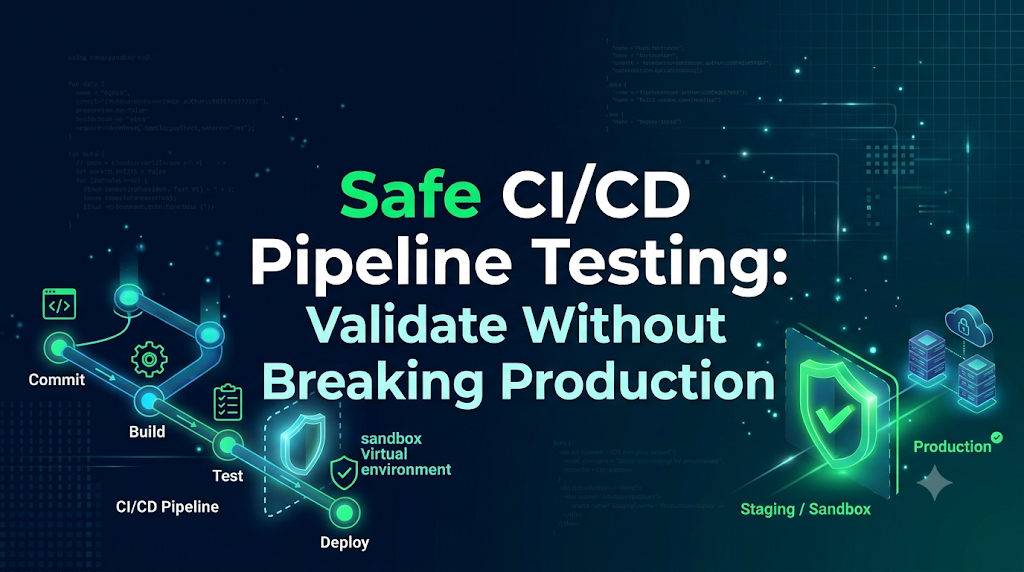
Continuous Integration and Continuous Delivery (CI/CD) pipelines serve as the backbone of modern software engineering. They compile code, run test suites, package containers, provision cloud infrastructure, and roll out changes directly to end users. Because delivery pipelines operate with elevated permissions across critical systems, changes made to the pipeline configuration itself represent an acute operational risk. A single misplaced wildcard in a deployment pattern, an unpinned dependency, or an unvalidated infrastructure script executed within a pipeline can dismantle a production system in seconds. For professionals mastering automation and platform operations through platforms like DevOpsSchool, establishing ironclad safety mechanisms around pipeline testing is just as vital as building the automation itself. Engineering teams must have the ability to modify build steps, test deployment automation, and restructure deployment workflows without gambling with customer data, system stability, or infrastructure availability. Testing delivery automation safely requires deliberate technical architecture, rigorous identity boundaries, reproducible test fixtures, and automated guardrails.
1. Why Pipeline Testing Can Become a Production Risk
Consider an all-too-common production incident: an engineer updates an organization’s CI/CD workflow to support an upcoming microservice release. To verify that a new deployment artifact publishes and deploys as expected, the engineer pushes a commit to a feature branch. However, the shared pipeline file contains an ambiguous branch evaluation:
YAML
# Flawed conditional evaluation
if: github.ref == 'refs/heads/main' || github.event_name == 'push'
Instead of running only the build step on the feature branch, the pipeline interprets the logic broadly and advances directly to the production rollout phase. Even worse, the deployment job shares an environment variable context that defaults target compute clusters to production endpoints when custom parameters are omitted. The pipeline deploys unfinished feature code over the stable production release, overwrites live database schemas with untested migration scripts, and severs active customer connections.
Incidents like this are rarely the fault of an individual developer; they represent systemic architecture flaws. When CI/CD automation lacks dedicated isolation, routine testing introduces significant failure modes:
- Unintended Application Outages: Unchecked branch triggers or flawed conditional logic push unvetted binaries directly to production clusters, terminating active service pods and disrupting live traffic.
- Data Corruption and Schema Drift: Untested database migration steps run prematurely against live storage backends, locking mission-critical tables, altering constraints, and dropping columns required by running applications.
- Rogue Cloud Resource Costs: Faulty autoscaling configurations, loop constructs in infrastructure scripts, or dangling resource allocations within pipeline jobs spin up unbudgeted compute instances, generating thousands of dollars in unexpected cloud provider charges.
- Configuration Drift and Security Regressions: Ad-hoc scripts executed during pipeline troubleshooting alter shared baseline configurations, invalidate cluster ingress policies, or expose private network subnets to public traffic.
Delivery automation inherently acts as a force multiplier. If the pipeline itself is broken or points to the wrong target, it will deploy that failure across your enterprise at maximum speed. To test CI/CD pipelines safely, teams must treat pipeline definition files with the same rigor, safety controls, and layered testing strategies applied to mission-critical backend software.
2. Understand What Needs to Be Tested in a CI/CD Pipeline
A production-grade CI/CD pipeline is an orchestrated pipeline of distinct subsystems. Validating a pipeline requires testing each constituent phase in isolation before evaluating the end-to-end flow.
+-------------------------------------------------------------------------------------------------------------+
|                                    ANATOMY OF A COMPLETE CI/CD WORKFLOW                                    |
+--------------------+---------------------+--------------------+--------------------+------------------------+
| Source & Trigger   | Build & Quality     | Artifact Creation  | Infrastructure     | Deployment & Verify    |
+--------------------+---------------------+--------------------+--------------------+------------------------+
| - Webhooks         | - Compilers         | - Container Engine | - IaC Provisioning | - Traffic Routing      |
| - Filter Logic     | - Unit/Mock Tests   | - Layer Caching    | - Config Drift     | - Health Probes        |
| - Event Contexts   | - Static Code SAST  | - Vulnerability    | - Security Policy  | - Automated Rollbacks  |
| - Secret Injection | - Dependency Audits |   Scanning         |   Engine Checks    | - Metric Notifications |
+--------------------+---------------------+--------------------+--------------------+------------------------+
Each stage carries its own failure modes and corresponding risk profiles:
Source Code and Repository Triggers
Pipelines trigger on specific events: pull requests, tag pushes, release creations, or scheduled cron jobs. Testing must confirm that filters restrict jobs accurately. A mistake here risks running destructive actions on pull requests originating from unvetted feature branches or external forks.
Build and Compilation Steps
Build scripts run toolchains, fetch language modules, and compile binaries. Testing these steps ensures that cache paths, compiler options, and build targets resolve consistently without consuming infinite compute time or exhausting disk space on self-hosted runners.
Unit and Integration Tests
Pipelines run test harnesses against application components. Testing the pipeline itself means checking that test runners report exit codes properly: failing test suites must systematically fail the pipeline execution rather than failing open due to unhandled exceptions in the pipeline script.
Dependency Installation
Pipelines pull dependencies from internal registries or external package managers. Pipeline tests must confirm that lockfiles are honored, network proxies work, and offline mirrors or vendored caches prevent supply-chain attacks or unexpected version updates.
Container Image Creation
Containerization jobs build images using tools like Docker, Buildah, or Kaniko. Teams must test layer optimization, dynamic tagging logic, build-argument injections, and ensure that sensitive build secrets are not accidentally baked into public image layers.
Security and Quality Scans
Static Application Security Testing (SAST), Software Bill of Materials (SBOM) generation, and vulnerability scanners must run within the pipeline. Testing must verify that these scanners parse codebases correctly and enforce defined severity thresholds (e.g., blocking releases with critical CVEs) without breaking execution on harmless warnings.
Infrastructure Provisioning
When Infrastructure as Code (IaC) runs inside automation, testing must verify plan generations, drift assessments, state locking mechanisms, and policy compliance engines. Failures here can overwrite shared infrastructure or delete critical networks.
Deployment and Rollback Stages
The deployment step handles orchestration targets (Kubernetes clusters, serverless engines, or virtual machine scale sets). Testing must prove that deployment scripts can not only deploy successfully, but can also detect unhealthy deployments and execute rollbacks without human intervention.
Notifications and Post-Deployment Checks
Webhooks, metrics aggregators, and notification bots must broadcast pipeline status accurately. Testing ensures alerts dispatch to designated monitoring channels and smoke-test frameworks execute against correct ingress endpoints.
3. Separate Testing From Production at the Infrastructure Level
Relying on developers or pipeline authors to select the correct target environment using dropdown parameters or manual variables is a known anti-pattern. Human error is inevitable. True safety requires hard, technically enforced boundaries between non-production and production environments at the infrastructure tier.
+------------------------------------------------------------------------------------------------+
|                               TECHNICAL INFRASTRUCTURE ISOLATION                               |
+-----------------------------------------------+------------------------------------------------+
| DEVELOPMENT & SANDBOX CLOUD ACCOUNT           | PRODUCTION CLOUD ACCOUNT                       |
|                                               |                                                |
|  +-----------------------------------------+  |  +------------------------------------------+  |
|  | Isolated VPC / Virtual Network          |  |  | Dedicated Production VPC                 |  |
|  |                                         |  |  |                                          |  |
|  |  [ Test K8s Cluster ]                   |  |  |  [ Live Production K8s Cluster ]         |  |
|  |    Namespace: pipeline-ci               |  |  |    Namespace: core-services              |  |
|  |                                         |  |  |                                          |  |
|  |  [ Disposable Test Database ]           |  |  |  [ Multi-AZ High-Availability Database ] |  |
|  |    (Synthetic Datasets Only)            |  |  |    (Strict Encryption & Zero CI Access)  |  |
|  +-----------------------------------------+  |  +------------------------------------------+  |
|                       ^                       |                       ^                        |
|                       |                       |                       |                        |
|        [ Ephemeral / Non-Prod CI Runner ]     |        [ Dedicated Production Runner ]         |
|        (Scoped IAM: Non-Prod Account Only)    |        (Scoped IAM: Production Account Only)   |
+-----------------------------------------------+------------------------------------------------+
Account-Level Segmentation
The gold standard for cloud architecture is absolute account-level isolation. Development, testing, staging, and production workloads should live in distinct cloud accounts (e.g., separate AWS Accounts under an Organization, Azure Subscriptions, or Google Cloud Projects).
Under this model, test runners operating in the non-production account lack the network routing and IAM authority to make API requests against production resources. A catastrophic syntax failure or uncontrolled terraform destroy command running in a test context physically cannot affect production resources because the security boundary is managed by the cloud platform’s hypervisor.
Network and Namespace Controls
Within environments that share compute hardware—such as multi-tenant Kubernetes clusters—teams must enforce boundaries via:
- Dedicated Namespaces: Isolating test workloads within namespaces with strictly defined
NetworkPoliciesthat drop all outbound egress traffic targeting production services or internal production networks. - Resource Quotas and Limits: Assigning explicit
ResourceQuotasandLimitRangesto test namespaces. This prevents an unvalidated test pipeline from spawning compute-heavy pods that starve production system components of CPU or memory. - Virtual Private Clouds (VPC): Ensuring that non-production VPCs have no peering connections, transit gateways, or routing paths to production databases or message brokers.
Dedicated CI/CD Runners
Shared CI/CD execution nodes (runners or agents) represent a significant security hazard. If a single runner executes both non-production tests and production deployments, a compromised or misconfigured test script could read stored credentials, cache directories, or docker sockets from the local runner filesystem.
To mitigate this risk:
- Run test jobs on ephemeral, autoscaling runners that are destroyed immediately after a single job completes.
- Maintain an isolated pool of hardened runners specifically dedicated to production releases, housed inside the production network perimeter and inaccessible to general development jobs.
4. Use a Safe Pipeline Validation Strategy
Testing delivery workflows does not require executing the entire end-to-end pipeline on every minor update. Adopting a tiered, “shift-left” validation model allows teams to catch syntax errors, linting issues, and logic bugs locally or in lightweight sandboxes before touching any cloud infrastructure.
1. Syntax & Schema Validation  ==>  Fastest, cheapest (local pre-commit)
2. Static Analysis & Linting   ==>  Validates logic & environment variables
3. Build & Unit Validation     ==>  Runs compilation & internal test suits
4. Deployment Dry-Run          ==>  Simulates engine actions without applying
5. Sandbox / Ephemeral Deploy  ==>  Proves end-to-end flow in a disposable target
6. Staging Deployment          ==>  Validates near-production parity
7. Controlled Production Gate  ==>  Requires approvals, promotes vetted artifact
Step 1: Syntax and Configuration Schema Validation
Pipeline files written in YAML or JSON must follow strict structural rules. Misaligned indentation, unsupported keys, or incorrect data types can be caught instantly without triggering a pipeline runner.
- Use localized pre-commit hooks to validate YAML formatting.
- Validate workflow files against official JSON/YAML schemas (such as JSON Schema definitions for GitHub Actions or GitLab CI).
Step 2: Pipeline Linting and Static Validation
Static linters analyze pipeline scripts for logical bugs, deprecated syntax, insecure practices, and missing parameter declarations:
- Tools like
actionlintparse GitHub Actions workflows, checking expression syntax, validating runner availability, and verifying event parameters. - Linters identify dangerous shell patterns inside pipeline script blocks, such as unquoted shell variables vulnerable to injection.
Step 3: Build-Only Execution
Before testing deployment mechanics, run the pipeline with deployment tasks explicitly disabled. This verifies that:
- Code compiles cleanly against designated base images.
- Container construction succeeds, producing deterministic layer hashes.
- Test suites execute and accurately report passing/failing statuses.
Step 4: Integration Testing in Ephemeral Environments
Rather than deploying directly to a static staging server that mimics production, instantiate temporary, isolated environments (e.g., dynamic preview environments created via Kubernetes namespaces or isolated virtual networks).
- The pipeline deploys code to a freshly minted, disposable target.
- Automated integration suites and smoke tests hit the ephemeral endpoints.
- The pipeline tears down the entire environment upon completion.
Step 5: Deployment Simulation and Dry-Run Checks
Most deployment tools support non-destructive simulation modes. A dry run evaluates authentication, parses manifests, and checks remote cluster states without applying persistent modifications:
kubectl apply --dry-run=server -f deployment.yamlhelm templateorhelm install --dry-runterraform plan
Step 6: Controlled Staging Deployment
Staging represents the final validation gate before production. Staging must closely replicate production architecture, configurations, and network topologies. Testing the deployment pipeline against staging confirms that zero-downtime rolling update configurations, ingress bindings, and health probe timings function as intended under realistic conditions.
Step 7: Production Promotion
Once a pipeline run passes all preceding stages, the resulting artifact (e.g., an immutably tagged container image or versioned package) is approved for production promotion. The pipeline must deploy the exact artifact vetted in earlier stages; it should never recompile or rebuild code from source for the production release.
5. Protect Production With Permissions and Deployment Controls
Securing CI/CD pipelines requires implementing the Principle of Least Privilege. Pipelines executing non-production tests must never possess the technical capability to alter live systems.
Scoped Service Accounts and Temporary IAM Roles
Static, long-lived access keys stored as pipeline secrets are an engineering liability. They can leak through job logs, persist indefinitely, and often accumulate excessive administrator permissions.
Modern pipelines should authenticate to cloud providers using OpenID Connect (OIDC). OIDC eliminates static credentials entirely:
- The CI/CD provider acts as an identity provider, issuing short-lived, cryptographically signed JSON Web Tokens (JWT) for each workflow run.
- Cloud platforms (AWS, Azure, GCP) validate the token’s claims (repository, branch, environment name) and exchange it for temporary, short-lived IAM credentials.
- Test branches receive an IAM role restricted strictly to non-production buckets, networks, and clusters.
- Only pipeline executions running against protected branches (e.g.,
mainor an official release tag) can assume production-scoped IAM roles.
Protected Branches and Environments
Source code control systems provide built-in controls to prevent rogue pipeline definitions from executing privileged jobs:
- Branch Protection Rules: Prevent direct code pushes to production deployment branches (
main,release/*). All modifications must arrive through Pull Requests requiring peer code review and passing status checks. - Environment Protections: Platforms like GitHub, GitLab, and Bitbucket allow administrators to declare formal “Environments” with tied secrets and access controls. Secrets for production are physically unavailable to jobs unless the job targets the
productionenvironment, which in turn can enforce mandatory manual sign-offs.
Pull Request Created (Feature Branch)
  │
  ├──► Uses: Non-Prod OIDC Role (Read-only / Sandbox Scope)
  ├──► Access: No access to Production Secrets
  └──► Runs: Linters, Unit Tests, Container Build, Ephemeral Deploy
         │
         ▼
Merge to Main (Protected Branch)
  │
  ├──► Stage 1: Deploy to Staging (Automatic)
  │      └── Uses Staging Secrets / Permissions
  │
  └──► Stage 2: Manual Approval Gate
         │   (Requires approval from authorized Release Lead)
         ▼
       Deploy to Production
         └── Uses Production OIDC Role & Production Secrets
Separation of Duties and Manual Approval Gates
Automated safety checks should be complemented by human oversight for high-risk actions. High-trust deployments must implement a separation of duties:
- An engineer proposing a pipeline modification cannot be the sole approver of that change.
- Advancing a pipeline execution from staging to production must require an explicit manual approval step by designated release engineers, SREs, or system owners.
- Modern deployment gates should require multiple independent sign-offs for operations that touch live databases or stateful storage.
6. Test With Safe and Representative Data
One of the most dangerous testing habits is dumping a live production database snapshot into a test or staging environment to “ensure realistic data.”
Using production customer data in non-production environments introduces severe regulatory and operational risks:
- Compliance Violations: GDPR, HIPAA, PCI-DSS, and SOC 2 frameworks strictly regulate customer data access. Non-production environments rarely feature the audit logging, tight access lists, or data retention protections mandated for production systems.
- External Communication Hazards: If an unsanitized database snapshot contains real customer email addresses, phone numbers, or third-party API configurations, an automated integration test could inadvertently send test emails, billing notices, or SMS messages to real users.
- Accidental Cross-Talk: If testing pipelines retain connection strings or cache settings extracted from production dumps, a pipeline job running an automated database wipe or migration can accidentally target the production datastore.
Strategies for Safe Test Data Management
+----------------------------------------------------------------------------------------------------+
|                                    TEST DATA MANAGEMENT STRATEGY                                   |
+----------------------+-----------------------------------------------------------------------------+
| Strategy             | Implementation Mechanics                                                    |
+----------------------+-----------------------------------------------------------------------------+
| Synthetic Data       | Programmatically generated records using libraries (e.g., Faker, Bogus).    |
| Generation           | Structurally valid, highly randomized, zero sensitive exposure.             |
+----------------------+-----------------------------------------------------------------------------+
| Automated Data       | Deterministic scrubbing pipelines that hash emails, randomize names,        |
| Masking & Scrubbing  | nullify tokens, and replace card data before writing to staging.           |
+----------------------+-----------------------------------------------------------------------------+
| Disposable Container | Ephemeral database containers (e.g., Testcontainers) instantiated with bare |
| Databases            | baseline schemas and seeded with static test fixtures on the fly.           |
+----------------------+-----------------------------------------------------------------------------+
- Synthetic Data Generation: Utilize data generation frameworks to construct test records that mirror production data structures, column lengths, and edge cases without using real customer data.
- Automated Anonymization Pipelines: When production-scale data characteristics are mandatory for performance testing, run the dataset through an isolated, automated extraction pipeline that irreversibly masks personally identifiable information (PII). Pseudonymize usernames, replace email addresses with controlled internal sink domains (
@example.internal), nullify authentication tokens, and rotate financial identifiers. - Disposable Containerized Datastores: For automated CI runs, avoid connecting to persistent remote databases entirely. Spin up an empty database engine inside an ephemeral container, execute all schema migrations from scratch, populate the database with known test fixtures, run the integration tests, and destroy the container.
7. Validate Infrastructure Changes Before Applying Them
Infrastructure as Code (IaC) tools like Terraform, OpenTofu, and CloudFormation enable teams to define networking, compute, and storage declaratively. However, when an automated pipeline executes IaC changes, a minor script mistake can permanently destroy critical cloud assets.
To test infrastructure automation pipelines safely, teams must enforce a strict multi-tier IaC testing workflow:
[ Code Commit ]
      │
      ▼
1. terraform fmt -check    ==> Validates style and clean syntax
      │
      ▼
2. terraform validate      ==> Checks attribute names, types, and logic
      │
      ▼
3. checkov / trivy / tfsec ==> Enforces security compliance & best practices
      │
      ▼
4. terraform plan -out     ==> Generates deterministic execution plan
      │
      ▼
5. Manual Plan Review      ==> Human verifies resources to add/change/destroy
      │
      ▼
6. terraform apply         ==> Executes ONLY the reviewed binary plan file
Static Analysis and Security Linting
Before executing any remote cloud API calls, run local static checks against the code:
terraform fmt -check: Guarantees code conforms to uniform structural styling.terraform validate: Verifies that configuration files are syntactically valid and internally consistent, confirming that resource types, providers, and declared attributes exist.- Policy-as-Code Enforcers: Tools like Open Policy Agent (OPA), Conftest, or Checkov scan IaC templates against organizational security policies, verifying that resources include mandatory tags, enforce encryption at rest, and avoid exposing ports (e.g.,
0.0.0.0/0) to the public internet.
Isolated Workspaces and State Files
Never allow a testing pipeline to reference a production Terraform state file (terraform.tfstate):
- Maintain isolated remote state backends (e.g., separate S3 buckets with distinct DynamoDB state locking tables) for each environment.
- Ensure testing pipelines point to dedicated non-production cloud accounts, using variable files (
dev.tfvars) that prevent resource naming conflicts.
The True Value (and Limitations) of Dry Runs
Running terraform plan produces an execution plan detailing precisely which cloud resources will be created, updated, or destroyed:
Bash
# Generate and save a deterministic plan file
terraform plan -input=false -var-file=environments/nonprod.tfvars -out=tfplan.binary
The Value: An execution plan allows engineers to audit changes before execution, catching accidental resource destruction or unintentional configuration changes early.
The Limitation: A dry run is not a complete guarantee of deployment success. A terraform plan succeeds if the syntax is valid and the remote state matches expectations. However, the subsequent terraform apply step can still fail if:
- Cloud provider resource quotas or service limits are exceeded (e.g., running out of available vCPUs in a region).
- API credentials lack specific, granular permissions to provision the declared resource.
- Underlying provider APIs experience regional service disruptions.
- Dynamic configurations resolve to invalid values at provisioning time.
To mitigate this limitation, high-reliability delivery pipelines test IaC updates by provisioning fully functional ephemeral staging environments, verifying the infrastructure through automated smoke tests, and executing terraform destroy upon test completion.
8. Test Containers and Kubernetes Deployments Safely
Containerized delivery workflows require validating container artifacts and runtime orchestration configurations prior to rollout.
[ Dockerfile / App Code ]
           │
           ▼
1. Container Vulnerability Scan  ==>  Trivy / Grype checks base image & packages
           │
           ▼
2. Dynamic Container Health Run  ==>  Local ephemeral run to test startup/entrypoint
           │
           ▼
3. Manifest Linting & Templating ==>  helm lint & helm template rendering
           │
           ▼
4. Cluster Dry-Run Execution     ==>  kubectl apply --dry-run=server
           │
           ▼
5. Sandboxed Namespace Rollout   ==>  Isolated verification with smoke tests
Image Vulnerability Scanning
Do not wait for runtime security alerts to discover compromised dependencies. Embed vulnerability scanners directly into the pipeline before publishing container images to internal registries:
- Use tools like Trivy, Grype, or Snyk to inspect container base images and installed application packages.
- Configure the pipeline to fail early if high or critical vulnerabilities with available patches are detected.
Bash
# Example scanning container image using Trivy
trivy image --exit-code 1 --severity HIGH,CRITICAL my-app:test-tag
Validating Kubernetes Manifests and Helm Charts
Before applying configurations to a cluster, validate manifest syntax and chart structure:
helm lint ./charts/my-service: Identifies structural errors and formatting mistakes in Helm templates.helm template ./charts/my-service -f values-test.yaml > rendered.yaml: Expands all variables and templates into pure YAML manifests.kubeconform: Validates the rendered manifests against strict upstream Kubernetes JSON schemas, confirming that API versions and spec parameters are valid for the target cluster version.
Safe Dry Runs with the Kubernetes API
Client-side manifest checks cannot verify whether the cluster will accept a deployment. Running a server-side dry run sends the manifest payload to the live Kubernetes API server, validating permissions, admission controllers, schema boundaries, and resource conflicts without persisting modifications:
Bash
# Execute a server-side dry run against the staging cluster
kubectl apply --server-side --dry-run=server -f rendered.yaml
Namespace Isolation and Runtime Readiness
When deploying to a non-production validation cluster:
- Deploy workloads into dedicated, ephemeral namespaces containing unique names (e.g.,
pr-1422-review). - Implement mandatory
readinessProbesandlivenessProbes. These probes instruct Kubernetes to withhold routing incoming network traffic to a pod until internal application health checks pass. - Configure explicit
resources.requestsandresources.limitsto ensure that a runaway memory leak in a test container cannot compromise neighboring cluster workloads.
9. Simulate Failure Without Breaking Live Services
High-performing pipelines must be resilient to operational failures. Proving that a pipeline can fail safely is just as critical as testing the happy path. If a build step breaks or an external service goes dark, does the pipeline halt execution immediately, or does it fail open and release an incomplete build?
Normal Pipeline Failure Testing vs. Chaos Engineering
It is important to clearly distinguish between two testing practices:
- Pipeline Failure Validation: Testing the internal error-handling and control logic of the automation pipeline itself. For example, verifying that when a step fails, notifications fire, credentials unbind, ephemeral resources are torn down, and deployment phases halt.
- Production Chaos Engineering: Deliberately injecting faults into live, running production infrastructure (e.g., terminating random nodes using Chaos Mesh or Gremlin) to validate application-level fault tolerance, autoscaling, and self-healing systems.
Pipeline testing focuses strictly on the first practice, conducted entirely within non-production environments.
Practical Scenarios for Pipeline Failure Testing
+---------------------------------------------------------------------------------------------------+
|                                 PIPELINE FAILURE INJECTION CHECKS                                 |
+--------------------------+------------------------------------------------------------------------+
| Simulated Failure Case   | Safe Test Implementation Method                                        |
+--------------------------+------------------------------------------------------------------------+
| Broken Application Tests | Inject an intentional test assertion failure; verify pipeline exits    |
|                          | immediately with a non-zero exit code and halts deployment.            |
+--------------------------+------------------------------------------------------------------------+
| Missing Secrets or Keys  | Strip a mock credential variable; ensure the job aborts cleanly        |
|                          | without hanging indefinitely or exposing partial keys in stdout.       |
+--------------------------+------------------------------------------------------------------------+
| Unhealthy Deployment     | Set a mock container readiness probe to fail; verify that rolling      |
| Container Rollout        | updates freeze and the deployment rolls back automatically.            |
+--------------------------+------------------------------------------------------------------------+
| External Dependency Loss | Point the build job to an unreachable internal mock IP; confirm        |
|                          | timeout handling triggers without corrupting local caches.             |
+--------------------------+------------------------------------------------------------------------+
- Simulate Failed Unit Tests: Intentionally introduce an unhandled exception or failed assertion into a test branch. Confirm that the pipeline runner terminates execution, records the failure status, suppresses deployment stages, and notifies developers.
- Simulate a Failed Readiness Probe: Configure a staging deployment with an invalid environment variable that causes container startup crashes. Observe the container orchestrator: the deployment must detect that pods never reach a
Readystate, abort the rollout, maintain previous healthy pods, and mark the pipeline job as failed. - Use Mock Services for Downstream Dependencies: When testing integration pipelines, avoid connecting to live external payment gateways or third-party APIs. Use local mock servers (such as WireMock or Prism) within the test runner. Mocks allow you to simulate connection timeouts, 500-level HTTP errors, and dropped network packets safely, validating pipeline error handling under controlled conditions.
10. Build Automated Safety Checks Into the Pipeline
A secure pipeline incorporates automated guardrails that continuously evaluate changes, preventing dangerous actions from executing.
       [ Trigger: Code Pushed to Branch ]
                       │
                       ▼
    +--------------------------------------+
    | Pre-Execution Guardrails             |
    | - Confirm target branch / context    |
    | - TruffleHog scans for credentials   |
    | - Trivy scans dependency SBOMs       |
    +--------------------------------------+
                       │ Passes
                       ▼
    +--------------------------------------+
    | Static & Policy Enforcement          |
    | - Conftest / OPA validates configs   |
    | - Checkov audits IaC definitions     |
    | - Linters inspect manifest schemas   |
    +--------------------------------------+
                       │ Passes
                       ▼
    +--------------------------------------+
    | Runtime Integration & Validation     |
    | - Deploy to dynamic sandbox          |
    | - Run automated smoke test suite     |
    +--------------------------------------+
                       │ Passes
                       ▼
    +--------------------------------------+
    | Production Deployment Gate           |
    | - Confirm release tag signatures     |
    | - Require manual team approval       |
    +--------------------------------------+
Core Automated Guardrails
- Secret Detection Scans: Tools like Gitleaks or TruffleHog scan every incoming commit in real time. If an engineer accidentally commits an API token or private key, the pipeline immediately fails the job before building or publishing artifacts.
- Target Environment Verification: Pipelines must programmatically verify the target execution environment at runtime. Shell scripts within deployment tasks must assert that target endpoints, cluster contexts, and environment names explicitly match expected non-production patterns before running commands.
- Static Infrastructure Policy Enforcement: Integrate Open Policy Agent (OPA) or Conftest to automatically reject configurations that violate baseline security principles, such as running containers as
rootor provisioning unencrypted storage volumes.
Illustrative CI/CD Workflow (GitHub Actions Example)
The following workflow demonstrates how to organize safe validation, automated guardrails, and production approval controls within a declarative pipeline:
YAML
name: Continuous Integration & Controlled Delivery

on:
  push:
    branches: [ feature/*, main ]

permissions:
  id-token: write
  contents: read

jobs:
  # Stage 1: Fast Static Validation & Security Guardrails
  validate:
    name: Lint & Security Scan
    runs-on: ubuntu-latest
    steps:
      - name: Checkout Code
        uses: actions/checkout@v4

      - name: Scan Repository for Secrets
        uses: trufflesecurity/trufflehog@v3.63.7
        with:
          path: ./
          base: ${{ github.event.before }}
          head: ${{ github.event.after }}

      - name: Lint Workflow YAML
        run: |
          docker run --rm -v "$(pwd):$(pwd)" -w "$(pwd)" rhysd/actionlint:latest

  # Stage 2: Application Build & Test
  build-and-test:
    name: Compile & Test
    needs: validate
    runs-on: ubuntu-latest
    steps:
      - name: Checkout Code
        uses: actions/checkout@v4

      - name: Setup Language Runtime
        uses: actions/setup-node@v4
        with:
          node-version: '20'
          cache: 'npm'

      - name: Install Dependencies
        run: npm ci

      - name: Execute Unit & Integration Tests
        run: npm test

  # Stage 3: Container Build & Vulnerability Scan
  package-and-scan:
    name: Package & Audit Container
    needs: build-and-test
    runs-on: ubuntu-latest
    steps:
      - name: Checkout Code
        uses: actions/checkout@v4

      - name: Build Local Validation Image
        run: docker build -t app:${{ github.sha }} .

      - name: Scan Image for Vulnerabilities
        uses: aquasecurity/trivy-action@0.20.0
        with:
          image-ref: 'app:${{ github.sha }}'
          format: 'table'
          exit-code: '1'
          severity: 'CRITICAL'

  # Stage 4: Deploy to Ephemeral Sandbox (Non-Production Only)
  deploy-sandbox:
    name: Deploy to Ephemeral Sandbox
    needs: package-and-scan
    if: github.ref != 'refs/heads/main'
    environment: sandbox
    runs-on: ubuntu-latest
    steps:
      - name: Deploy to Test Namespace
        run: |
          echo "Deploying artifact to isolated sandbox namespace..."
          # Command targets non-production sandbox cluster via OIDC credentials

  # Stage 5: Deploy to Production (Protected Branch + Manual Gate)
  deploy-production:
    name: Promote to Production
    needs: package-and-scan
    if: github.ref == 'refs/heads/main'
    environment: production # Protected environment requiring manual approval
    runs-on: ubuntu-latest
    steps:
      - name: Deploy to Live Cluster
        run: |
          echo "Deploying approved artifact to live production environment..."
          # Command runs with production-scoped IAM authority
11. What to Do When a Pipeline Test Fails
When an automated pipeline job fails, engineers often feel pressured to fix the problem quickly. However, hastily editing deployment configurations or experimenting directly in a production environment introduces severe risk.
Troubleshooting broken delivery pipelines requires a disciplined, step-by-step diagnostic process:
[ Pipeline Fails ]
        │
        ▼
1. Isolate the Failure Point  ==> Determine the exact step, command, or script that exited.
        │
        ▼
2. Analyze Execution Logs     ==> Review timestamped logs, stdout/stderr streams, and return codes.
        │
        ▼
3. Validate Context & State   ==> Verify identity roles, environment variables, and network routes.
        │
        ▼
4. Replicate in Local Sandbox ==> Reproduce using CLI tools or ephemeral local runner containers.
        │
        ▼
5. Implement & Test the Fix   ==> Push updates to a dedicated feature branch; let the pipeline test itself.
        │
        ▼
6. Document the Root Cause    ==> Record learnings to prevent identical configuration regressions.
Step 1: Identify the Specific Stage of Failure
Determine which pipeline phase triggered the failure:
- Did the failure occur during syntax validation, container image scanning, or runtime orchestration?
- Check the exit code: An exit code of
1often indicates a failed test assertion or linter rejection; exit codes like127or137indicate missing binaries or out-of-memory (OOM) runner terminations.
Step 2: Inspect Execution Logs Systematically
Review timestamped log streams directly preceding the failure:
- Check for network connection timeouts, expired tokens, or changed remote API endpoints.
- Verify that dynamic variable expansions evaluated to valid strings rather than resolving to empty variables (
"") or unintended defaults.
Step 3: Verify the Execution Environment and Injected Variables
Misconfigured environment variables are among the most common causes of pipeline failures:
- Check that parameter contexts match the target testing environment.
- Confirm that temporary OIDC role assumptions succeeded and granted the expected IAM permissions.
- Ensure underlying runner images have not updated beneath you (always use pinned, immutable runner image tags).
Step 4: Reproduce the Issue Locally
Never troubleshoot pipeline problems by modifying files directly on remote compute nodes or pushing arbitrary commits directly to the main branch. Instead:
- Reproduce container build failures locally using the same container runtime and flags.
- Replicate manifest linting errors using local CLI tools (
helm template,actionlint,conftest). - Use local pipeline testing tools (such as
actfor local GitHub Actions execution) to run the pipeline job inside an isolated Docker container on your workstation.
Step 5: Document and Codify the Fix
Once you identify the root cause, write an automated test or linter rule to prevent the issue from recurring. If an unpinned dependency broke the compilation step, pin that dependency in the project’s lockfile. If an unquoted shell variable caused a path parsing failure, add a linter check to catch unquoted variables automatically.
12. A Hands-On Example: Testing a Deployment Pipeline Without Production Access
This walkthrough demonstrates how to build, test, and safely validate a CI/CD pipeline using a realistic web service and an isolated test environment. We will verify pipeline configurations, run scans, deploy to an isolated staging namespace, and verify that the pipeline safely halts when a failure occurs.
Architecture Overview
- Application: A containerized Go HTTP web application exposing a
/healthzendpoint. - Orchestration Target: An isolated non-production Kubernetes cluster.
- Test Isolation: The pipeline executes using a dedicated test identity lacking all production access. Deployments are restricted to a dynamic test namespace (
staging-preview).
+─────────────────────────────────────────────────────────────+
|                     PRACTICAL HANDS-ON WORKFLOW             |
+─────────────────────────────────────────────────────────────+
|  1. Work on test branch (feature/pipeline-safety-demo)      |
|  2. Execute configuration validation & linting              |
|  3. Run application unit tests                              |
|  4. Build & scan container image with Trivy                 |
|  5. Deploy to isolated Kubernetes namespace                 |
|  6. Execute smoke tests against /healthz                    |
|  7. Inject failure & verify pipeline halts safely           |
+─────────────────────────────────────────────────────────────+
Prerequisites
- Git installed locally.
- A configured non-production Kubernetes cluster (or local cluster like Minikube/Kind).
- Docker and
kubectlcommand-line tools.
Step 1: Create a Dedicated Test Branch
Never test new pipeline behaviors on a production branch. Create an isolated branch to contain the changes:
Bash
git checkout -b feature/pipeline-safety-demo
Step 2: Establish the Application Codebase
Create a minimal Go web service with built-in health checks:
Go
// main.go
package main

import (
	"fmt"
	"net/http"
	"os"
)

func healthHandler(w http.ResponseWriter, r *http.Request) {
	// Fail health check if configured to simulate an unhealthy service
	if os.Getenv("SIMULATE_APP_FAILURE") == "true" {
		w.WriteHeader(http.StatusServiceUnavailable)
		fmt.Fprintf(w, "UNHEALTHY")
		return
	}
	w.WriteHeader(http.StatusOK)
	fmt.Fprintf(w, "HEALTHY")
}

func main() {
	http.HandleFunc("/healthz", healthHandler)
	http.HandleFunc("/", func(w http.ResponseWriter, r *http.Request) {
		fmt.Fprintf(w, "Pipeline Safety Demo Application")
	})
	http.ListenAndServe(":8080", nil)
}
Create a corresponding test suite to validate application logic:
Go
// main_test.go
package main

import (
	"net/http"
	"net/http/httptest"
	"testing"
)

func TestHealthCheck(t *testing.T) {
	req, _ := http.NewRequest("GET", "/healthz", nil)
	rr := httptest.NewRecorder()
	handler := http.HandlerFunc(healthHandler)

	handler.ServeHTTP(rr, req)

	if status := rr.Code; status != http.StatusOK {
		t.Errorf("Expected status 200, got %v", status)
	}
}
Step 3: Define the Container Package
Package the service using a multi-stage Dockerfile that runs as an unprivileged, non-root user:
Dockerfile
# Dockerfile
FROM golang:1.22-alpine AS builder
WORKDIR /app
COPY main.go .
RUN go build -o server main.go

FROM alpine:3.19
RUN adduser -D -u 10001 appuser
USER appuser
WORKDIR /home/appuser
COPY --from=builder /app/server .
EXPOSE 8080
ENTRYPOINT ["./server"]
Step 4: Write the Safe Validation Pipeline Script
Create an automated pipeline script (run-pipeline-test.sh) that simulates each stage of a secure CI/CD workflow locally or within an automated runner:
Bash
#!/usr/bin/env bash
set -Eeuo pipefail

echo "=========================================================="
echo " Starting Safe CI/CD Pipeline Validation "
echo "=========================================================="

# 1. Pipeline Linting
echo "--> Stage 1: Running Static Linting Checks..."
if ! command -v actionlint &> /dev/null; then
    echo "    actionlint not found; skipping GitHub workflow linting."
else
    actionlint
    echo "    Pipeline definitions validated successfully."
fi

# 2. Automated Testing
echo "--> Stage 2: Running Automated Unit Tests..."
go test -v ./...
echo "    All internal tests passed."

# 3. Secure Container Build
echo "--> Stage 3: Building Container Image..."
IMAGE_TAG="demo-app:test-${RANDOM}"
docker build -t "${IMAGE_TAG}" .

# 4. Security Audit
echo "--> Stage 4: Scanning Image for High/Critical Vulnerabilities..."
if command -v trivy &> /dev/null; then
    trivy image --severity HIGH,CRITICAL --exit-code 0 "${IMAGE_TAG}"
else
    echo "    Trivy not installed; skipping local vulnerability scan."
fi

# 5. Manifest Validation
echo "--> Stage 5: Validating Kubernetes Manifests (Dry-Run)..."
TARGET_NAMESPACE="staging-preview"
kubectl create namespace "${TARGET_NAMESPACE}" --dry-run=client -o yaml | kubectl apply -f -

cat <<EOF > test-deployment.yaml
apiVersion: apps/v1
kind: Deployment
metadata:
  name: demo-service
  namespace: ${TARGET_NAMESPACE}
  labels:
    app: demo-service
spec:
  replicas: 2
  selector:
    matchLabels:
      app: demo-service
  template:
    metadata:
      labels:
        app: demo-service
    spec:
      containers:
      - name: web
        image: ${IMAGE_TAG}
        imagePullPolicy: IfNotPresent
        env:
        - name: SIMULATE_APP_FAILURE
          value: "${SIMULATE_APP_FAILURE:-false}"
        ports:
        - containerPort: 8080
        readinessProbe:
          httpGet:
            path: /healthz
            port: 8080
          initialDelaySeconds: 2
          periodSeconds: 3
EOF

# Perform server-side validation against isolated test cluster
kubectl apply --dry-run=server -f test-deployment.yaml

# 6. Isolated Sandbox Deployment
echo "--> Stage 6: Deploying to Isolated Test Namespace..."
kubectl apply -f test-deployment.yaml

# 7. Deployment Health Verification
echo "--> Stage 7: Monitoring Rollout Health..."
if ! kubectl rollout status deployment/demo-service -n "${TARGET_NAMESPACE}" --timeout=30s; then
    echo "!!! DEPLOYMENT FAILED: Rolling updates failed readiness checks. Aborting."
    kubectl rollout undo deployment/demo-service -n "${TARGET_NAMESPACE}" || true
    exit 1
fi

echo "=========================================================="
echo " Pipeline Validation Succeeded Safely! "
echo "=========================================================="
Make the script executable:
Bash
chmod +x run-pipeline-test.sh
Step 5: Execute the Passing Test Run
Execute the pipeline script under normal conditions:
Bash
./run-pipeline-test.sh
Expected Output:
Plaintext
==========================================================
 Starting Safe CI/CD Pipeline Validation
==========================================================
--> Stage 1: Running Static Linting Checks...
--> Stage 2: Running Automated Unit Tests...
=== RUN   TestHealthCheck
--- PASS: TestHealthCheck (0.00s)
PASS
--> Stage 3: Building Container Image...
Successfully tagged demo-app:test-18492
--> Stage 4: Scanning Image for High/Critical Vulnerabilities...
--> Stage 5: Validating Kubernetes Manifests (Dry-Run)...
deployment.apps/demo-service configured (server dry run)
--> Stage 6: Deploying to Isolated Test Namespace...
deployment.apps/demo-service configured
--> Stage 7: Monitoring Rollout Health...
Waiting for deployment "demo-service" rollout to finish: 1 of 2 updated replicas are available...
deployment "demo-service" successfully rolled out
==========================================================
 Pipeline Validation Succeeded Safely!
==========================================================
The pipeline cleanly verifies syntax, executes tests, scans container layers, verifies manifests against the Kubernetes API, and deploys to the isolated staging-preview namespace.
Step 6: Simulate a Deployment Failure Condition
Now, inject an intentional failure into the deployment configuration to verify that the pipeline detects the error and safely halts without affecting other systems.
Run the pipeline test script with the failure flag enabled:
Bash
SIMULATE_APP_FAILURE=true ./run-pipeline-test.sh
Observed Result:
- Stages 1 through 5 pass successfully.
- In Stage 6, the pods deploy with
SIMULATE_APP_FAILURE=true. - In Stage 7, the application returns HTTP 503 errors on the
/healthzendpoint. - Kubernetes detects that the pods fail readiness checks. The pods remain in an unready state and traffic is never routed to them.
- The deployment times out, the script catches the failure, halts execution, and reports:
Plaintext
Waiting for deployment "demo-service" rollout to finish: 0 of 2 updated replicas are available...
error: deployment "demo-service" exceeded its progress deadline
!!! DEPLOYMENT FAILED: Rolling updates failed readiness checks. Aborting.
The pipeline prevented broken code from being considered production-ready. The failure was caught, contained, and isolated within the disposable sandbox environment.
Step 7: Clean Up Test Artifacts
Tear down the temporary test resources:
Bash
kubectl delete namespace staging-preview
rm test-deployment.yaml
13. Tools That Support Safer Pipeline Testing
A secure, well-architected pipeline uses specialized open-source and cloud-native tools to provide automated safety at every stage of delivery.
+--------------------+---------------------+---------------------------------------------------------------+
| Pipeline Stage     | Tooling             | Primary Function & Safety Role                                |
+--------------------+---------------------+---------------------------------------------------------------+
| Orchestration      | Jenkins             | Pipeline-as-Code automation engines that support isolated     |
|                    | GitHub Actions      | ephemeral runner execution, OIDC cloud identity, and          |
|                    | GitLab CI/CD        | branch/environment protection rules.                         |
+--------------------+---------------------+---------------------------------------------------------------+
| Packaging &        | Docker / Buildah    | Multi-stage image packaging, immutable layer creation,       |
| Runtime            | Kubernetes          | namespace isolation, resource quotas, and zero-downtime       |
|                    | Helm                | rolling updates with automated health checks.                 |
+--------------------+---------------------+---------------------------------------------------------------+
| Infrastructure     | Terraform           | Declarative infrastructure automation supporting server-side  |
| Automation         | OpenTofu            | dry-run planning (`plan`), format validation, and state       |
|                    |                     | file environment isolation.                                   |
+--------------------+---------------------+---------------------------------------------------------------+
| Static Analysis    | SonarQube           | Static application security testing (SAST), code quality      |
| & Security         | Trivy               | audits, and container/dependency vulnerability scanning with  |
|                    | Checkov             | automated failure gates for critical CVEs.                    |
+--------------------+---------------------+---------------------------------------------------------------+
| Observability &    | Prometheus          | Continuous cluster and application health monitoring, error   |
| Verification       | Grafana             | rate tracking, and automated alerting during release rollouts.|
+--------------------+---------------------+---------------------------------------------------------------+
Orchestration Engines
- Jenkins: Supports enterprise pipeline automation using isolated ephemeral agents (e.g., dynamic Kubernetes pods). It enables fine-grained role-based access control (RBAC), credential masking, and manual milestone approval steps.
- GitHub Actions: Provides tightly integrated workflows with native OpenID Connect (OIDC) support, eliminating static cloud credentials. It includes repository environment protections and branch restriction rules.
- GitLab CI/CD: Features native support for Auto DevOps, protected runner architectures, isolated variable contexts per environment, and integrated container registry scanning.
Containerization and Orchestration
- Docker & Buildah: Enable multi-stage container compilation, keeping development dependencies out of final deployment artifacts and minimizing the attack surface.
- Kubernetes: Provides declarative infrastructure management, hard namespace boundaries, network security policies, and rolling update strategies with automated health checks.
- Helm: Standardizes application packaging on Kubernetes, enabling configuration linting (
helm lint), template rendering (helm template), and dry-run installations (helm install --dry-run).
Infrastructure and Policy as Code
- Terraform / OpenTofu: Provides declarative infrastructure provisioning with execution dry runs (
terraform plan) and isolated state management backends. - Checkov / Conftest: Policy-as-code engines that scan cloud configurations and Kubernetes manifests for security issues and compliance violations before resources are provisioned.
Quality, Security, and Observability
- SonarQube: Analyzes source code for bugs, structural smells, and security vulnerabilities, enforcing quality gates that prevent flawed code from reaching downstream deployment stages.
- Trivy: A comprehensive scanner that detects vulnerabilities across container images, Git repositories, virtual machine disks, and configuration files.
- Prometheus & Grafana: Provide operational visibility into application health during releases. Pipelines can query Prometheus metrics via API to verify that error rates remain low during canary rollouts, automatically triggering rollbacks if errors spike.
14. A Pre-Production Safety Checklist for DevOps Teams
Before updating a delivery pipeline or approving changes that interact with production systems, review this checklist to ensure all necessary safety controls are in place.
Environment & Infrastructure Isolation
- [ ] Non-production testing executes within physically separate cloud accounts, projects, or dedicated subnets.
- [ ] Outbound network connections from testing sandboxes to production databases and message queues are blocked.
- [ ] Compute workloads run in isolated namespaces with defined resource limits and network egress restrictions.
- [ ] Ephemeral build runners are cleaned up or destroyed immediately after job completion.
Identity, Credentials & Access Control
- [ ] Pipelines authenticate using OpenID Connect (OIDC) and temporary IAM roles instead of static, long-lived access keys.
- [ ] Non-production pipeline jobs have no technical permissions or IAM rights to access production infrastructure.
- [ ] Production credentials and secrets are locked behind protected environment gates requiring manual peer approval.
- [ ] Workflows include real-time secret scanners (e.g., TruffleHog, Gitleaks) to detect and block committed keys or tokens.
Test Data Protection
- [ ] Testing relies strictly on synthetic data, programmatic mocks, or scrubbed/anonymized datasets.
- [ ] No unencrypted production customer data or real PII has been copied into non-production environments.
- [ ] Database testing uses isolated, disposable containers with automated teardown rather than shared databases.
Automation, Validation & Rollback Readiness
- [ ] Pipeline configuration changes are vetted using schema validators and linters (e.g.,
actionlint,yamllint). - [ ] Container images undergo automated vulnerability audits with pipeline-blocking thresholds for critical CVEs.
- [ ] Infrastructure automation executes a dry run (
terraform plan) saved to an immutable plan file prior to execution. - [ ] Manifest templates are validated using server-side dry runs (
kubectl apply --dry-run=server). - [ ] The deployment process includes automated readiness probes, smoke tests, and verified rollback mechanisms.
15. Frequently Asked Questions
Can CI/CD pipelines be tested without deploying to production?
Yes. Modern delivery pipelines can be thoroughly tested using local syntax linters, schema validators, local runner emulators (such as act), ephemeral sandbox namespaces, and non-destructive dry runs (kubectl --dry-run, terraform plan). Deployments should only touch production after passing through all of these non-production gates.
What is the safest environment for pipeline testing?
The safest environment is an isolated, single-tenant ephemeral sandbox running within a dedicated non-production cloud account. Ephemeral environments exist only for the duration of a test run, have no network connectivity to production datastores, and are destroyed immediately after tests complete.
How can I prevent a test pipeline from accessing production?
Enforce this boundary at the identity layer using OpenID Connect (OIDC). Configure cloud IAM trust policies so that feature branches and test runs can only assume roles restricted to non-production accounts. Even if a test script erroneously attempts to target a production API endpoint, the cloud provider will reject the request with an access-denied error.
Is a staging environment enough to guarantee deployment safety?
No. While staging provides a valuable environment for validating near-production parity, it is not a complete guarantee. Differences in scale, real-world network latency, database sizes, and third-party API dependencies can still surface unexpected edge cases in production. True safety requires pairing staging tests with canary releases, blue-green deployments, automated health probes, and instant rollback capabilities.
How do I test pipeline failures safely?
Test failure handling by deliberately introducing controlled errors in a non-production branch—such as injecting an intentional unit test failure, configuring an unreachable mock server endpoint, or setting an invalid container readiness probe. This lets you confirm that the pipeline halts execution, cleans up resources, and dispatches alerts as expected, without risking real user traffic.
Can Terraform changes be validated without applying them?
Yes. Terraform provides multiple non-destructive validation stages: terraform fmt -check evaluates syntax, terraform validate confirms internal configuration consistency, tools like Checkov and Conftest enforce security policies, and terraform plan produces an execution plan showing exactly what will be added, changed, or destroyed without modifying live infrastructure.
How should test data be protected in CI/CD environments?
Test data should be generated programmatically using synthetic data libraries or sanitized via automated anonymization pipelines that irreversibly mask PII, replace contact information with internal test domains, and drop sensitive credentials. Test execution should ideally use ephemeral, containerized databases that are created and destroyed within the scope of a single job.
What is the difference between a dry run and a real deployment?
A dry run sends your deployment configuration to the target API (such as the Kubernetes API or cloud resource manager) to validate schemas, authentication, and resource conflicts without applying changes to the cluster or infrastructure state. A real deployment writes configurations to persistent storage, starts or stops compute containers, and alters live traffic routing.
Should production deployments always require manual approval?
For high-risk systems, regulated environments, or platforms updating core database layers, requiring a manual sign-off from an authorized team member provides an essential layer of human oversight. However, for mature teams with comprehensive automated testing, low-risk services can safely use fully automated continuous deployment, provided that canary rollouts, automated metric verification, and instant rollback systems are in place.
16. Conclusion: Make Safety Part of Every Pipeline Test
A CI/CD pipeline should be an organization’s most dependable operational asset, not a source of unexpected production outages. Delivery automation operates with high permissions across critical systems; treating pipeline maintenance casually introduces serious risks to uptime, data integrity, and system security.
Testing pipelines safely requires a layered, defense-in-depth approach:
- Enforce Hard Infrastructure Isolation: Keep non-production and production environments separated into distinct cloud accounts and isolated networks.
- Implement Least-Privilege Identity: Eliminate static API keys in favor of short-lived OIDC tokens, ensuring test branches physically lack access to production systems.
- Protect Test Data: Never copy unencrypted production customer data into testing sandboxes; use synthetic datasets and ephemeral containerized databases instead.
- Validate in Layers: Shift safety checks left by running YAML linters, schema audits, vulnerability scans, and non-destructive dry runs before writing changes to persistent environments.
- Design for Containment: Expect systems to fail occasionally, and verify that pipelines catch errors early, halt rollouts safely, and roll back broken deployments automatically.
The ultimate objective of pipeline testing is not merely to see a green build checkmark. The goal is to prove, with complete technical confidence, that your release automation deploys reliable software while keeping live systems, customer data, and mission-critical infrastructure fully protected.