
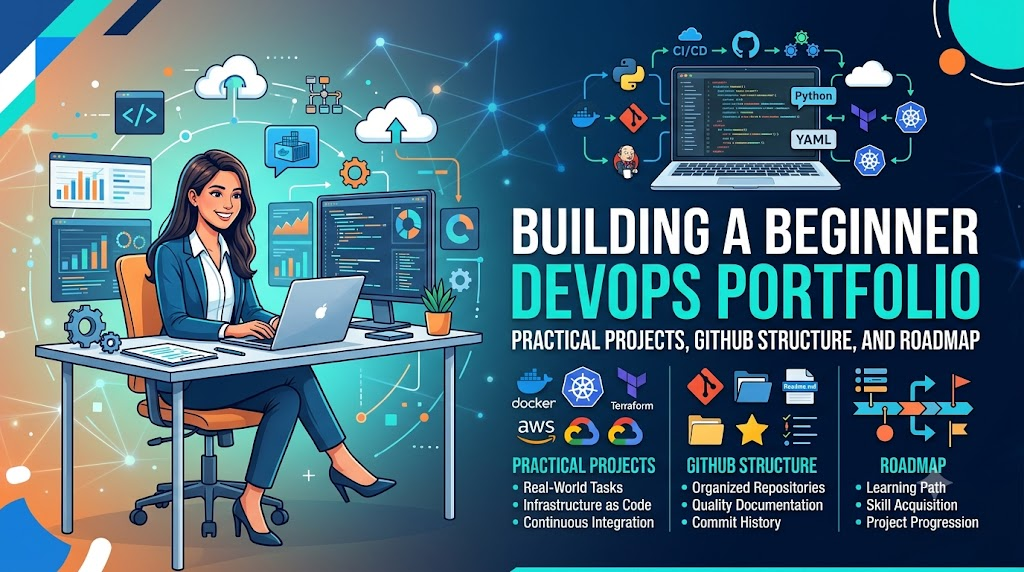
Breaking into cloud engineering and automation often presents a common paradox: technical job listings require hands-on experience, yet gaining that operational exposure is difficult without an existing role. A well-organized DevOps portfolio bridges this gap by offering concrete proof of your ability to manage source code, configure automated CI/CD pipelines, package containerized applications, and define reliable infrastructure. Rather than accumulating a chaotic collection of unfinished tutorials or tool certificates, presenting three to five complete, reproducible, and thoroughly documented projects demonstrates genuine problem-solving ability, clear technical communication, and production-ready operational discipline to hiring managers.
What Is a DevOps Portfolio?
A DevOps portfolio is an accessible, curated collection of technical projects, code repositories, automation scripts, and operational documentation. It demonstrates your ability to apply DevOps principles across the software development lifecycle (SDLC).
Unlike a software developer’s portfolio, which typically showcases user interfaces, application features, or visual designs, a DevOps portfolio focuses on what happens behind the scenes. It highlights how software is validated, packaged, provisioned, deployed, monitored, and secured.
Key Components of an Effective Portfolio
A complete DevOps portfolio project should feature several core artifacts:
- Source Code and Configuration Files: Clean, version-controlled scripts, configuration files, and definitions (such as Dockerfiles, pipeline definitions, or infrastructure configurations).
- Problem Statements and Objectives: Clear explanations of what the project solves and the operational requirements it fulfills.
- Architecture and Workflow Diagrams: Visual representations showing how components, networks, and automation steps connect.
- CI/CD Pipeline Configurations: Declarative pipeline files demonstrating automated builds, tests, security scans, and deployment stages.
- Setup and Execution Instructions: Step-by-step guidance enabling another engineer to clone the repository, install dependencies, and run the project locally or in a test environment.
- Testing and Validation Evidence: Proof that the code or infrastructure works, illustrated via test run logs, terminal outputs, or system status checks.
- Troubleshooting Records: Concrete notes documenting real errors encountered during implementation and how they were resolved.
- Security and Cleanup Guidance: Explicit steps to destroy provisioned resources, prevent unnecessary cloud billing, and safeguard credentials.
Portfolio vs. Résumé: Understanding the Distinction
| Feature | Technical Résumé | DevOps Portfolio |
| Primary Purpose | Summarizes career history, education, skills, and qualifications. | Provides concrete evidence of applied technical capability. |
| Format | Static one- or two-page text document. | Interactive repositories, code files, architecture diagrams, and documentation. |
| Depth | High-level overview of tools used and duties held. | Deep dive into implementation details, architecture, trade-offs, and debugging. |
| Evaluation | Screened quickly by recruiters and applicant tracking systems. | Reviewed by technical interviewers, lead engineers, and hiring managers. |
Why Should Beginners Build a DevOps Portfolio?
Constructing a portfolio demands deliberate effort, but it pays dividends throughout your technical career transition.
       Practical DevOps Project Lifecycle
┌──────────────────────────────────────────────┐
│  1. Identify Operational Bottleneck          │
│  2. Write Declarative Code / Configuration   │
│  3. Automate Testing & Deployment Pipelines  │
│  4. Document Architecture, Bugs & Recovery   │
│  5. Validate Reproducibility & Tear Down     │
└──────────────────────────────────────────────┘
- Demonstrating Practical Competence: Anyone can list tools like Docker, Kubernetes, or Terraform on a résumé. A portfolio shows that you understand the underlying concepts—such as declarative state, idempotency, and container isolation—rather than merely recognizing buzzwords.
- Bridging Theory and Practice: Tutorials often follow a happy path where commands run without failure. When you assemble a standalone project, you encounter dependency conflicts, permission errors, networking mismatches, and syntax shifts. Working through these issues develops real troubleshooting competence.
- Refining Communication and Documentation: Modern engineering cultures value technical writing. Writing clear operational documentation proves that you can communicate architecture, prerequisites, and incident resolution steps to cross-functional teams.
- Structured Technical Interview Preparation: During technical interviews, conversation naturally anchors to what you have documented. When you have designed, debugged, and documented a project yourself, answering questions about design choices, trade-offs, and failure recovery feels intuitive.
- Identifying Personal Knowledge Gaps: Attempting to automate an entire workflow reveals where your fundamentals are solid and where you need further study, allowing you to direct your learning efficiently.
Note: While a strong portfolio significantly enhances technical credibility, it works as an asset alongside networking, structured study, and foundational knowledge. It does not automatically guarantee job interviews or hiring outcomes.
Essential Skills to Learn Before Building a Portfolio
Before attempting multi-tiered deployments or advanced cloud architectures, focus on mastering foundational engineering concepts. Attempting to automate tools you do not yet understand leads to fragile configurations and confusing documentation.
      Foundational DevOps Competency Stack
  ┌──────────────────────────────────────────────┐
  │ Monitoring & Reliability (Metrics, Logs)     │
  ├──────────────────────────────────────────────┤
  │ Infrastructure as Code (Terraform)           │
  ├──────────────────────────────────────────────┤
  │ Containers & Orchestration (Docker)          │
  ├──────────────────────────────────────────────┤
  │ Continuous Integration & Delivery (CI/CD)    │
  ├──────────────────────────────────────────────┤
  │ Scripting & Automation (Bash, Python)        │
  ├──────────────────────────────────────────────┤
  │ Core Systems (Linux Administration, Git)     │
  └──────────────────────────────────────────────┘
1. Linux and Command-Line Fundamentals
Linux serves as the backbone of modern cloud computing and containerized infrastructure. You should understand:
- File system hierarchy, file permissions, ownership (
chmod,chown), and access controls. - Process management, resource monitoring (
ps,top,htop,kill), and signals. - Working with system logs (
journalctl,/var/log), text manipulation tools (grep,awk,sed), and package managers (apt,yum).
2. Git and Version Control
Git provides the audit trail for both code and infrastructure. Focus on:
- Initializing repositories, staging changes, writing atomic commit messages, and managing branches.
- Resolving merge conflicts, executing rebases cleanly, and opening pull requests.
- Understanding Git workflows that underpin GitOps and trunk-based deployment models.
3. Networking Fundamentals
Infrastructure engineering requires a solid grasp of how data travels across networks:
- The fundamentals of IPv4/IPv6 addressing, subnets, gateways, and routing.
- DNS record types (A, CNAME, ALIAS), resolution paths, and standard ports (22, 80, 443).
- HTTP/HTTPS request-response cycles, headers, status codes, and TLS/SSL certificate handshakes.
- Network debugging utilities:
curl,netstat,ss,dig,traceroute, andping.
4. Programming and Scripting
Automation relies heavily on scripting. Beginners should know at least one shell language and one general-purpose scripting language:
- Bash: Automating repetitive operating system tasks, scheduled cron jobs, and basic file manipulation.
- Python: Interacting with cloud APIs, parsing JSON or YAML payloads, and writing automated health-check scripts.
5. CI/CD Fundamentals
Continuous Integration and Continuous Delivery automate the path from code commit to production:
- Triggering builds based on Git webhooks and branch merges.
- Running automated unit tests, linting tools, and build checks.
- Generating deployment artifacts and executing deployment strategies.
6. Containerization (Docker)
Containers package an application alongside its runtime, system tools, and libraries:
- Designing efficient, multi-stage
Dockerfilesusing minimal base images. - Managing image layers, caching, container networking, and persistent storage volumes.
- Running multi-container local environments using Docker Compose.
7. Cloud Fundamentals
Public cloud platforms provide on-demand computing resources. Beginners should understand:
- Compute models (virtual machines, serverless functions).
- Virtual Private Clouds (VPCs), public and private subnets, and security groups.
- Cloud object storage, block storage, and Identity and Access Management (IAM) least-privilege policies.
8. Infrastructure as Code (IaC)
Modern operations define infrastructure through declarative configuration files rather than manual dashboard clicks:
- Managing state, resources, variables, and outputs in tools like Terraform.
- Understanding execution plans (
plan), resource creation (apply), and teardown (destroy).
9. Monitoring, Observability, and Logging
Software delivery includes ensuring systems remain healthy post-deployment:
- Differentiating between metrics, logs, and traces.
- Establishing basic system health checks, alert thresholds, and dashboard visualizations.
10. Security Fundamentals (DevSecOps)
Security is an ongoing responsibility across the entire lifecycle:
- Keeping passwords, API keys, and tokens out of version control using environment variables and secret stores.
- Scanning application dependencies and container base images for known vulnerabilities.
- Enforcing least-privilege permissions across cloud IAM roles and service accounts.
Beginner-Friendly DevOps Portfolio Projects
When selecting DevOps portfolio projects, choose quality and depth over raw quantity. Start with a foundational task, ensure it runs reliably, write thorough documentation, and gradually tackle more complex workflows.
Below are ten practical project ideas designed to help you build practical DevOps experience progressively.
Project 1: Git and Linux Automation
- Objective: Automate routine systems administration tasks using portable Bash scripts housed in a version-controlled repository.
- Skills Demonstrated: Linux shell scripting, error handling, POSIX standards, Git version control, command-line interface design.
- Suggested Tools: Bash, Git, ShellCheck, Linux virtual machine or local terminal.
- Implementation Steps:
- Write a script that checks server disk utilization, detects partitions exceeding 80% usage, and outputs a formatted warning.
- Write an accompanying log rotation or backup script that compresses targeted directory contents, timestamps the archive, and cleans up archives older than seven days.
- Implement defensive scripting patterns: check for root/non-root execution, use
set -euo pipefailto catch errors early, and check command return codes. - Run
ShellCheckacross scripts to catch antipatterns and syntax issues before committing.
- What to Include in the Repository: Clean scripts with inline comments, sample configuration files, instructions for running in a sandbox, and terminal output examples.
- How to Verify: Execute the scripts against mock directories or dummy log files, demonstrating that exits occur safely when errors are injected.
- How to Extend: Add a script that parses Nginx web server access logs to calculate the top ten requesting IP addresses and the frequency of HTTP 5xx error responses.
Project 2: Build a Simple CI Pipeline
- Objective: Establish an automated Continuous Integration workflow that validates code formatting, syntax, and unit tests on every pull request.
- Skills Demonstrated: CI workflow creation, automated testing, branch protection rules, build verification.
- Suggested Tools: GitHub Actions (or GitLab CI), Python (with
pytestandflake8) or Node.js (withnpm test). - Implementation Steps:
- Create a basic application containing two or three functions alongside corresponding unit tests.
- Write a declarative pipeline file (such as
.github/workflows/ci.yml) triggered by pushes and pull requests to themainbranch. - Configure pipeline jobs to check out the code, install dependencies, run linting tools, and execute tests.
- Configure branch protection rules that require pipeline checks to pass before pull requests can be merged.
- What to Include in the Repository: Application code, test files, workflow configuration files, and a status badge embedded in the README.
- How to Verify: Open a pull request that intentionally introduces a failing test or syntax error. Show that the pipeline fails and blocks merging, then push a fix to demonstrate a passing run.
- How to Extend: Configure a matrix build that tests the application across multiple runtime versions (such as Python 3.10, 3.11, and 3.12).
Project 3: Containerize a Web Application
- Objective: Package an open-source or custom web application into a secure, lightweight Docker container, managing local dependencies using multi-container definitions.
- Skills Demonstrated: Dockerfile optimization, multi-stage builds, non-root container users, container networking, environment variable handling.
- Suggested Tools: Docker, Docker Compose, Node.js/Python/Go sample application, Redis or PostgreSQL.
- Implementation Steps:
- Write a multi-stage
Dockerfilethat compiles or packages the application in a build stage and copies only production artifacts into a slim final image (such as Alpine or Distroless). - Ensure the container runs as an unprivileged, non-root user.
- Create a
docker-compose.ymlfile that provisions the application container alongside a backing service (such as Redis for caching or PostgreSQL for data storage). - Configure service dependencies, health checks, and persistent volumes for data directories.
- Write a multi-stage
- What to Include in the Repository: Application source files,
Dockerfile,.dockerignore,docker-compose.yml,.env.examplefile, and step-by-step local execution instructions. - How to Verify: Clone the repository to a clean machine with Docker installed and execute
docker compose up --build. Confirm the application and database start and communicate without manual intervention. - How to Extend: Add automated container image vulnerability scanning during the build using an open-source scanner such as Trivy.
Project 4: Build a Complete CI/CD Pipeline
- Objective: Build a deployment pipeline that tests application code, packages it into a container image, publishes the image to a container registry, and deploys it to a target test environment.
- Skills Demonstrated: End-to-end automation, container registry integration, automated deployment, artifact versioning.
- Suggested Tools: GitHub Actions, Docker Hub (or GitHub Container Registry), a Linux test server (VPS) or cloud compute instance.
- Implementation Steps:
- Set up a CI pipeline that runs tests upon code commit.
- Add a build job that builds the container image and tags it with both the Git commit SHA and semantic versioning tags.
- Authenticate securely with a container registry using repository secrets (never hardcode passwords).
- Add a continuous deployment stage that connects to your staging/test environment via SSH or an agent and updates the running container using the newly built image tag.
- What to Include in the Repository: Pipeline configuration files, deployment scripts, architecture workflow diagrams, and environment setup documentation.
- How to Verify: Make a minor visual change in the application code, commit it to the repository, and watch the pipeline automatically run tests, build the image, publish it, and update the live application.
- How to Extend: Implement automated smoke tests that query the application endpoint after deployment to confirm availability, rolling back to the previous image tag if the check fails.
Project 5: Infrastructure as Code (IaC) with Terraform
- Objective: Provision and manage cloud or local infrastructure resources declaratively using version-controlled Infrastructure as Code.
- Skills Demonstrated: IaC concepts, resource declarations, variable parameterization, output configurations, resource lifecycle management.
- Suggested Tools: Terraform, AWS/Azure/GCP Free Tier (or local alternatives like LocalStack or the Terraform Docker provider).
- Implementation Steps:
- Define a basic network topology: a Virtual Private Cloud (VPC), one public subnet, an internet gateway, and a security group that allows HTTP and SSH access from your specific IP.
- Define an automated compute instance within the subnet with an attached storage volume.
- Parameterize the configuration using
variables.tf, configure output values (such as public IP addresses) inoutputs.tf, and maintain environment-specific settings via.tfvarsfiles. - Ensure
.gitignoreexcludes local state files (terraform.tfstate), backup files, and sensitive variable files.
- What to Include in the Repository: Terraform configuration files (
main.tf,variables.tf,outputs.tf,terraform.tfvars.example), architecture diagram, and explicit teardown commands. - How to Verify: Run
terraform planto demonstrate expected infrastructure additions, followed byterraform apply. Access the provisioned resource, and finally runterraform destroyto demonstrate a clean teardown. - How to Extend: Configure remote state storage using an S3 bucket (or cloud storage equivalent) with state locking handled by a distributed table or managed backend.
Project 6: Configuration Management with Ansible
- Objective: Automate the configuration and hardening of a target Linux server in an idempotent, repeatable manner.
- Skills Demonstrated: Configuration management, idempotency, YAML playbooks, role-based architecture, Linux server hardening.
- Suggested Tools: Ansible, local virtual machines (VirtualBox, Vagrant) or cloud compute instances.
- Implementation Steps:
- Write an Ansible playbook that connects to one or more target Linux hosts over SSH.
- Implement tasks to update system packages, install an Nginx web server, and deploy a custom web page.
- Add basic security hardening tasks: configure a local firewall (UFW), disable root SSH login, and enforce SSH key authentication.
- Ensure tasks are strictly idempotent: running the playbook multiple times consecutively should result in zero changes after the initial execution.
- What to Include in the Repository: Playbooks, inventory files (
inventory.example), variable files, reusable roles, and local testing instructions. - How to Verify: Execute the playbook against a freshly installed virtual machine. Show the terminal summary displaying applied changes, re-run the playbook immediately to verify zero modifications (
changed=0), and test the resulting server configurations. - How to Extend: Structure the playbook using modular Ansible Roles, organizing tasks, variables, and handlers into dedicated directories.
Project 7: Application Monitoring and Logging
- Objective: Implement an observability stack that gathers system metrics and application logs, visualizes performance trends, and triggers alerts on service disruptions.
- Skills Demonstrated: Observability fundamentals, metric scrapers, time-series dashboards, log collection, alert threshold configuration.
- Suggested Tools: Prometheus and Grafana (or an Elastic Stack / OpenSearch setup), alongside an application with a metrics endpoint.
- Implementation Steps:
- Deploy an application container that exposes operational metrics (such as request count, latency, and system memory) via an HTTP
/metricsendpoint. - Deploy Prometheus configured to scrape metrics from the application and host machine (using
node_exporter) at regular intervals. - Deploy Grafana connected to Prometheus as a data source, and construct a dashboard displaying CPU usage, memory consumption, request rates, and HTTP error codes.
- Configure a simulated alert rule that triggers when error rates exceed a set threshold over a two-minute window.
- Deploy an application container that exposes operational metrics (such as request count, latency, and system memory) via an HTTP
- What to Include in the Repository: Docker Compose file deploying the entire stack, Prometheus configuration files, exported Grafana dashboard JSON models, and instructions for generating test load.
- How to Verify: Run a script that sends traffic and intentional 500 errors to the application, showing metrics update in real time on the dashboard and triggering the configured alert rule.
- How to Extend: Integrate an automated notification receiver, sending test alerts to a Discord webhook, Slack channel, or local mock endpoint.
Project 8: Kubernetes Deployment (Optional Intermediate Project)
- Objective: Deploy, expose, and scale a containerized application within a local or lightweight Kubernetes cluster.
- Skills Demonstrated: Declarative Kubernetes manifests, Pod lifecycles, Deployments, Services, ConfigMaps, Secrets, horizontal pod autoscaling.
- Suggested Tools: Minikube, K3s, or Kind;
kubectl. - Implementation Steps:
- Write a Kubernetes
Deploymentmanifest managing multiple replicas of your containerized application, specifying CPU and memory requests and limits. - Configure
livenessProbeandreadinessProbehealth checks to monitor application availability. - Write a
Servicemanifest (ClusterIP or NodePort) to route internal traffic to healthy pods. - Extract configuration values into a
ConfigMapand sensitive database credentials into aSecret, injecting them into pods as environment variables.
- Write a Kubernetes
- What to Include in the Repository: Raw YAML manifests or Kustomize overlays, instructions for spinning up a local cluster with Minikube or Kind, and cluster verification commands.
- How to Verify: Apply manifests using
kubectl apply -f ., verify that all pods reach a running state, simulate a pod crash by deleting a pod, and confirm that the deployment automatically reconciles by provisioning a replacement. - How to Extend: Create a Horizontal Pod Autoscaler (HPA) resource that automatically adjusts pod replica counts in response to simulated CPU load.
Project 9: Security-Integrated CI/CD (DevSecOps)
- Objective: Embed automated security checks and vulnerability analysis directly into an existing CI/CD pipeline.
- Skills Demonstrated: DevSecOps practices, static code analysis (SAST), secret scanning, software composition analysis (SCA), container vulnerability scanning.
- Suggested Tools: Gitleaks or TruffleHog (secret detection), Trivy (container and dependency scanner), SonarQube or Semgrep (code scanning), GitHub Actions.
- Implementation Steps:
- Add a secret detection step to your CI pipeline that scans the repository commit history for accidentally exposed API keys, passwords, or private keys.
- Add a dependency audit step that checks project libraries against known vulnerability databases (such as
npm audit,pip-audit, orsafety). - Add a container image scanning step using Trivy that flags High and Critical Common Vulnerabilities and Exposures (CVEs) in base layers.
- Configure policy rules determining whether findings generate warnings or break the build pipeline.
- What to Include in the Repository: Workflow files, scanning configuration files, suppression rules for documented false positives, and a security policy document (
SECURITY.md). - How to Verify: Push a commit containing a mock expired test secret or an intentionally outdated library version, showing that the pipeline detects the problem and halts the build.
- How to Extend: Configure the pipeline to output standard SARIF (Static Analysis Results Interchange Format) reports and display findings directly in the code review interface.
Project 10: The End-to-End DevOps Project
- Objective: Integrate all previous competencies into a unified project that automates the journey from source code commit to a fully monitored production-like deployment.
- Skills Demonstrated: Systems integration, Infrastructure as Code, CI/CD pipeline automation, containerization, configuration management, automated observability, architectural documentation.
- Suggested Tools: Git, Docker, Terraform, GitHub Actions, Linux VM, Prometheus, Grafana.
- Implementation Steps:
- Use Terraform to provision a test server, configuring security groups, network interfaces, and basic system settings.
- Package a complete application containing web and database tiers using Docker.
- Configure a CI/CD pipeline triggered by Git commits that runs automated unit tests, builds and scans the container image, provisions or validates infrastructure with Terraform, and deploys the application.
- Ensure the deployed system exports metrics to Prometheus and Grafana for active monitoring.
- Include comprehensive teardown scripts to cleanly destroy all infrastructure with a single command.
- What to Include in the Repository: Comprehensive root README,
/terraformdirectory,/srcdirectory,/.github/workflowsdirectory,/monitoringconfigurations, and an end-to-end architecture diagram. - How to Verify: Walk through the entire workflow: update a line of application code, push the commit, observe the passing CI pipeline, verify that the deployment completes successfully, confirm health metrics on the Grafana dashboard, and run the teardown script to destroy all resources.
- How to Extend: Add automated smoke and integration tests that run against the newly deployed environment before closing the deployment pipeline run.
Summary Comparison: Project Difficulty, Skills, and Focus
| Project Name | Difficulty Level | Core Focus Area | Primary Tools |
| 1. Git & Linux Automation | Beginner | System administration & scripting | Bash, Linux, Git, ShellCheck |
| 2. Simple CI Pipeline | Beginner | Build validation & automated tests | GitHub Actions, Git, Language Linters |
| 3. Containerize Web App | Beginner | Packaging, isolation & runtimes | Docker, Docker Compose |
| 4. Complete CI/CD Pipeline | Beginner–Intermediate | Automated release & delivery | GitHub Actions, Docker Hub, SSH/Linux |
| 5. Infrastructure as Code | Intermediate | Declarative cloud management | Terraform, Cloud Provider or LocalStack |
| 6. Configuration Management | Intermediate | Server hardening & idempotency | Ansible, Linux, YAML |
| 7. Monitoring & Logging | Intermediate | Observability & alerting | Prometheus, Grafana, Node Exporter |
| 8. Kubernetes Deployment | Intermediate–Advanced | Container orchestration & scaling | Minikube / Kind, kubectl, YAML |
| 9. Security-Integrated CI/CD | Intermediate–Advanced | DevSecOps & pipeline security | Trivy, Gitleaks, Semgrep, GitHub Actions |
| 10. End-to-End DevOps | Comprehensive | Full lifecycle engineering | Terraform, Docker, CI/CD, Prometheus |
How to Organize a DevOps Portfolio on GitHub
Your GitHub profile serves as the front door to your technical work. A clean, professional GitHub DevOps portfolio makes it easy for hiring managers and technical leads to evaluate your projects quickly.
Recommended Repository Folder Structure
For an integrated or multi-component project, organize your repository clearly so that configuration files, code, and documentation are easy to locate:
Plaintext
devops-end-to-end-pipeline/
├── .github/
│   └── workflows/
│       ├── ci.yml                 # Automated testing and linting
│       └── cd.yml                 # Build, container push, and deployment
├── app/
│   ├── src/                       # Application source code
│   ├── tests/                     # Unit and integration tests
│   ├── Dockerfile                 # Multi-stage production container build
│   └── requirements.txt           # Application dependencies
├── terraform/
│   ├── main.tf                    # Resource definitions
│   ├── variables.tf               # Input variable declarations
│   ├── outputs.tf                 # Output variable definitions
│   ├── terraform.tfvars.example   # Example variable inputs (no secrets)
│   └── versions.tf                # Provider and Terraform version pins
├── monitoring/
│   ├── prometheus.yml             # Metric scrape configurations
│   └── dashboards/                # Exported Grafana dashboard JSON files
├── docs/
│   ├── architecture-diagram.png   # System and pipeline architecture diagram
│   └── runbook.md                 # Operational runbook and troubleshooting steps
├── .dockerignore                  # Files excluded from container context
├── .gitignore                     # State files, credentials, local variables
├── docker-compose.yml             # Local multi-service testing environment
├── LICENSE                        # Open-source license (e.g., MIT, Apache 2.0)
└── README.md                      # Primary project documentation
Best Practices for Repository Hygiene
- Use Clear, Descriptive Repository Names: Name repositories based on what they do—such as
automated-cicd-docker-pipelineorterraform-aws-vpc-infrastructure—rather than generic names likedevops-projectortest-repo. - Commit Frequently with Clear Messages: Write clear, concise commit messages that describe the change (e.g.,
feat: add multi-stage build to Dockerfileorfix: correct nginx reverse proxy port binding) instead of vague messages likeupdatesorfix bug. - Keep Credentials Out of Source Control: Add state files, local configuration files, private keys, and
.envfiles to.gitignore. Check in.env.exampletemplates showing required variable names with dummy placeholder values instead. - Pin Tool and Dependency Versions: Avoid using the
latesttag in Dockerfiles or leaving provider versions unpinned in Terraform. Pinning versions ensures your projects remain reproducible over time. - Include Resource Teardown Instructions: If your project provisions cloud resources, highlight the teardown process prominently in the README to help reviewers avoid unexpected cloud charges.
How to Write a Strong README for Each Project
The README.md is often the only file an engineering manager reads in detail. A well-written README demonstrates clear communication, technical ownership, and attention to detail.
Use the following 12-section template when documenting your portfolio projects:
Markdown
# Project Name: One-Line Summary of the Solution
## 1. Overview and Problem Statement
Briefly explain the scenario, the operational challenge being addressed, and
why this solution was built.
## 2. Architecture and Workflow
Include an architecture diagram showing the relationship between services,
data paths, and CI/CD automation stages.

## 3. Technologies and Tools Used
* Tool 1 (e.g., Docker): Container packaging and environment consistency.
* Tool 2 (e.g., Terraform): Declarative infrastructure provisioning.
* Tool 3 (e.g., GitHub Actions): Automated testing and build pipelines.
## 4. Prerequisites
List exact software versions required to run or test the project:
* Docker Engine 24.0+
* Terraform 1.6+
* Git 2.40+
## 5. Quickstart / Setup Instructions
Step-by-step commands to get the project running locally:
git clone https://...
cd project-folder
cp .env.example .env
docker compose up -d
## 6. CI/CD Workflow
Explain the pipeline triggers, the validation jobs executed, and how
artifacts are built and deployed.
## 7. Testing and Verification
Provide concrete verification commands and sample terminal output showing
that the deployment works as expected.
## 8. Security Considerations
Document security practices applied (e.g., non-root container execution,
secret scanning, least-privilege IAM policies).
## 9. Cost and Teardown Instructions
If cloud resources are used, explain how to destroy them cleanly:
terraform destroy -auto-approve
## 10. Troubleshooting and Challenges Overcome
Describe one or two real issues faced during development (e.g., permission
denied on volume mounts) and the exact fix applied.
## 11. Known Limitations
Be candid about current constraints (e.g., single-node architecture,
manual database backup).
## 12. Future Improvements
List logical next steps (e.g., adding an SSL certificate manager,
migrating from Docker Compose to Kubernetes).
A Step-by-Step Roadmap for Building a Beginner DevOps Portfolio
Building a credible portfolio is an incremental process. Work through these ten steps at a pace that matches your schedule, focusing on mastering concepts thoroughly before moving forward.
                    10-Step Portfolio Roadmap
┌─────────────────────────────────────────────────────────────────┐
│ Step 1: Master Fundamentals (Linux, Git, Scripting, Network)    │
│ Step 2: Establish Your First Git Automation Repository          │
│ Step 3: Implement Automated CI Validation                       │
│ Step 4: Containerize Applications with Docker                   │
│ Step 5: Construct Automated Deployment Pipelines                │
│ Step 6: Define Infrastructure as Code (Terraform)               │
│ Step 7: Integrate Observability and Security Checks             │
│ Step 8: Build an Integrated End-to-End Showcase Project         │
│ Step 9: Audit Documentation for Clean Reproducibility           │
│ Step 10: Practice Technical Walkthroughs & Architecture Reviews │
└─────────────────────────────────────────────────────────────────┘
Step 1: Master the Fundamentals
Spend your initial weeks working in a Linux environment. Practice basic shell commands, file permissions, log analysis, and Git workflows. Write simple Bash scripts to automate routine operating system tasks.
Step 2: Create Your First Automation Repository
Publish your automation scripts to GitHub. Organize the repository cleanly, add inline comments, and write a README explaining how to execute the scripts safely.
Step 3: Automate Testing with CI
Build a small application or script suite and set up an automated CI workflow. Configure it to trigger on pull requests, run linting tools, execute unit tests, and display build status badges.
Step 4: Containerize an Application
Write a multi-stage Dockerfile for an open-source web application. Configure docker-compose.yml to launch the application alongside a database or cache, and document the setup process thoroughly.
Step 5: Build a Deployment Pipeline
Expand your CI workflow into a deployment pipeline. Automate building the container image, pushing it to a public registry, and deploying it to a test host or local virtual machine.
Step 6: Provision Infrastructure with Code
Learn Terraform basics. Provision a simple virtual network and compute instance in a test environment or local emulator, parameterizing your configuration and documenting teardown steps.
Step 7: Add Monitoring and Security Scanning
Incorporate Prometheus metrics collection, build a Grafana dashboard, and add vulnerability scanners like Trivy or Gitleaks to your deployment pipeline.
Step 8: Build an Integrated Showcase Project
Combine your skills into an end-to-end project: an application built via CI, packaged with Docker, deployed to infrastructure provisioned with Terraform, and monitored with Prometheus.
Step 9: Review and Refine Documentation
Ask a peer or fellow learner to clone your repository and follow your README from start to finish. Update any steps that cause confusion or fail unexpectedly.
Step 10: Practice Explaining Your Technical Decisions
Review your code and prepare to discuss your design choices out loud. Practice explaining why you selected specific tools, what errors you encountered, and how you would scale the architecture.
How to Make Your DevOps Portfolio Stand Out
Hiring managers review hundreds of applicant profiles. To make your work stand out, focus on sound engineering practices rather than sheer complexity:
- Emphasize Reproducibility: Ensure another engineer can clone your repository, run your setup commands, and achieve the exact same result without guessing missing configuration steps.
- Explain Architectural Trade-Offs: Document why you chose a specific tool. Explaining why you selected Docker Compose over Kubernetes for a simple, single-host deployment shows practical judgment.
- Document Real Troubleshooting Experiences: Include a “Troubleshooting” section in your README detailing real bugs you encountered and how you solved them. This demonstrates genuine problem-solving ability.
- Demonstrate Security Discipline: Never commit plain-text credentials, access keys, or production configuration values. Document how secrets are managed via environment variables or secret stores.
- Include Clean Architecture Diagrams: A clear diagram explaining your network layout, CI/CD pipeline stages, or container interactions makes your project easier to understand at a glance.
- Acknowledge Limitations Honestly: Being upfront about what your project does not do (such as lacking multi-region redundancy) shows technical maturity.
Common Mistakes Beginners Should Avoid
Avoiding common pitfalls is just as important as writing clean code:
1. Copying Tutorials Without Modification
- The Problem: Cloning tutorial repositories line for line without understanding the underlying code leads to awkward silences during technical interviews.
- The Solution: Use tutorials as starting points, then modify the architecture: swap the application runtime, add a caching layer, introduce new pipeline stages, or write custom health checks.
2. Accumulating Unfinished Repositories
- The Problem: Profiles littered with dozens of half-finished projects or default forks suggest a lack of follow-through.
- The Solution: Focus on three to four complete, well-documented projects. Make unfinished or experimental work private.
3. Committing Sensitive Secrets
- The Problem: Committing cloud credentials, API tokens, or private keys to public repositories creates security hazards and signals poor operational hygiene.
- The Solution: Use
.gitignorediligently, run pre-commit hooks using tools like Gitleaks, and load credentials using environment variables.
4. Overcomplicating Architecture Too Early
- The Problem: Attempting to build a multi-cluster service mesh before understanding basic networking and container runtimes leads to fragile configurations.
- The Solution: Master foundational tools first. A clean Docker Compose deployment is far more convincing than a broken, misconfigured Kubernetes manifest.
5. Incurring Unexpected Cloud Costs
- The Problem: Provisioning cloud resources and forgetting to shut them down can lead to surprise bills.
- The Solution: Use local emulators (such as LocalStack or Minikube) where possible, configure cloud budget billing alerts, and run
terraform destroywhen finished testing.
6. Treating Certifications as Substitutes for Projects
- The Problem: Earning certificates without building practical projects shows theoretical familiarity but leaves technical execution unverified.
- The Solution: Pair every certification topic with an accompanying, practical GitHub repository that demonstrates the concepts in action.
How to Present Your Portfolio to Recruiters and Hiring Managers
Building your portfolio is only half the journey; you must also present your work clearly to recruiters and technical evaluators.
Framing Projects on Your Résumé
Avoid listing tools as generic bulleted keywords. Instead, write accomplishment-oriented bullet points that describe the problem, the operational solution, and the verified outcome:
- Weak: “Used Docker, GitHub Actions, and Terraform.”
- Strong: “Built an automated CI/CD pipeline using GitHub Actions to validate, test, and containerize a web application, deploying it to a cloud VM provisioned with Terraform.”
- Weak: “Worked with Prometheus and Grafana for monitoring.”
- Strong: “Configured an observability stack using Prometheus and Grafana, building custom dashboards to track container CPU, memory usage, and application error rates.”
Linking Work on Professional Profiles
Add clean links to your GitHub profile and key repositories on your résumé, LinkedIn profile, and technical portfolio sites. Ensure your public GitHub profile includes a clear bio, pinned repositories for your best projects, and links to your primary technical write-ups.
Navigating Technical Interview Discussions
During technical interviews, steer discussions toward your portfolio projects:
- Explain the Context: Clearly summarize the problem you set out to solve.
- Walk Through the Architecture: Explain how components interact, using your architecture diagrams as reference points.
- Discuss Trade-Offs and Failures: Describe what failed during development, how you diagnosed the root cause, and how you verified the fix.
- Identify Next Steps: Explain how you would improve the system if you had more time or needed to support higher traffic.
How DevOpsSchool Relates to DevOps Learning
Mastering modern infrastructure, automation, and cloud delivery involves navigating a broad ecosystem of interconnected tools and practices. For beginners, moving through Linux system administration, version control, CI/CD pipelines, containerization, Infrastructure as Code, and observability can feel overwhelming without structured guidance.
Organizations like DevOpsSchool support learners by providing structured educational programs, certification paths, and training courses across core DevOps disciplines. Their curriculum spans key technologies such as Linux, Git, Jenkins, Docker, Kubernetes, Terraform, Ansible, AWS, and modern monitoring stacks.
While structured courses help organize your study and clarify complex concepts, learning DevOps remains an inherently hands-on journey. Use structured training to build foundational knowledge, then reinforce that learning through practical experimentation, debugging real errors, and documenting your own projects in public repositories. Combining guided instruction with personal portfolio projects is one of the most effective ways to build lasting technical confidence.
Frequently Asked Questions (FAQs)
What should a beginner include in a DevOps portfolio?
A beginner’s portfolio should feature source code, configuration files (such as Dockerfiles, pipeline definitions, and Terraform scripts), architecture diagrams, and comprehensive README documentation. Projects should demonstrate core competencies: Linux scripting, version control, automated CI/CD pipelines, containerization, and basic infrastructure provisioning.
How many projects are enough for a beginner’s DevOps portfolio?
Three to five complete, well-documented projects are generally sufficient. A smaller number of finished repositories featuring clean configurations, testing evidence, and detailed documentation provides a clearer signal of technical competence than a profile full of abandoned tutorials.
Can I build a DevOps portfolio without prior work experience?
Yes. You can build credible projects using personal, academic, or open-source initiatives. Focus on solving realistic operational problems—such as automating application testing, packaging software into containers, provisioning infrastructure, and configuring monitoring dashboards.
Is GitHub essential for a DevOps beginner?
Yes. GitHub is widely used across the industry for version control, collaboration, code reviews, and pipeline automation via GitHub Actions. Maintaining an active, organized GitHub profile provides direct evidence of your familiarity with version control workflows.
Which DevOps project should I build first?
Start with a Linux and Git automation project. Writing Bash scripts to automate system health checks, log rotation, or environment validation establishes the command-line and scripting foundations needed for more complex CI/CD and infrastructure projects.
Do I need Kubernetes in my first portfolio project?
No. Kubernetes is an advanced container orchestration platform. Beginners should first master Linux basics, networking fundamentals, and Docker containerization. Introduce Kubernetes only after you are comfortable packaging and running multi-container applications locally.
Can I build a DevOps portfolio using only free tools?
Yes. Tools like Git, Docker, Bash, Ansible, Terraform, Prometheus, and Grafana are open source and free to use. Cloud providers offer free-tier resources, and local emulators like Minikube, Kind, and LocalStack allow you to build and test projects without incurring cloud infrastructure costs.
How should I document a DevOps project?
Document each project using a detailed README.md file in the repository root. Include an overview of the problem, an architecture diagram, prerequisites, step-by-step setup instructions, verification commands, security considerations, teardown steps, and notes on troubleshooting challenges you overcame.
Does a DevOps portfolio guarantee a job?
No portfolio can guarantee employment or interview offers. Hiring decisions depend on various factors, including market conditions, technical interview performance, cultural fit, and foundational knowledge. However, a strong portfolio provides tangible proof of your skills and helps you stand out during technical screenings.
Should beginners focus on certifications or projects first?
Prioritize hands-on projects alongside your studies. Certifications help validate theoretical concepts, but technical interviews evaluate your ability to write configurations, troubleshoot failures, and automate workflows. Pairing study material with practical portfolio projects delivers the best results.
Final Thoughts
Building a beginner’s DevOps portfolio is an ongoing process of practical learning, experimentation, and documentation. The goal is not to showcase mastery of every emerging tool, but to prove that you understand core engineering principles: writing maintainable automation, creating reliable delivery pipelines, treating infrastructure as code, securing systems, and diagnosing operational issues. Begin with a manageable task, such as writing a clean shell script to automate a routine system check. Commit your work to a version-controlled repository, write clear setup instructions, and share it publicly. From there, take on new challenges progressively: add automated testing with CI, containerize your application, define your infrastructure declaratively, and set up system monitoring.
Whether you learn through self-study or follow structured training programs like those offered by DevOpsSchool, real engineering competence comes from solving problems hands-on. Pick a project, work through the implementation details, document what you learn, and start building your portfolio today.

