
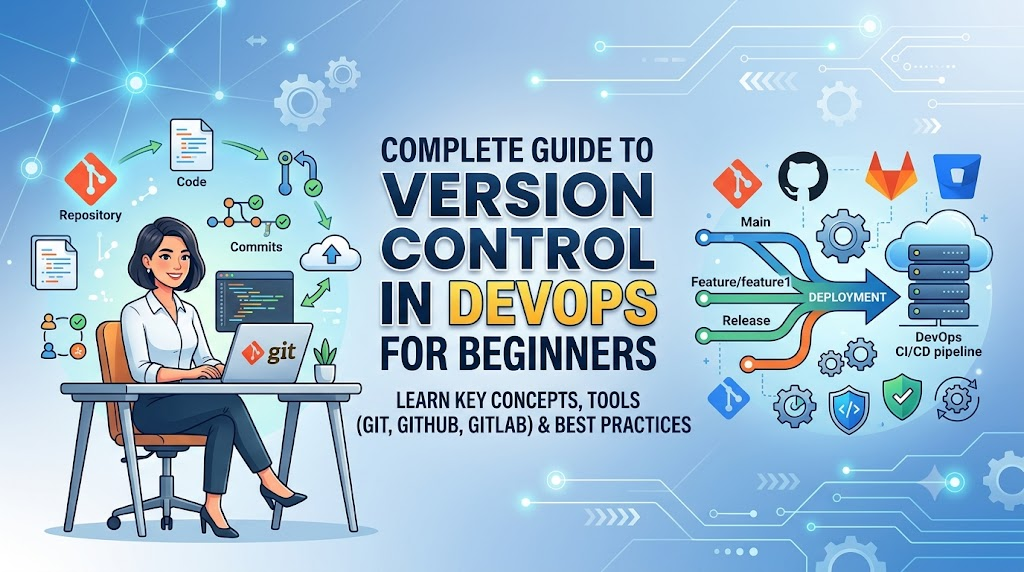
Introduction
Managing thousands of daily code changes in modern enterprise environments without structured tracking creates severe operational risks, unvetted errors, and broken deployment pipelines. Version control acts as the ultimate single source of truth for modern software delivery, bridging the gap between development and operations teams by bringing engineering discipline to application code, configuration files, and Infrastructure as Code (IaC). Mastering Git and source code management is the absolute first milestone for anyone aspiring to build a career in cloud engineering, CI/CD automation, or platform engineering. By replacing manual, fragmented code sharing with structured branching workflows, pull request reviews, and instant rollback capabilities, version control enables teams to build automated pipelines, enforce security guardrails, and implement modern GitOps practices. Investing time to understand Git concepts—rather than just memorizing commands—and actively practicing real-world automation projects will build the rock-solid foundation required to master advanced DevOps tools and excel as a professional cloud engineer; explore structured learning paths at DevOpsSchool to accelerate your journey from Git fundamentals to production-grade automation.
+-------------------------------------------------------------------+
|                   DEVELOPMENT & INFRASTRUCTURE CODE               |
+-------------------------------------------------------------------+
                                  |
                                  v
+-------------------------------------------------------------------+
|                CENTRAL VERSION CONTROL (GIT REPO)                 |
|               - Source of Truth & Change History                  |
+-------------------------------------------------------------------+
                                  |
                                  v
+-------------------------------------------------------------------+
|                     AUTOMATED CI/CD PIPELINE                      |
|           - Code Reviews, Automated Tests & Security              |
+-------------------------------------------------------------------+
                                  |
                                  v
+-------------------------------------------------------------------+
|                     PRODUCTION DEPLOYMENT                         |
|           - Kubernetes, Multi-Cloud & Hybrid Environments         |
+-------------------------------------------------------------------+
What Is Version Control in DevOps?
Version control is a system that records changes to a file or set of files over time so that you can recall specific versions later. In a DevOps environment, version control applies not only to traditional application source code (like Java, Python, or Go), but also to configuration files, database schemas, container definitions (Dockerfiles), and Infrastructure as Code scripts (Terraform, Ansible, or CloudFormation).
At its core, version control acts as the single source of truth for an entire technology organization. It allows multiple developers, sysadmins, and cloud engineers to work simultaneously on a shared codebase without overwriting each other’s contributions.
Development Teams (Dev) <---> Version Control Repository <---> Operations Teams (Ops)
      |                                 |                                 |
  App Code                         Source Truth                        IaC Files
Version control bridges the historical divide between development and operations teams:
- For Developers: It provides a safe environment to write new features, test ideas, and refactor existing code in isolated branches without breaking the production application.
- For Operations Engineers: It brings software engineering discipline to infrastructure management. Infrastructure configurations are stored as versioned text files, making environment creation reproducible and audited.
- For Security and Compliance Teams: It provides a detailed audit trail of every modification, showing exactly who made a change, when it was made, and why it was introduced.
Why Version Control Is Important in DevOps
Version control is not merely a backup tool or file repository; it is the core engine driving modern DevOps practices. Here is why it is essential to every stage of software delivery.
Better Team Collaboration
In enterprise environments, hundreds of engineers may contribute to a single application ecosystem. Version control systems enable parallel development streams where individual engineers can isolate their work, share partial updates with teammates, and systematically merge completed features back into a primary line of development. When conflicting changes occur, the system identifies the exact lines of code affected, allowing engineers to resolve discrepancies methodically.
Complete Change Tracking
Every save point in a modern version control system creates an immutable record known as a commit. This history tracks the full context behind code changes:
- Who: The identity of the author who authored and committed the code.
- When: Exact timestamp of the modification.
- What: Line-by-line diffs showing precisely what was added, modified, or removed.
- Why: Detailed commit messages linked to issue tickets or project management boards.
This visibility ensures full operational accountability and accelerates root-cause analysis when bugs or outages occur.
Supporting CI/CD Automation
Continuous Integration and Continuous Delivery (CI/CD) engines depend directly on version control events. When an engineer pushes new code or opens a pull request, the version control platform sends automated webhooks to build servers (such as Jenkins, GitHub Actions, or GitLab CI).
These triggers execute automated unit tests, security scans, and environment deployments instantly. Without structured version control, automated CI/CD pipelines cannot exist.
Developer Push --> Git Webhook Trigger --> CI/CD Pipeline Execution --> Automated Test & Deploy
Faster Recovery and Resilience
In software delivery, failures will happen. A faulty dependency might pass local testing but fail in staging, or an unoptimized database query might cause performance degradation under heavy production traffic.
Version control provides instant rollback capabilities. Instead of scrambling to manually edit files on live servers during an outage, engineers can revert the repository state to a known stable commit and trigger an automated redeployment within minutes.
Improved Code Quality
Modern version control workflows incorporate strict branch protection rules and mandatory code review steps. Before changes are integrated into the main production branch, they undergo peer reviews (via Pull Requests or Merge Requests) and automated quality checks. This prevents unvetted, untested, or insecure code from reaching production servers.
Understanding Different Types of Version Control Systems
To appreciate modern distributed systems like Git, it is helpful to understand how version control systems evolved over time.
| Type | Description | Common Usage | Advantages | Disadvantages |
| Local Version Control | Keeps track of file changes within a single local disk/database. | Single-developer local edits, simple configuration tracking. | Fast, simple, no network connection required. | No collaboration capability; single point of failure if disk fails. |
| Centralized Version Control (CVCS) | Uses a single central server storing all versioned files. Clients check out files from this central location. | Legacy enterprise software, Subversion (SVN), Perforce. | Easy central management, granular access control over individual files. | Single point of failure; requires active network access for all operations. |
| Distributed Version Control (DVCS) | Every client mirrors the entire repository, including its full historical database. | Modern DevOps, cloud engineering, Git, Mercurial. | Full offline availability, high redundancy, extremely fast branching/merging. | Requires more client storage; slightly steeper initial learning curve. |
Local Version Control Systems
In the earliest days, developers tracked versions by copying files into directories with timestamps or revision numbers (e.g., main_v1.py, main_v2_final.py). Local version control software replaced this manual process by storing file revisions in a local database on the local machine.
While useful for individual work, it offered zero support for multi-developer collaboration. If the hard drive crashed, the entire history was lost.
Centralized Version Control Systems (CVCS)
To solve the collaboration problem, Centralized Version Control Systems were developed (e.g., Subversion/SVN, CVS). In a CVCS architecture, a single central server holds the entire revision history of the project. Developers connect to this central server to check out specific versions of files or commit new updates.
- The Problem: The central server is a single point of failure. If the central database goes offline for an hour, no one can collaborate, save revision checkpoints, or roll back changes during that window. If the server’s storage gets corrupted without recent backups, the complete historical project data is permanently lost.
Distributed Version Control Systems (DVCS)
Distributed Version Control Systems (such as Git) addressed these centralized limitations. In a DVCS model, clients do not simply check out the latest snapshot of the files; they fully mirror the entire repository, including its complete version history.
If a central server hosting a remote Git repository crashes, any client repository can be copied back up to the server to restore the full project state. Every checkout is a complete, redundant backup of the entire project history.
Git and Its Role in DevOps
Git is an open-source, distributed version control system designed to handle everything from small to hyper-large enterprise projects with speed and efficiency. Created by Linus Torvalds in 2005 to manage Linux kernel development, Git has become the global standard for source code management in modern software engineering.
+-----------------------------------------------------------------+
|                       LOCAL COMPUTER                            |
|                                                                 |
|  +------------------+   +---------------+   +----------------+  |
|  | Working Directory| ->| Staging Area  | ->| Local Repo     |  |
|  |  (Unstaged Files)|   | (Index File)  |   | (.git folder)  |  |
|  +------------------+   +---------------+   +----------------+  |
+-----------------------------------------------------------------+
                                                              |
                                                    git push  |  git pull
                                                              v
+-----------------------------------------------------------------+
|                       REMOTE SERVER                             |
|                                                                 |
|  +-----------------------------------------------------------+  |
|  | Remote Repository (GitHub / GitLab / Bitbucket)           |  |
|  +-----------------------------------------------------------+  |
+-----------------------------------------------------------------+
Why Git Became the Standard for DevOps
- Speed and Performance: Git performs operations locally on your machine. Committing changes, viewing revision histories, creating branches, and diffing files do not require network calls to a central server, making git operations fast.
- Non-Linear Development: Git excels at light-weight branching and merging. Developers and cloud engineers can create hundreds of temporary branches to experiment safely, discard unneeded ideas, or merge successful implementations without friction.
- Data Integrity: Everything in Git is checksummed using cryptographic hash functions (SHA-1/SHA-256) before it is stored. It is impossible to alter the contents of any file or commit message without Git detecting the change.
- Ecosystem Ecosystem Dominance: Every major CI/CD platform, cloud infrastructure platform (AWS, Azure, Google Cloud), security scanner, and deployment engine natively integrates with Git workflows.
The Standard Git Workflow Architecture
Understanding how Git operates locally is fundamental to using it effectively. Git manages files across three primary local zones before syncing them remotely:
- Working Directory: The actual file folder on your computer’s filesystem where you create, view, and edit project files.
- Staging Area (Index): An intermediate file layer inside the Git directory that stores information about what changes will go into your next commit. This allows you to selectively prepare specific modifications rather than committing every altered file at once.
- Local Repository (
.gitdatabase): The hidden subfolder where Git stores metadata, object databases, and the complete, immutable revision history for your project locally. - Remote Repository: A server-hosted version of your repository ( hosted on GitHub, GitLab, Bitbucket, or Azure DevOps) used to share, sync, and back up code across distributed team members.
Essential Git Concepts Every DevOps Engineer Should Learn
Before diving into commands, you need a firm grasp of core Git terminology and structural concepts.
Repository
A repository (or “repo”) is the digital container housing your project’s files, directories, and the entire historical record of file modifications.
- Local Repository: Resides directly on your local workstation.
- Remote Repository: Hosted on a centralized cloud service or private enterprise server used for team synchronization and automated pipeline execution.
Commit
A commit is an immutable snapshot of your staged changes at a specific point in time. Think of it as a permanent save point in a game. Each commit contains:
- A unique cryptographic hash identifier (e.g.,
a1b2c3d4e5f...). - Author name, email address, and timestamp.
- The commit message describing what changes were made and why.
- A parent reference pointing to the commit that came before it, forming an unbroken historical chain.
Branch
A branch represents an independent, isolated line of development. The default primary branch in a repository is typically named main or master.
When working on a new infrastructure module or bug fix, you create a feature branch off main. This allows you to write, test, and validate changes in complete isolation without affecting the stable production codebase.
main branch:    ---(Commit A)----------------------->(Commit D)---
                               \                    /
feature branch:                 (Commit B)---(Commit C)
Merge
Merging is the process of integrating code changes from one branch into another. For instance, once a feature is tested and reviewed on your feature branch, you merge those updates back into the main branch so they can be deployed.
Pull Request (PR) / Merge Request (MR)
A Pull Request (referred to as a Merge Request in platforms like GitLab) is a operational feature provided by repository hosting platforms. It acts as a formal proposal to merge changes from a source branch into a target branch.
Pull Requests provide an interactive web interface where team members conduct line-by-line code reviews, run automated CI/CD checks, discuss implementation details, and request modifications before integration occurs.
Tags
A tag is a static, named reference to a specific commit in Git history. Unlike branches, which continuously update as new commits are added, tags remain permanently attached to a single commit. Tags are primarily used to mark release milestones in software delivery (e.g., v1.0.0, v2.4.1-prod).
Git Commands Every DevOps Beginner Should Know
To manage infrastructure and application workflows effectively, you must become fluent with essential terminal-based Git commands.
| Command | Purpose | Example Usage |
git init | Initializes a brand-new Git repository in the current directory. | git init |
git clone | Downloads an existing remote repository and its full history to your local machine. | git clone [https://github.com/user/repo.git](https://github.com/user/repo.git) |
git status | Displays the current state of the working directory and staging area. | git status |
git add | Adds file modifications from the working directory to the staging area. | git add main.py or git add . |
git commit | Saves staged snapshots into the local repository history with a descriptive message. | git commit -m "Add Dockerfile for app" |
git push | Uploads local branch commits to the remote repository. | git push origin feature-login |
git pull | Fetches changes from the remote repository and merges them into your active branch. | git pull origin main |
git branch | Lists existing branches, creates new branches, or deletes inactive branches. | git branch or git branch feature-tf |
git checkout / git switch | Switches between different branches or restores working tree files. | git checkout feature-tf or git switch main |
git merge | Combines commit histories from a specified branch into your current active branch. | git merge feature-tf |
git log | Displays the sequential history of commits for the current branch. | git log --oneline --graph |
git diff | Shows line-by-line changes between working files, staging area, or commits. | git diff |
Practical Deep-Dive into Daily Usage
Initializing and Cloning
When starting a project locally from scratch:
Bash
mkdir my-devops-project
cd my-devops-project
git init
If your enterprise team already has a centralized infrastructure repository hosted on GitHub:
Bash
git clone https://github.com/org/infrastructure-live.git
cd infrastructure-live
The Basic Edit-Stage-Commit Cycle
After modifying your Kubernetes manifest files or Python microservice code, check your repository status:
Bash
git status
Stage your modified files so Git knows to include them in the next snapshot:
Bash
git add deployment.yaml service.yaml
Commit these staged changes with a clear, concise title:
Bash
git commit -m "Update Kubernetes deployment replicas from 2 to 5"
Syncing Changes with the Remote Server
Before sharing your work, download the latest team updates from the remote tracking branch:
Bash
git pull origin main
Then upload your local commits to the remote platform:
Bash
git push origin feature/scale-k8s
Learning Version Control Step-by-Step Roadmap
Learning Git effectively requires a progressive, structured approach. Do not attempt to memorize complex internal commands all at once. Follow this practical four-stage roadmap:
| Stage | Focus Area | Key Concepts & Skills | Expected Outcome |
| Stage 1 | Git Fundamentals | Installation, configuration, basic daily CLI lifecycle (init, add, commit, status, log). | Ability to track individual personal scripts and projects locally using Git. |
| Stage 2 | Branching & Collaboration | Local branching, remote synchronization (push, pull), Pull Requests, resolving basic merge conflicts. | Ability to contribute to team repositories without breaking main production branches. |
| Stage 3 | Advanced Git Operations | Interactive rebasing, stashing, cherry-picking, tagging releases, writing Git hooks, advanced conflict handling. | Ability to clean up commit histories, manage complex releases, and automate local Git workflows. |
| Stage 4 | DevOps & Pipeline Integration | CI/CD webhook triggers, Infrastructure as Code versioning, GitOps deployment models, branch protection rules. | Ability to design and execute fully automated source-to-production deployment pipelines. |
Stage 1: Learn Git Fundamentals
Your primary goal in Stage 1 is getting comfortable with basic terminal commands and understanding how local change-tracking works.
Step 1: Install and Configure Git
Install Git on your operating system (Linux, macOS, or Windows). Immediately configure your global identity metadata, which attaches to every commit you make:
Bash
git config --global user.name "Your Name"
git config --global user.email "your.email@example.com"
git config --global defaultBranch.main main
Step 2: Practice Exercises for Beginners
- Create a folder named
git-practiceand initialize it as a Git repository usinggit init. - Create a simple file named
README.mdand add text inside it. - Use
git statusto observe how Git tracks untracked files. - Run
git add README.mdto stage the file. - Execute
git commit -m "Initial commit: Add project README". - Modify
README.md, add a new file namedserver.sh, stage both changes usinggit add ., and commit them. - Run
git logto review your commit history snapshots.
Stage 2: Learn Branching and Collaboration
In Stage 2, transition from working alone on a single line of history to collaborating on feature branches and remote servers.
Local Feature Branch -----------------> Push Commits -----------------> Remote Repository
                                                                              |
                                                                       Open Pull Request
                                                                              |
                                                                       Peer Code Review
                                                                              |
Production Deployment <------------ Auto CI/CD Tests Pass <------------ Merge to Main
Step 1: Creating and Working with Branches
Never write code or configuration changes directly on the primary main branch. Always isolate your updates:
Bash
# Create and switch to a new feature branch
git checkout -b feature/setup-nginx

# Verify which branch is active (indicated with an asterisk)
git branch
Make changes to your files, then stage and commit them locally on your feature branch:
Bash
git add nginx.conf
git commit -m "Configure reverse proxy rules for app server"
Step 2: Team Workflows and Code Reviews
- Push your feature branch to GitHub or GitLab:Bash
git push -u origin feature/setup-nginx - Navigate to your remote platform’s web interface and open a Pull Request (PR) targeting the
mainbranch. - Invite a teammate to review your code diffs, verify testing results, and approve the PR.
- Merge the Pull Request into
mainusing the platform interface or locally via the command line:Bashgit checkout main git pull origin main git merge feature/setup-nginx
Stage 3: Learn Advanced Git Concepts
Stage 3 focuses on maintaining clean history trees, handling complex team merges, and manipulating history safely.
Rebasing vs. Merging
When working on long-running feature branches, the main branch often advances as teammates merge their own PRs. To update your feature branch with the latest production code, you can use either merge or rebase.
- Merge (
git merge main): Combines the latestmaincommit into your feature branch by creating a dedicated “merge commit”. This preserves exact historical context, but can make the commit log look cluttered over time. - Rebase (
git rebase main): Re-applies your feature branch commits one by one on top of the latestmaincommit, creating a linear history.
Rebase Operation:
Before:   main:    A---B---C
                   \
                  feat: D---E

After:    main:    A---B---C
                            \
                  feat:      D'---E'  (Re-applied on top of C)
Rule: Never rebase branches that have already been pushed to a public or shared remote repository, as it alters commit hashes and causes synchronization issues for teammates.
Stashing Changes (git stash)
Suppose you are halfway through writing an uncommitted Terraform module when an urgent bug occurs in production. You need to switch branches immediately, but Git prevents you from doing so with dirty uncommitted edits. Use git stash to save your work temporarily:
Bash
# Temporarily shelve uncommitted working directory changes
git stash

# Switch to main branch to fix the urgent issue
git checkout main
# ... fix bug, commit, push ...

# Return to your feature branch and restore stashed work
git checkout feature/terraform-module
git stash pop
Cherry-Picking (git cherry-pick)
If you need to apply a single bug-fix commit from a developer’s feature branch directly into the release branch without merging their unfinished feature code, use git cherry-pick:
Bash
# Switch to release branch
git checkout release/v1.2

# Apply a specific commit using its hash ID
git cherry-pick c4a8f10
Git Hooks
Git hooks are custom shell scripts that run automatically when specific Git events occur (such as pre-commit, pre-push, or commit-msg). DevOps engineers use local pre-commit hooks to automatically format code (e.g., using terraform fmt or black), run linters, and scan for hardcoded passwords or API keys before a commit is created.
Stage 4: Connect Git With DevOps Tools
In the final stage, integrate Git repositories directly into enterprise automation workflows.
[ Git Push to Repo ]
         |
         v (Webhook Trigger)
[ CI/CD Engine (Jenkins/GitHub Actions) ]
         |
         +--> Run Unit Tests
         +--> Run Security Scan (SAST)
         +--> Build Docker Image
         +--> Push Image to Registry
         |
         v
[ Infrastructure Deployment (Kubernetes/AWS) ]
- Automated Pipeline Triggers: Configure your CI/CD platform to listen for Git events. A push to any branch triggers automated testing suites. Merges to
maintrigger automated production deployment pipelines. - Infrastructure as Code (IaC): Store your Terraform, CloudFormation, or Ansible configuration files in Git. Every infrastructure modification follows the PR review process, providing automated testing before cloud resources are provisioned.
- Environment Branching: Map branches to infrastructure environments:
- Commits to
developbranch -> Deploys to Development Cluster. - Commits to
stagingbranch -> Deploys to Staging/QA Cluster. - Commits to
mainbranch -> Deploys to Live Production Environment.
- Commits to
Git Branching Strategies Used in DevOps
A branching strategy defines how an organization uses branches to manage development, release cycles, and emergency hotfixes. Selecting the right branching model is critical for pipeline efficiency.
| Strategy | Primary Concept | Best Use Case | Pros | Cons |
| Trunk-Based Development | Developers collaborate on a single short-lived branch (“trunk”) with frequent, daily merges. | Modern DevOps, Continuous Delivery, mature engineering teams. | Minimizes merge conflicts, enables fast CI/CD feedback, speeds up releases. | Requires high automated test coverage and feature flags. |
| Git Flow | Uses multiple long-lived branches (main, develop, feature/*, release/*, hotfix/*). | Traditional enterprise software with scheduled release cycles. | Highly structured, isolate stable code from active development. | Complex overhead, slow release cadence, frequent merge conflicts. |
| Feature Branching | Developers create dedicated branches for every ticket or feature, merging via PRs upon completion. | Standard web applications, mid-sized engineering teams. | Simple to learn, clear isolation of unverified feature code. | Branches can drift if left open too long without merging. |
| GitHub Flow | A lightweight variant of Feature Branching where main is always deployable and PRs deploy directly. | Cloud-native microservices, SaaS applications. | Simple, fast, continuous deployment-friendly. | Less structure for managing legacy multi-version software products. |
Version Control in CI/CD Pipelines
Continuous Integration and Continuous Delivery (CI/CD) turn code stored in version control into running applications automatically.
                       CI/CD AUTOMATION PIPELINE
+-----------------------------------------------------------------------+
|                                                                       |
| [Git Push] --> [Lint Code] --> [Security Scan] --> [Run Unit Tests]   |
|                                                            |          |
|                                                            v          |
| [Production Deploy] <-- [Integration Test] <-- [Build Docker Image]   |
|                                                                       |
+-----------------------------------------------------------------------+
The Step-by-Step CI/CD Execution Lifecycle
- Developer Action: An engineer pushes a feature branch update to GitHub and opens a Pull Request.
- Webhook Event: The Git server sends an HTTP payload (webhook) to a pipeline tool like Jenkins or GitHub Actions.
- Automated Build & Test: The CI engine clones the exact commit SHA, provisions an isolated test runner, and executes code linters, unit tests, and static security scans (SAST).
- Status Check Reporting: The CI engine reports testing results back to the Git PR page. If tests pass, a green checkmark appears; if tests fail, the PR merge button is automatically blocked.
- Approval & Automated Deployment: Once human reviewers approve the PR, the code is merged into
main. The deployment pipeline builds a production container image, tags it with the Git commit hash, and updates the production server environment.
GitOps and Modern DevOps Practices
GitOps represents an evolution in cloud-native infrastructure automation. Coined by Weaveworks, GitOps is an operational framework that uses Git as the single source of truth for declarative infrastructure and application deployments.
+------------------+         Sync Polling          +-------------------+
| Git Repository   | <---------------------------- | GitOps Operator   |
| (Desired State)  |                               | (ArgoCD/Flux)     |
+------------------+                               +-------------------+
                                                             |
                                                     Reconcile Loop
                                                             |
                                                             v
                                                   +-------------------+
                                                   | Target Kubernetes |
                                                   | (Actual State)    |
                                                   +-------------------+
Key Principles of GitOps
- Declarative Descriptions: The entire system state (Kubernetes manifests, Terraform definitions, network policies) is described declaratively in plain text files inside Git.
- Versioned and Immutable State: Because the desired state lives in Git, your infrastructure history inherits all the advantages of version control—including change tracking, audits, pull request reviews, and instant rollbacks.
- Automated Synchronization (Pull Model): Specialized software agents running inside your Kubernetes cluster (such as ArgoCD or Flux) continuously monitor your Git repository. When the Git repo updates, the agent automatically pulls and applies the changes to the live cluster.
- Self-Healing Reconciliation: If someone manually alters a production cluster resource out-of-band (e.g., using
kubectl edit), the GitOps operator detects the configuration drift relative to Git and automatically overwrites the manual change to restore the cluster to the target state defined in Git.
Common Mistakes While Learning Version Control
Avoiding early mistakes will save you hours of troubleshooting and prevent production headaches down the road.
1. Memorizing Commands Without Understanding Concepts
- The Mistake: Copying and pasting
gitcommands from tutorials without understanding what the staging area, local repository, or remote branches actually do. - The Solution: Visualize Git’s internal states (Working Tree $\rightarrow$ Staging $\rightarrow$ Local Repo $\rightarrow$ Remote). Understand what state a file is in before running a command.
2. Writing Vague or Unhelpful Commit Messages
- The Mistake: Writing commit messages like
"fixed bug","updates", or"stuff". - The Solution: Follow standard commit formatting rules. Use the imperative mood in the subject line (e.g.,
"Add SSL termination to Nginx config"). State what changed and why it was necessary.
3. Working Directly on the Main Branch
- The Mistake: Committing untested infrastructure code directly to
main. - The Solution: Enable Branch Protection Rules in GitHub/GitLab. Require at least one peer approval and passing CI status checks before code can be merged into
main.
4. Committing Sensitive Secrets and Large Files
- The Mistake: Accidentally committing cloud passwords, SSH private keys, API tokens, or multi-gigabyte log files to Git.
- The Solution: Always set up a
.gitignorefile at the root of your project to exclude temporary files, credentials, and dependencies. Use secret scanning tools (liketrufflehogorgit-secrets) in your workflow.
5. Fearing Merge Conflicts
- The Mistake: Panicking and deleting local directories when Git reports a merge conflict.
- The Solution: Merge conflicts are a normal part of collaboration. Open the conflicted files, look for Git’s conflict markers (
<<<<<<<,=======,>>>>>>>), select the correct code lines, save the file, stage it, and complete the commit.
Practical Version Control Projects for DevOps Learners
Building real projects is the best way to move from theoretical knowledge to job-ready skill.
Project 1: Build a Git-Based CI/CD Pipeline
- Goal: Create an automated pipeline that tests and builds a web application whenever code is pushed.
- Tools Needed: Git, GitHub, GitHub Actions, Docker.
- Steps:
- Create a simple Python or Node.js web application repository on GitHub.
- Write a
Dockerfileto containerize the app. - Create a
.github/workflows/main.ymlfile configuring GitHub Actions to trigger onpushevents tomain. - Configure the workflow to run tests, build the Docker image, and upload it to Docker Hub automatically.
- Test the pipeline by committing a small change and watching the automated build run in the GitHub interface.
Project 2: Manage Infrastructure Code Using Git
- Goal: Implement team workflows for Infrastructure as Code using Terraform.
- Tools Needed: Git, Terraform, AWS Free Tier, GitHub.
- Steps:
- Write Terraform configuration files (
main.tf,variables.tf) that provision an S3 bucket or EC2 instance. - Create a
.gitignorefile to ensure.tfstateand secrets files are never committed to version control. - Create a feature branch
feature/add-s3-bucketand add new bucket resource configurations. - Open a Pull Request and configure an automated check (
terraform fmtandterraform validate) to run against your PR before merging.
- Write Terraform configuration files (
Project 3: Create a GitOps Deployment Workflow
- Goal: Deploy application updates automatically to a local Kubernetes cluster using GitOps.
- Tools Needed: Git, Minikube/Kind, ArgoCD, Helm/Kubernetes Manifests.
- Steps:
- Set up a local Kubernetes cluster using Minikube or Kind.
- Install ArgoCD inside your cluster.
- Create a public Git repository holding your declarative Kubernetes YAML deployment manifests.
- Point ArgoCD to monitor your deployment repository.
- Update the container image version tag in your YAML file inside Git, commit the change, and watch ArgoCD automatically sync the updates to your cluster within seconds.
Skills Comparison: Beginner vs Advanced Version Control Knowledge
Use this breakdown to gauge your current version control expertise and plan your continued development:
| Skill Level | Core Competencies & Capabilities |
| Beginner | – Understands basic Git architecture (working directory, staging area, local repo). – Can initialize repositories and clone remote projects. – Uses fundamental daily CLI commands ( status, add, commit, push, pull, log).– Creates simple branches and pushes them to GitHub or GitLab. – Understands how to avoid committing temporary files using .gitignore. |
| Intermediate | – Effectively isolates work using short-lived feature branches. – Opens, reviews, and manages Pull Requests / Merge Requests. – Resolves local merge conflicts systematically. – Understands the difference between git merge and git rebase.– Uses git stash to manage interrupted workflows cleanly.– Configures basic GitHub Actions or Jenkins webhook integrations. |
| Advanced | – Writes custom client-side and server-side Git hooks. – Conducts complex interactive rebases ( git rebase -i) to clean up commit histories.– Uses git bisect to pinpoint regressions across large codebases.– Designs enterprise branching strategies (Trunk-Based, Git Flow). – Implements GitOps deployment automation engines (ArgoCD, Flux). – Enforces security policies, secret scanning, and branch protection rules. |
How Version Control Helps DevOps Career Growth
Version control is the bedrock of cloud and software engineering careers. Mastering version control unlocks key advantages across your career path:
                  CAREER EXPANSION PATH

               [ Platform Engineering ]
                          ^
                          |
              [ Cloud Architect / SRE ]
                          ^
                          |
             [ DevOps / CI/CD Engineer ]
                          ^
                          |
   [ Version Control Mastery (Git Foundation) ]
- High-Demand Technical Competency: Every DevOps job description lists Git fluency as a non-negotiable core requirement. Whether applying as a Cloud Engineer, SRE, Platform Engineer, or Infrastructure Developer, Git is the primary interface you will use daily.
- Confidence in Production Environments: Understanding commit histories, tags, and instant rollbacks gives you the operational confidence needed to make production infrastructure changes safely.
- Demonstrable Portfolio: Storing your personal DevOps practice projects, Terraform modules, Kubernetes manifests, and custom automation scripts on a public GitHub profile provides visual, verifiable proof of your technical abilities to hiring managers.
- Core Foundation for Advanced Tools: Advanced engineering practices—such as automated CI/CD pipelines, Infrastructure as Code, container orchestration, and GitOps—rely directly on Git workflows. Without mastering version control, learning tools like Terraform, Docker, Kubernetes, or Jenkins becomes significantly harder.
How DevOpsSchool Helps Learners Build DevOps Skills
Navigating the vast ecosystem of modern cloud tools can be challenging for beginners. Having expert guidance, hands-on labs, and production-style project experience simplifies the learning curve.
Platform ecosystems like DevOpsSchool offer structured training designed to guide learners through foundational concepts to advanced production deployments:
- Real-World Infrastructure Labs: Learn Git, Linux, Docker, Kubernetes, and CI/CD tools through real-world, hands-on scenarios rather than passive theory.
- Comprehensive DevOps Roadmaps: Follow a structured learning journey built around actual industry expectations, ensuring you master prerequisites like version control before moving on to complex orchestration tools.
- Project-Based Mentorship: Work alongside experienced DevOps practitioners on realistic projects—like managing infrastructure repositories, building automated pipelines, and setting up GitOps workflows.
- Career-Oriented Skill Building: Gain practical experience with enterprise scenarios, helping you build a portfolio that demonstrates your readiness for DevOps, SRE, and cloud engineering roles.
Future of Version Control in DevOps
Version control continues to evolve alongside new industry trends and cloud technologies:
+-----------------------------------------------------------------+
|                  EMERGING TRENDS IN GIT & DEVOPS                |
+-----------------------------------------------------------------+
|                                                                 |
|  [GitOps Dominance] --------> Infrastructure managed via Git    |
|  [AI Code Reviews] ---------> Automated PR analysis & linting   |
|  [Security Integration] ----> Real-time secret scanning in Git  |
|  [Large Data Tracking] -----> Git LFS for massive datasets      |
|                                                                 |
+-----------------------------------------------------------------+
Expanded Adoption of GitOps
The pull-based GitOps model is quickly replacing traditional push-based deployment scripts in cloud-native environments. As Kubernetes adoption continues to grow, Git will increasingly serve as the control plane for managing global infrastructure.
AI-Assisted Version Control Workflows
Artificial intelligence is integrating directly into repository workflows. AI-powered tools now generate draft pull request descriptions, analyze commit diffs for potential performance bottlenecks, recommend bug fixes during code reviews, and automate complex conflict resolution steps.
Deep Security and Supply Chain Guardrails
With rising cyber threats targeting software supply chains, version control platforms are embedding security controls directly into the developer workflow. Cryptographic commit signing (GPG/Sigstore), automated secret detection, and real-time dependency vulnerability scanning are becoming mandatory baseline configurations for corporate repositories.
FAQs (15 Questions)
1. What is version control in DevOps?
Version control is a system that tracks, manages, and logs changes to software source code, configuration files, and Infrastructure as Code. In DevOps, it acts as the central source of truth enabling automated testing, continuous integration, and collaborative deployment workflows.
2. Why is Git important for DevOps engineers?
Git allows DevOps engineers to manage application code and cloud infrastructure configurations as versioned, reviewable text files. It triggers automated CI/CD pipelines, enables team collaboration, provides an audit trail of every operational change, and allows instant rollbacks during outages.
3. How long does it take to learn Git for DevOps?
Basic Git concepts and daily terminal commands can be learned in 1 to 2 weeks of consistent practice. Mastering advanced concepts like rebasing, branch management strategies, Git hooks, and CI/CD pipeline integration generally takes 2 to 3 months of hands-on project work.
4. Is Git mandatory for a career in DevOps?
Yes. Git is an absolute prerequisite for modern DevOps, Cloud Engineering, Platform Engineering, and Site Reliability Engineering roles. All modern build engines, infrastructure automation tools, and cloud platforms rely on Git workflows.
5. What Git commands should beginners learn first?
Beginners should focus on mastering these foundational commands: git init, git clone, git status, git add, git commit, git push, git pull, git branch, git checkout (or git switch), git merge, and git log.
6. How does version control support CI/CD pipelines?
When changes are pushed to a Git repository or a Pull Request is opened, Git triggers webhooks to a CI/CD server. The pipeline automatically fetches the code to run tests, perform security scans, build container images, and deploy applications to target environments.
7. What is GitOps in modern DevOps?
GitOps is an operational framework where a Git repository serves as the single source of truth for desired infrastructure and application deployment states. Automated agents continuously monitor the Git repository and synchronize live cluster states to match the committed configuration.
8. Which branching strategy is best for DevOps teams?
Trunk-Based Development is widely considered the best branching model for mature DevOps teams practicing Continuous Integration and Continuous Delivery. It minimizes long-lived branches, reduces merge conflicts, and speeds up release cycles.
9. Can I learn DevOps without knowing Git first?
It is not recommended. Attempting to learn advanced tools like Docker, Terraform, Kubernetes, or Jenkins without understanding Git makes the learning curve significantly steeper. Start with Git before moving on to automation tools.
10. What projects can I build to improve my Git skills?
You can build three high-impact practical projects:
- An automated CI/CD pipeline built with GitHub Actions that tests and builds a web app on push events.
- An Infrastructure as Code repository using Terraform that enforces Pull Request reviews before changes apply.
- A local Kubernetes deployment managed via ArgoCD and a GitOps repository.
11. What is the difference between Git and GitHub?
Git is the local open-source version control software tool used to track file changes on your computer. GitHub is a cloud-hosted platform that hosts remote Git repositories, offering web interfaces for Pull Requests, team collaboration, user access controls, and CI/CD tools.
12. What is a Pull Request, and why is it important?
A Pull Request (PR) is a platform feature that lets you inform team members about changes pushed to a branch in a remote repository. It provides a structured workspace for line-by-line code reviews, automated CI pipeline validation, and discussions before code is merged into primary branches.
13. How do I handle merge conflicts in Git?
To resolve a merge conflict:
- Open the file containing conflict markers (
<<<<<<<,=======,>>>>>>>). - Review the competing changes and manually edit the file to retain the desired code.
- Remove the conflict markers and save the file.
- Stage the resolved file with
git add <filename>. - Run
git committo finalize the merge.
14. How does version control improve cloud infrastructure security?
Version control provides a clear audit history showing who modified infrastructure configurations, when changes were committed, and what exact lines were updated. It also prevents unauthorized changes by enforcing code reviews, branch protection rules, and automated security scans before deployment.
15. What is the difference between git merge and git rebase?
git merge combines changes from a target branch into your active branch by creating a dedicated merge commit, preserving the exact original timeline. git rebase re-applies your branch’s commits individually on top of another branch, creating a linear, cleaner commit history.
Final Thoughts
Version control is the foundation of modern DevOps engineering. It transforms how development, operations, and platform teams collaborate, moving organizations away from risky manual deployments toward reliable, automated, and auditable delivery pipelines. Learning Git is not about memorizing commands—it is about adopting a disciplined, collaborative approach to managing software and infrastructure. Take the time to understand core concepts, practice branching workflows, build real automation projects, and integrate version control into your daily learning routine. With a solid foundation in version control, you will be well-prepared to tackle advanced DevOps concepts like Continuous Delivery, Infrastructure as Code, and GitOps with confidence.

