
Introduction
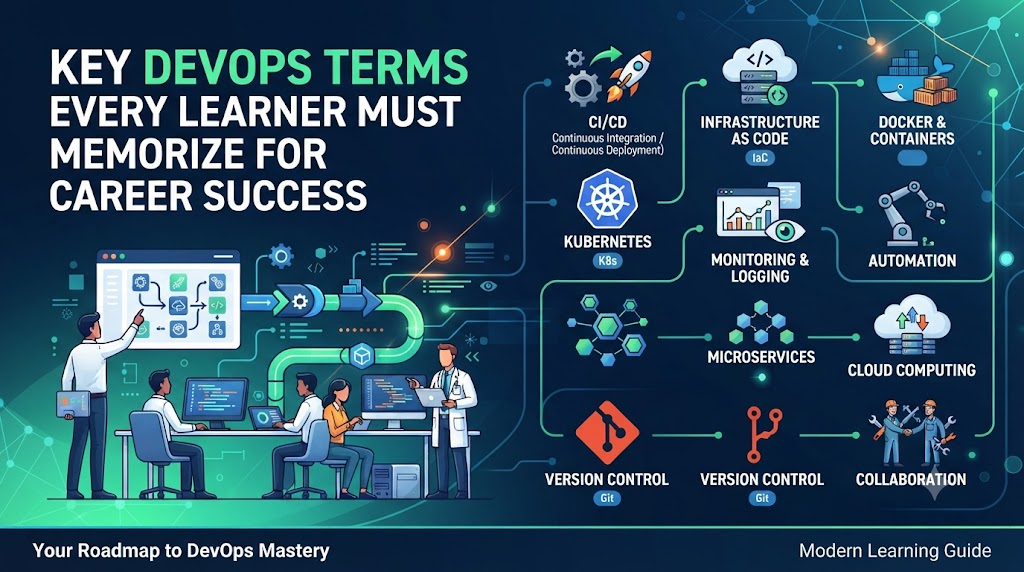
Stepping into the world of software delivery can feel like learning a whole new language, complete with an overwhelming array of technical acronyms and industry jargon like CI/CD, pods, state files, and observability. Having mentored engineering teams through enterprise cloud migrations for over twenty years, I have seen firsthand how mastering this foundational vocabulary transforms confusion into confidence—making technical documentation effortlessly readable, simplifying architectural discussions, and turning intimidating job interviews into natural conversations. Simply memorizing dictionary definitions will not get you far, but understanding what these concepts mean and how they operate in real-world production setups builds the practical intuition you need to thrive. In this guide, we will break down the essential DevOps terms across CI/CD, containers, Kubernetes, cloud platforms, and security into clear, relatable concepts, while platforms like DevOpsSchool offer the structured learning paths needed to put this language into action.
Why Learning DevOps Terms Is Important
Understanding DevOps terminology goes far beyond passing a quiz. It forms the foundation of your day-to-day work in a modern engineering organization.
       [ DevOps Communication Flow ]
                     |
       +-------------+-------------+
       |                           |
[ Team Collaboration ]     [ Interview Success ]
       |                           |
       v                           v
(Faster Onboarding)       (Clear Technical Depth)
       |                           |
       +-------------+-------------+
                     |
         [ Practical Execution ]
1. Better Communication Across Teams
DevOps exists to break down silos between development, operations, testing, and security teams. If developers discuss “artifacts” while operations engineers talk about “deployment packages,” miscommunication occurs. A shared vocabulary ensures everyone speaks the same technical language, reducing friction and speeding up project delivery.
2. Accelerated Learning and Documentation Reading
When reading official documentation for tools like Kubernetes, Terraform, or AWS, every page assumes you know basic industry terminology. If you have to pause to search for terms like “state file,” “ingress,” or “stateless workloads,” your learning process slows down significantly. Knowing the terms allows you to read technical documentation fluently.
3. Stronger Performance in Technical Interviews
Interviewers rarely ask for verbatim textbook definitions. They want to hear you explain technical terms within the context of practical problem-solving. Being able to confidently use terms like “blue-green deployment,” “idempotency,” or “observability” demonstrates to hiring managers that you have hands-on experience or deep conceptual understanding.
4. Smooth Onboarding to Enterprise Projects
When joining an enterprise engineering team, you will immediately encounter architecture diagrams, deployment pipelines, and operational playbooks loaded with industry jargon. Knowing these terms helps you understand the system architecture faster and start contributing code or infrastructure updates early in your role.
Core DevOps Terms Every Beginner Must Know
| Term | Simple Definition | Why It Matters |
| DevOps | A cultural and operational philosophy combining software development and IT operations. | Speeds up software delivery, improves quality, and fosters cross-team accountability. |
| Agile | An iterative software development methodology focused on small, frequent releases and flexible planning. | Allows teams to adapt quickly to changing customer requirements. |
| SDLC | Software Development Life Cycle; the structured process of planning, creating, testing, and deploying software. | Ensures software development is organized, predictable, and measurable. |
| Automation | Using technology to execute repetitive tasks with minimal human intervention. | Reduces human error, speeds up execution, and frees up engineering time for strategic tasks. |
| Continuous Integration (CI) | Automatically building and testing code changes whenever a developer commits code to a shared repository. | Catches integration bugs early before they reach production environments. |
| Continuous Delivery (CD) | Automatically preparing code changes for release to testing or staging environments. | Ensures software is always in a release-ready state. |
| Continuous Deployment | Automatically releasing every passing code change directly to end-users in production without manual intervention. | Delivers features and fixes to customers as quickly as possible. |
| Pipeline | A automated sequence of steps (build, test, package, deploy) that code passes through to reach production. | Standardizes and automates the software delivery path. |
| Version Control | A system that tracks changes to source code over time. | Allows multiple developers to collaborate without overwriting each other’s work. |
| Git | The most popular distributed version control system used to track source code changes. | Provides history, branching, and merging features essential for modern software projects. |
Deep Dive: Explanations and Examples
DevOps
- Simple Definition: A set of practices, cultural philosophies, and tools that combine software development (Dev) and IT operations (Ops) to deliver applications faster and more reliably.
- Why It Matters: Traditionally, developers wrote code and handed it over to operations to run, leading to blame games when things broke. DevOps creates shared responsibility across the entire lifecycle.
- Real-World Example: Instead of releasing a massive software update once a year, an e-commerce platform uses DevOps practices to deploy small bug fixes and features daily without crashing the store.
- Beginner Tip: DevOps is not a single software tool, nor is it just a job title; it is primarily a collaborative way of working supported by automation.
- Interview Context: Expect questions like “What does DevOps mean to you, and how does it differ from traditional Agile setups?” Focus your answer on shared responsibility, continuous feedback, and automated delivery.
Agile
- Simple Definition: A software delivery approach focused on iterative development, short work cycles (sprints), and continuous feedback.
- Why It Matters: Agile helps teams pivot quickly when customer needs or market demands change, rather than following a rigid multi-year plan.
- Real-World Example: A mobile app team builds a basic version of a feature in two weeks, releases it to a test group, gathers feedback, and improves it in the next two-week sprint.
- Beginner Tip: Think of Agile as the management methodology and DevOps as the technical engine that automates and accelerates that process.
Version Control & Git
- Simple Definition: Software tools that record changes made to files over time so you can recall specific versions later and collaborate safely with others.
- Why It Matters: Without version control, collaborating on a codebase leads to lost code, broken environments, and zero visibility into who changed what.
- Real-World Example: If a developer introduces a critical bug into an application at 2 PM, Git allows the team to pinpoint the exact line of code changed and revert the system back to the stable 1:50 PM state in seconds.
- Beginner Tip: Master basic Git commands (
git status,git commit,git push,git pull,git branch) before diving into complex DevOps tools.
CI/CD Terminology
Continuous Integration and Continuous Delivery/Deployment (CI/CD) form the backbone of modern DevOps engineering.
+--------+     +-------+     +-------+     +----------+     +----------+
| Commit | --> | Build | --> | Test  | --> | Artifact | --> | Rollback |
+--------+     +-------+     +-------+     +----------+     +----------+
Build
- Simple Definition: The process of converting human-readable source code into executable software binaries or packages.
- Why It Matters: Computers cannot directly run source code files like Java or C# without compilation and dependency bundling.
- Real-World Example: Compiling TypeScript files into JavaScript, downloading third-party libraries, and bundling them into a single executable
.jaror.zipfile. - Beginner Tip: If your build fails, check your code syntax or missing external package dependencies first.
Commit
- Simple Definition: Saving a recorded snapshot of your local code changes into the version control repository history.
- Why It Matters: Commits create incremental, documented checkpoints in your project work.
- Real-World Example: A developer finishes adding a password-reset button, writes a clear note like
feat: add password reset button, and saves the change via Git.
Merge
- Simple Definition: Combining code changes from one Git branch into another main branch.
- Why It Matters: Allows multiple developers to work on separate features simultaneously and integrate their work into a single release stream.
- Real-World Example: Merging a completed
feature/login-pagebranch into the primarymainbranch once code review and automated testing pass.
Branch
- Simple Definition: An independent line of development isolated from the main codebase.
- Why It Matters: Developers can experiment, build features, and fix bugs without breaking the working production application.
- Real-World Example: Creating a temporary branch named
fix/shopping-cart-bugto safely isolate work while fixing an issue.
Repository (Repo)
- Simple Definition: A central digital storage location where all project code, history, and configuration files reside.
- Why It Matters: Serves as the single source of truth for application development.
- Real-World Example: A GitHub or GitLab repository hosting all application files and configuration scripts for an enterprise system.
Artifact
- Simple Definition: The compiled, packaged outcome generated by a software build process ready for testing or deployment.
- Why It Matters: Ensures that the exact file built and tested in staging is what gets deployed to production environments.
- Real-World Example: A compiled
.warfile, a.debpackage, or a Docker image ready to be shipped to a server.
Pipeline
- Simple Definition: An automated series of steps that code moves through from initial commit to final deployment.
- Why It Matters: Removes manual overhead, standardizes testing, and guarantees quality checks for every release.
- Real-World Example: A Jenkins or GitHub Actions workflow that automatically runs: Code Check -> Unit Tests -> Build -> Security Scan -> Deploy to Staging.
Release
- Simple Definition: A specific version of a software product made available to users or environments.
- Why It Matters: Tracks changes, feature sets, and updates systematically (e.g., Version 1.0.0 vs Version 1.1.0).
- Real-World Example: Deploying the v2.4.0 update of an online banking app to customer app stores.
Rollback
- Simple Definition: Automatically or manually reverting an application back to its previous stable version after a failed release.
- Why It Matters: Minimizes downtime and user impact when a bad release accidentally enters production environments.
- Real-World Example: If v2.4.0 causes database connection errors, the engineering team executes a single-command rollback to v2.3.9 within two minutes.
Cloud Computing Terms
Cloud computing provides the flexible, on-demand infrastructure that modern DevOps automation relies upon.
Cloud
- Simple Definition: On-demand availability of computing resources (servers, storage, databases) over the internet with pay-as-you-go pricing.
- Why It Matters: Eliminates the need for companies to buy, build, and maintain costly physical data centers.
- Real-World Example: Renting computing resources from AWS, Microsoft Azure, or Google Cloud Platform (GCP) instead of purchasing hardware.
Virtual Machine (VM)
- Simple Definition: A software-based simulation of a physical computer running an operating system.
- Why It Matters: Allows multiple virtual servers to run on a single physical host machine, optimizing hardware use.
- Real-World Example: Provisioning an Ubuntu Linux VM inside AWS (an EC2 instance) to host a web server.
Instance
- Simple Definition: A single virtual server running in a cloud computing environment.
- Why It Matters: Represents the basic compute building block in public cloud providers.
- Real-World Example: Launching a
t3.mediumcompute instance in AWS to host an API application.
Region
- Simple Definition: A distinct physical geographical location in the world where a cloud provider operates clusters of data centers.
- Why It Matters: Helps deploy applications closer to end-users for lower latency and compliance with data sovereignty laws.
- Real-World Example: Deploying services in the
us-east-1(N. Virginia) orap-south-1(Mumbai) regions.
Availability Zone (AZ)
- Simple Definition: One or more isolated data centers within a single cloud region, equipped with independent power, cooling, and networking infrastructure.
- Why It Matters: Protects applications from outages. If one data center experiences a fault, applications switch over to another AZ in the same region seamlessly.
- Real-World Example: Running duplicate application servers across
us-east-1aandus-east-1bfor high availability.
Auto Scaling
- Simple Definition: Automatically adjusting the number of running compute instances based on live user traffic demands.
- Why It Matters: Prevents server crashes during high traffic surges and cuts cloud spending during slow periods.
- Real-World Example: An e-commerce system running 3 instances at night that automatically scales up to 30 instances during a flash sale.
Load Balancer
- Simple Definition: A device or service that distributes incoming network traffic across multiple backend servers.
- Why It Matters: Prevents any single server from becoming overloaded and guarantees system redundancy.
- Real-World Example: An AWS Application Load Balancer (ALB) receiving web requests and distributing them evenly across 10 application instances.
Storage (Block, Object, File)
- Simple Definition: Digital media mechanisms used to store data in the cloud.
- Why It Matters: Applications need different storage architectures depending on data speed and access patterns.
- Real-World Example: Using AWS S3 (Object Storage) to hold millions of user profile pictures, and EBS (Block Storage) for fast database operating volumes.
IAM (Identity and Access Management)
- Simple Definition: A security framework used to manage digital identities, access privileges, and permissions for cloud resources.
- Why It Matters: Enforces least-privilege security, ensuring users and applications access only what they strictly need.
- Real-World Example: Granting a developer access to view log files while preventing them from deleting production databases.
Containerization Terms
Containerization revolutionizes software delivery by packaging code along with all its required operating system dependencies.
+-------------------------------------------------------------+
|                     Container Host                          |
|  +-----------------------+       +-----------------------+  |
|  |  Container A          |       |  Container B          |  |
|  |  (App + Dependencies) |       |  (App + Dependencies) |  |
|  +-----------------------+       +-----------------------+  |
|  +-------------------------------------------------------+  |
|  |                   Container Engine                    |  |
+--+-------------------------------------------------------+--+
Docker
- Simple Definition: An open-source platform used to create, run, ship, and manage light software containers.
- Why It Matters: Solves the classic developer complaint: “It worked on my local computer, but broke on the production server.”
- Real-World Example: Standardizing application deployment so code runs identically on a developer laptop, a QA server, and a cloud host.
Container
- Simple Definition: A lightweight, isolated running instance of an application packaged with its libraries, configurations, and binaries.
- Why It Matters: Containers start up in milliseconds, consume low overhead resources, and run reliably across different environments.
- Real-World Example: Running a Python microservice inside a container without worrying about what version of Python is installed on the underlying server.
Image
- Simple Definition: A read-only blueprint or template containing the instructions required to instantiate a running container.
- Why It Matters: Ensures consistent environment replication across deployment targets.
- Real-World Example: Downloading an official
node:18-alpineimage to serve as the base layer for your web application.
Dockerfile
- Simple Definition: A plain text file containing sequential instructions used to assemble a Docker image.
- Why It Matters: Documents environment configuration directly as code, making container builds transparent and reproducible.
- Real-World Example: A text file containing commands like
FROM python:3.9,COPY . /app,RUN pip install -r requirements.txt, andCMD ["python", "app.py"].
Registry
- Simple Definition: A centralized storage repository for storing, managing, and distributing container images.
- Why It Matters: Allows team members and automated CI/CD servers to easily pull and push standardized container images.
- Real-World Example: Docker Hub, Amazon Elastic Container Registry (ECR), or GitHub Packages hosting private enterprise images.
Volume
- Simple Definition: Persistent data storage attached to containers, managing data independently of the container lifecycle.
- Why It Matters: Containers are temporary by default. Volumes prevent data loss when containers restart or terminate.
- Real-World Example: Attaching a persistent host storage volume to a database container so operational customer data persists even if the container stops.
Network (Container Networking)
- Simple Definition: A virtual network infrastructure that allows containers to communicate securely with each other and external systems.
- Why It Matters: Isolates microservices logically while enabling necessary cross-service communication pathways.
- Real-World Example: Configuring a private Docker network so a backend container can access a database container while keeping the database hidden from the public internet.
Compose (Docker Compose)
- Simple Definition: A tool for defining and running multi-container Docker applications using a single configuration file (
docker-compose.yml). - Why It Matters: Simplifies multi-service local development by launching complex environments with one command.
- Real-World Example: Launching a web frontend, an API backend, and a Redis cache database using
docker compose up.
Kubernetes Vocabulary
Kubernetes (often abbreviated as K8s) is the industry standard for orchestrating containerized applications at enterprise scale.
| Term | Simple Definition | Why It Matters |
| Cluster | A collection of worker machines (nodes) managed by a control plane to run containerized workloads. | Provides scalable, highly available compute infrastructure for running software. |
| Node | A single physical or virtual compute machine inside a Kubernetes cluster. | Executes application workloads assigned to it by the master control plane. |
| Pod | The smallest, basic deployable unit in Kubernetes, hosting one or more closely linked containers. | Encapsulates running containers, shared network IPs, and storage options. |
| Deployment | A controller object that manages declarative updates for Pods and ReplicaSets. | Manages rolling updates, application scaling, and self-healing rollbacks. |
| Service | An abstract way to expose an application running on a set of Pods as a stable network service endpoint. | Keeps application networking reliable even when underlying Pods stop and recreate. |
| Namespace | A virtual cluster partition used to isolate environment resources within a physical cluster. | Organizes teams, projects, or environments (e.g., dev, test, prod) safely on shared hardware. |
| ReplicaSet | A controller that maintains a stable set of identical running Pod instances at any given time. | Guarantees workload availability and scaling elasticity. |
| ConfigMap | An API object used to store non-confidential configuration key-value pairs. | Decouples configuration settings from container images for easy tuning. |
| Secret | An object designed to store sensitive data securely, such as passwords, API keys, and TLS certificates. | Protects sensitive operational data from being hardcoded into application source code. |
| Ingress | An API object managing external HTTP and HTTPS traffic routing to internal cluster services. | Provides load balancing, SSL termination, and domain-based path routing at the cluster edge. |
Infrastructure as Code (IaC) Terms
Infrastructure as Code allows operations teams to define, provision, and manage cloud infrastructure using declarative machine-readable code files instead of manual point-and-click console clicks.
[ Terraform Code (.tf) ] --> [ terraform plan ] --> [ terraform apply ] --> [ Cloud Infrastructure ]
Terraform
- Simple Definition: An open-source, vendor-agnostic Infrastructure as Code tool created by HashiCorp.
- Why It Matters: Allows engineers to manage diverse cloud infrastructure safely across providers using reproducible code patterns.
- Real-World Example: Writing code to provision 5 AWS servers, a cloud load balancer, and a database within minutes.
State File (terraform.tfstate)
- Simple Definition: A stored tracking file that maps declared IaC code definitions to real-world infrastructure provisioned in the cloud.
- Why It Matters: Helps Terraform track resource changes, track metadata, and calculate necessary updates on subsequent runs.
- Real-World Example: Keeping track that an AWS S3 bucket named
company-app-logswas created by Terraform so it doesn’t attempt to recreate it.
Provider
- Simple Definition: A plugin that enables Terraform to interact with external platform APIs like AWS, Azure, GCP, or Kubernetes.
- Why It Matters: Translates standard HCL code into specific API calls required by underlying target platforms.
- Real-World Example: Declaring
provider "aws" { region = "us-east-1" }to instruct Terraform to deploy resources to AWS N. Virginia.
Resource
- Simple Definition: A specific infrastructure element managed within IaC code.
- Why It Matters: Serves as the basic building block of an infrastructure configuration file.
- Real-World Example: Defining an
aws_instanceblock to spin up a compute server, or anaws_s3_bucketto host file objects.
Module
- Simple Definition: A container for multiple resources configured to work together as a reusable template package.
- Why It Matters: Prevents code duplication and promotes standard infrastructure architecture patterns across organization teams.
- Real-World Example: Creating a standardized “VPC Module” used by multiple development teams to spin up network setups consistently.
Variables
- Simple Definition: Custom input parameters used to make IaC scripts dynamic and adaptable without modifying core code files.
- Why It Matters: Enables engineers to reuse the same infrastructure code across development, staging, and production environments by passing different parameters.
- Real-World Example: Setting a variable
instance_type = "t3.micro"for local testing, but supplyinginstance_type = "m5.large"in production configurations.
Outputs
- Simple Definition: Values extracted and displayed after successful infrastructure provisioning runs.
- Why It Matters: Provides critical details (such as IP addresses, load balancer URLs, or database endpoints) needed by downstream automation workflows.
- Real-World Example: Automatically printing out the public IP of a newly built virtual server once Terraform finishes creating it.
Plan (terraform plan)
- Simple Definition: A preview command execution step showing changes Terraform intends to perform before modifying real infrastructure.
- Why It Matters: Prevents accidental deletion or unintended destructive changes to running cloud systems.
- Real-World Example: Running
terraform planto confirm that modifying a tag won’t accidentally delete an active production database.
Apply (terraform apply)
- Simple Definition: The command step that executes the changes required to reach the desired state defined in your IaC code files.
- Why It Matters: Provisions, updates, or destroys actual infrastructure resources in cloud platform APIs based on the plan output.
- Real-World Example: Applying changes to spin up a new database cluster after verifying the plan preview is safe.
Monitoring and Observability Terms
Deploying software is only half the job. Operations and site reliability engineers must continuously monitor software performance, health, and system availability.
       [ System Telemetry ]
                 |
  +--------------+--------------+
  |              |              |
  v              v              v
[Metrics]     [Logs]        [Traces]
(Numbers)    (Events)     (Request Paths)
  |              |              |
  +--------------+--------------+
                 |
                 v
        [ Observability ]
Metrics
- Simple Definition: Numeric performance measurements collected over regular time intervals representing system health indicators.
- Why It Matters: Helps track system health trends, performance degradation, and infrastructure utilization over time.
- Real-World Example: Tracking CPU utilization percentage, available disk memory, or HTTP 500 server error response counts.
Logs
- Simple Definition: Time-stamped, textual records of discrete events emitted by applications, operating systems, or infrastructure devices.
- Why It Matters: Essential for diagnosing the root cause of application failures and security incidents.
- Real-World Example:
2026-08-04 12:00:01 [ERROR] Database connection failed for User ID 8492.
Traces
- Simple Definition: Complete end-to-end request journeys tracked as they travel through microservice architectures.
- Why It Matters: Helps pin down performance bottlenecks across complex microservice networks.
- Real-World Example: Tracking a user checkout click as it travels through the authentication service, inventory check, payment engine, and notification system.
Monitoring
- Simple Definition: The practice of collecting, analyzing, and using operational metrics to answer whether a system is currently working correctly.
- Why It Matters: Notifies operations teams when systems cross predefined failure thresholds.
- Real-World Example: Displaying system uptime status charts and getting notified when CPU load exceeds 90%.
Observability
- Simple Definition: The ability to infer the internal health state of a complex system based purely on its external outputs (metrics, logs, traces).
- Why It Matters: Goes beyond traditional monitoring by letting engineers debug unexpected, complex failure states they haven’t seen before.
- Real-World Example: Analyzing combined microservice metrics and traces to understand why a user query stalled, without relying on preset metric alerts.
Alert
- Simple Definition: An automated notification triggered when a monitored metric crosses a preconfigured baseline threshold.
- Why It Matters: Alerts on-call engineering teams to critical technical issues before customers notice outages.
- Real-World Example: Sending a Slack or PagerDuty message to on-call engineers when API latency exceeds 2000 milliseconds for 5 straight minutes.
Dashboard
- Simple Definition: A visual user interface displaying key operational metrics, trends, system health indicators, and alerts.
- Why It Matters: Gives engineering teams at-a-glance status visibility into application performance.
- Real-World Example: Using Grafana or Datadog dashboards to monitor real-time user traffic, system error rates, and database queries.
SLA (Service Level Agreement)
- Simple Definition: A legally binding contract between a service vendor and a customer defining guaranteed uptime standards and financial remedies for failure.
- Why It Matters: Establishes legal expectations for availability between enterprise vendors and customers.
- Real-World Example: A cloud provider promising 99.99% monthly service availability, backed by service credit refunds if they fall short.
SLO (Service Level Objective)
- Simple Definition: An internal target goal set by engineering teams to measure service performance compliance against expected standards.
- Why It Matters: Serves as the internal operational metric used to meet SLA commitments without incurring contract penalties.
- Real-World Example: Target goal stating: “99.9% of API payment requests must complete within 200 milliseconds each calendar month.”
SLI (Service Level Indicator)
- Simple Definition: The actual quantitative measurement tracking compliance with a Service Level Objective (SLO).
- Why It Matters: Provides objective, real-time data showing whether your team is hitting its internal performance goals.
- Real-World Example: Current live calculation showing that 99.94% of API requests completed under 200 milliseconds over the last 30 days.
DevSecOps Terminology
DevSecOps integrates security practices directly into every stage of the DevOps engineering lifecycle.
Shift Left
- Simple Definition: Moving security testing, code quality evaluations, and compliance checks earlier into the software development lifecycle.
- Why It Matters: Fixing security flaws early in development is exponentially cheaper, faster, and safer than patching production systems.
- Real-World Example: Automatically scanning developer code for vulnerabilities on their local laptop instead of during pre-production releases.
Vulnerability Scanning
- Simple Definition: Using automated security tools to check applications, dependencies, and container images for known security exposures.
- Why It Matters: Prevents teams from shipping compromised third-party packages or insecure configuration settings to production servers.
- Real-World Example: Running a container scanner to flag outdated, vulnerable libraries inside base operating system images.
Secret Management
- Simple Definition: The tools, patterns, and security workflows used to store, encrypt, and manage sensitive tokens, passwords, and API keys.
- Why It Matters: Prevents accidental leakage of production credentials into public Git source repositories.
- Real-World Example: Using HashiCorp Vault or AWS Secrets Manager to inject database credentials securely into containers at runtime.
SAST (Static Application Security Testing)
- Simple Definition: Security tooling that analyzes application source code for vulnerabilities without executing the code.
- Why It Matters: Catches dangerous coding flaws early during development, like potential SQL injection vulnerabilities or cross-site scripting risks.
- Real-World Example: SonarQube scanning source code during build steps to flag insecure coding practices.
DAST (Dynamic Application Security Testing)
- Simple Definition: Security testing that evaluates a running application from the outside, simulating real-world security attacks.
- Why It Matters: Identifies runtime security exposures, authentication issues, and configuration weaknesses missed during static analysis.
- Real-World Example: Using OWASP ZAP to run automated security exploit tests against a staging server endpoint.
SBOM (Software Bill of Materials)
- Simple Definition: A structured inventory of all software components, third-party packages, and dependencies used within an application.
- Why It Matters: Allows security teams to react instantly when new open-source supply chain vulnerabilities are discovered.
- Real-World Example: Checking your application’s SBOM to confirm whether a newly published open-source vulnerability affects your production software.
Zero Trust
- Simple Definition: A security framework that assumes zero inherent trust, requiring authentication and authorization verification for every access request.
- Why It Matters: Prevents attackers from moving freely across internal networks if an perimeter security layer is compromised.
- Real-World Example: Requiring strict identity authorization checks and encrypted channels for microservices talking to each other inside the same local cluster.
Compliance (as Code)
- Simple Definition: Automating regulatory security policies and audit checks using readable code files.
- Why It Matters: Replaces manual security compliance checks with continuous, automated audit checks.
- Real-World Example: Using automated policy engines like Open Policy Agent (OPA) to ensure cloud storage buckets block public internet exposure.
Networking Terms Every DevOps Engineer Should Know
Understanding fundamental computer networking is essential for configuring cloud servers, routing microservice traffic, and troubleshooting production network issues.
IP Address (IPv4 / IPv6)
- Simple Definition: A unique numerical address assigned to every device connected to a computer network.
- Why It Matters: Enables machines to identify, address, and communicate with each other across networks.
- Real-World Example: Accessing a internal server endpoint located at private network host address
10.0.1.45.
DNS (Domain Name System)
- Simple Definition: The network service that translates human-friendly web domain names into numerical computer IP addresses.
- Why It Matters: Allows users to access services via domain names instead of memorizing long IP addresses.
- Real-World Example: Translating a domain name request for
[www.devopsschool.com](https://www.devopsschool.com)into host target IP address104.21.55.2.
HTTP / HTTPS
- Simple Definition: Network communications protocols used to transfer hypertext data across the web; HTTPS adds SSL/TLS encryption security.
- Why It Matters: Forms the backbone transport mechanism for web applications and microservice REST APIs.
- Real-World Example: Encrypting customer payment form inputs via HTTPS to prevent network eavesdropping.
TCP / UDP
- Simple Definition: Core transport layer communication protocols; TCP ensures guaranteed message delivery, while UDP prioritizes low-latency transport speed.
- Why It Matters: Applications require different transport guarantees depending on whether data accuracy or speed is the priority.
- Real-World Example: Using TCP for web pages and database requests, and UDP for real-time video streaming or online game traffic.
Firewall
- Simple Definition: A network security system that filters incoming and outgoing network traffic based on configured security rules.
- Why It Matters: Blocks unauthorized access attempts to isolated network infrastructure.
- Real-World Example: Setting cloud network security group rules to accept incoming web traffic on port 443 while blocking all public SSH attempts on port 22.
Reverse Proxy
- Simple Definition: An intermediate server that receives public requests and forwards them to internal server hosts.
- Why It Matters: Provides load balancing, SSL termination, and security isolation for application backends.
- Real-World Example: Using NGINX as a front-end reverse proxy to distribute user web traffic across application compute nodes.
VPN (Virtual Private Network)
- Simple Definition: An encrypted network connection tunnel established over the public internet.
- Why It Matters: Allows remote engineers to securely access isolated company data center networks from anywhere.
- Real-World Example: Connecting to a corporate VPN to access private cloud staging environments from home.
SSL / TLS
- Simple Definition: Cryptographic security protocols designed to provide data privacy, authentication, and data integrity over computer networks.
- Why It Matters: Encrypts data in transit to protect web applications from security tampering and eavesdropping.
- Real-World Example: Installing TLS certificates on load balancers to secure client interactions with HTTPS.
Automation Terms
Automation replaces manual administrative efforts with fast, reproducible, code-driven execution workflows.
Script
- Simple Definition: A small program written to automate repetitive operational tasks or system administrative steps.
- Why It Matters: Saves engineering hours by turning complex manual procedures into single-command executions.
- Real-World Example: Writing a script to back up database files, compress them, and upload them to cloud storage nightly.
Shell / Bash
- Simple Definition: A text-based command-line interface environment used to interact directly with host operating systems.
- Why It Matters: Essential for managing Linux servers, configuring environments, and driving automated deployment operations.
- Real-World Example: Writing a
.shscript to install packages, configure environment variables, and start a host service automatically.
Python
- Simple Definition: A high-level, readable programming language widely used in DevOps automation, data processing, and cloud management.
- Why It Matters: Provides extensive library support for building complex automation workflows, custom CLI utilities, and cloud infrastructure management scripts.
- Real-World Example: Writing a Python script using the AWS SDK (
boto3) to audit unused server storage volumes across cloud regions.
YAML / JSON
- Simple Definition: Data serialization file formats widely used for writing tool configurations and defining API structured data.
- Why It Matters: Serves as the standard markup language for configuring modern tools like Kubernetes, Docker Compose, Ansible, and CI/CD pipelines.
- Real-World Example: Writing a clean
deployment.yamlmanifest file to define target Pod replicas for Kubernetes.
API (Application Programming Interface)
- Simple Definition: A set of defined software rules and mechanisms allowing different applications to talk to each other.
- Why It Matters: Enables DevOps tools to programmatically provision cloud infrastructure, trigger deployments, and fetch system state.
- Real-World Example: A deployment script invoking an AWS API endpoint to spin up new compute nodes dynamically.
Webhook
- Simple Definition: An automated HTTP callback notification triggered between systems when a specific event occurs.
- Why It Matters: Connects separate DevOps systems into responsive, automated workflow chains.
- Real-World Example: GitHub sending an automated HTTP webhook notification to Jenkins immediately after a developer pushes new code.
Frequently Used DevOps Acronyms
| Acronym | Full Form | Meaning |
| CI | Continuous Integration | Automatically building and running tests on code changes when merged. |
| CD | Continuous Delivery / Deployment | Automatically packaging and delivering code changes to staging or production. |
| IaC | Infrastructure as Code | Managing network and compute infrastructure via configuration code files. |
| VM | Virtual Machine | Software emulator representing an isolated virtual computer environment. |
| API | Application Programming Interface | Standardized communication interfaces between separate software applications. |
| IAM | Identity and Access Management | Security rules defining identity access permissions across cloud services. |
| SRE | Site Reliability Engineering | Applying software engineering discipline to solve operational and reliability challenges. |
| SLA | Service Level Agreement | Contractual uptime guarantees established between vendors and customers. |
| SLO | Service Level Objective | Target uptime goals established internally by engineering teams. |
| MTTR | Mean Time To Recovery | Average elapsed time required to fix system outages and restore operational service. |
| MTTD | Mean Time To Detect | Average elapsed time required for teams to detect system failures. |
| KPI | Key Performance Indicator | Measurable metric used to track strategic project success. |
Commonly Confused DevOps Terms
       [ Key DevOps Distinctions ]
                   |
  +----------------+----------------+
  |                                 |
[CI vs CD]                  [Docker vs K8s]
(Merge & Test vs             (Package App vs
 Pack & Deploy)              Manage Scale)
| Term A | Term B | Key Difference |
| Continuous Delivery | Continuous Deployment | Continuous Delivery requires a manual approval click to deploy to production; Continuous Deployment automates release all the way to end-users without intervention. |
| Container | Virtual Machine | Containers share host OS kernels and start in seconds; Virtual Machines bundle full guest operating systems, taking minutes to boot. |
| Monitoring | Observability | Monitoring tells you when something breaks based on expected metrics; Observability lets you discover why it broke during unpredicted failure states. |
| Docker | Kubernetes | Docker packages and runs containers on individual host nodes; Kubernetes manages and orchestrates fleets of containers across clusters. |
| Deployment | Release | Deployment pushes code onto servers (technical execution); Release makes those features available to customers (business action). |
| Scaling | Load Balancing | Scaling adds or removes compute infrastructure instances; Load Balancing distributes incoming traffic evenly across active instances. |
Memory Tips for Learning DevOps Terms
             [ Retention Strategy ]
                       |
     +-----------------+-----------------+
     |                 |                 |
     v                 v                 v
(Flashcards)     (Hands-On Labs)   (Teach Others)
 (Terminology)     (Real Projects)    (Reinforcement)
- Use Spaced-Repetition Flashcards: Create digital flashcards using tools like Anki. Review foundational terms for 10 minutes every day to lock definitions into your long-term memory.
- Build Hands-On Projects: Do not just read definitions. Spin up a free AWS account, write a short Dockerfile, build an image, and deploy it using a simple GitHub Actions pipeline. Applying terms builds intuitive context.
- Map Terms to Real Workflows: Draw physical architecture diagrams showing how Git code commits travel through CI pipelines, turn into Docker images, and deploy onto Kubernetes clusters.
- Practice Explaining Terms Out Loud: Simulate interview scenarios by explaining complex concepts like Infrastructure as Code or Shift Left Security out loud using plain, jargon-free English.
- Write Technical Blog Summaries: Document your personal learning path by writing blog summaries explaining new DevOps terms in your own words.
Real-World Example: End-to-End DevOps Workflow
Let us trace how these terms connect in a standard enterprise software release workflow:
[Developer Commit] -> [CI Pipeline Test] -> [Docker Image Built]
                                                   |
[Incident Alert] <- [Monitoring Alert] <- [Kubernetes Deployment]
- A developer completes code work locally and creates a Commit on a feature Branch in a Git Repository.
- Merging the code triggers an automated CI Pipeline that executes a code Build, runs unit tests, and conducts a SAST security scan.
- Once tests pass, the pipeline packages the application code into a standardized Docker Image and pushes it to an image Registry.
- An Infrastructure as Code (IaC) script provisions a cloud Load Balancer pointing to a target Kubernetes Cluster.
- The deployment process executes a rolling Kubernetes Deployment, spinning up new Pods across multiple Nodes within a target Namespace.
- The application emits Metrics, Logs, and Traces to a centralized Observability platform.
- An unexpected database connection delay causes response latency to spike, triggering an automated Alert sent to on-call SRE engineers.
- The on-call engineer checks performance dashboards, identifies a broken configuration, and triggers a automated Rollback to restore operational stability within minutes.
Common Mistakes Beginners Make
- Memorizing Without Hands-on Context: Memorizing definitions without executing actual terminal commands creates fragile knowledge that breaks during practical interview scenarios.
- Learning Tooling Before Principles: Jumping into Kubernetes or Terraform before understanding basic networking, operating systems, and Git fundamentals creates unnecessary confusion.
- Confusing Similar Terms: Failing to differentiate closely related terms like CI vs CD or Containers vs Virtual Machines leads to miscommunications during team discussions.
- Ignoring Command Line Fundamentals: Relying exclusively on graphic user interfaces instead of mastering basic Linux shell navigation slows down administrative operations.
Beginner Improvement Checklist
- Pick 5 core DevOps terms every day and explain them in simple sentences.
- Set up a local Linux test server or virtual machine to practice command-line administration.
- Create a GitHub repository and commit sample configuration code routinely.
- Containerize a simple web application using Docker.
- Sketch end-to-end CI/CD architecture diagrams on paper to visualize workflow steps.
Best Practices for Mastering DevOps Vocabulary
- Study Consistently: Spend 30 minutes daily reviewing terminology, reading official documentation, or performing terminal labs instead of cramming before interviews.
- Build Real Projects: Reinforce terms by applying them inside practical projects. Create real pipelines, deploy containers, and write infrastructure scripts.
- Read Official Documentation: Get comfortable reading official technical documentation for popular software tools like Docker, Kubernetes, Terraform, and AWS.
- Join Technical Communities: Engage in discussions on DevOps community forums, Reddit groups, and local tech meetups to hear how engineers use vocabulary in everyday settings.
- Teach Others: Explaining technical terms to non-technical peers or junior learners is one of the fastest ways to test your own depth of understanding.
Career Benefits of Understanding DevOps Terminology
       [ Technical Mastery ]
                 |
  +--------------+--------------+
  |                             |
[Interview Confidence]    [Faster Onboarding]
  |                             |
  +--------------+--------------+
                 |
                 v
      [ Career Advancement ]
- Perform Confidently in Technical Interviews: Using proper industry vocabulary accurately demonstrates engineering maturity to hiring managers.
- Accelerate Onboarding Timelines: Engineers who know key technical terminology spend less time decoding documentation and start contributing faster to team projects.
- Improve Cross-Team Collaboration: Speaking a shared language enables seamless collaboration across development, operations, security, and management teams.
- Accelerate Certification Success: Standardized certification exams rely heavily on precise industry terminology. Clear vocabulary comprehension boosts your test scores.
Learning Roadmap
| Phase | Focus Area | Key Vocabulary to Master | Expected Outcome |
| Phase 1: Fundamentals | Operating Systems, Networking, Version Control | Linux, Shell, Bash, Git, Commit, Branch, IP Address, DNS, HTTP, SSH | Able to manage code repositories and navigate Linux server environments. |
| Phase 2: Build & Automation | Scripting, Build Tools, CI/CD Basics | CI, CD, Pipeline, Artifact, Build, Merge, YAML, Webhook, Jenkins | Able to design simple automated pipelines that build and test application code. |
| Phase 3: Containerization | Application Packaging & Storage | Docker, Container, Image, Dockerfile, Registry, Volume, Compose | Able to package application code into portable containers for testing and distribution. |
| Phase 4: Cloud & IaC | Provisioning & Cloud Platforms | Cloud, VM, Instance, Auto Scaling, Load Balancer, Terraform, State File, IAM | Able to provision and scale managed cloud infrastructure using configuration code. |
| Phase 5: Orchestration | Cluster Management & Architecture | Kubernetes, Cluster, Node, Pod, Deployment, Service, Namespace, Ingress | Able to manage, scale, and route application container workloads inside clusters. |
| Phase 6: Security & Monitoring | Operations, Reliability, Security | Shift Left, Observability, Metrics, Logs, Traces, Alerts, SLA, SLO, SAST | Able to maintain production system health, configure alerts, and secure pipelines. |
Certifications and Learning Resources
| Certification | Best For | Skill Level | Core Technical Focus Area |
| Docker Certified Associate (DCA) | Beginners & Developers | Entry to Intermediate | Container management, Docker files, storage volumes, and registry management. |
| Certified Kubernetes Administrator (CKA) | Systems Admins & Cloud Engineers | Intermediate to Advanced | Kubernetes architecture, cluster installation, networking, pods, and troubleshooting. |
| AWS Certified DevOps Engineer | Cloud Specialists | Advanced | AWS cloud services, continuous delivery, infrastructure as code, and monitoring. |
| HashiCorp Certified: Terraform Associate | Infrastructure Engineers | Intermediate | Infrastructure as code principles, state file management, and resource provisioning. |
| DevOps Professional Certifications | Career Switchers & IT Pros | Beginner to Advanced | Comprehensive end-to-end DevOps methodologies, pipelines, and enterprise automation. |
If you are looking for structured learning roadmaps, expert mentorship, and hands-on laboratory environments, explore the structured training tracks at DevOpsSchool. Participating in organized programs can help turn abstract vocabulary terms into practical, career-ready engineering skills.
Future of DevOps Terminology
As software delivery practices evolve, new operational terms and methodologies emerge across enterprise engineering teams:
- Platform Engineering: Building dedicated Internal Developer Platforms (IDPs) that enable developers to self-serve infrastructure and deployment resources safely.
- GitOps: Managing infrastructure and application configurations where Git repositories serve as the single, declarative source of truth for deployment state.
- AIOps: Incorporating machine learning and artificial intelligence algorithms into monitoring workflows to predict outages and automate root cause analysis.
- FinOps: Bringing financial accountability and cost optimization tracking directly into cloud infrastructure and operational workflows.
- Cloud-Native Security: Implementing automated, identity-centric security policies tailored specifically for microservices and elastic cloud platforms.
FAQs (Frequently Asked Questions)
1. Why should beginners focus on learning DevOps terminology early?
Learning the correct vocabulary early builds a solid foundation for reading technical documentation, communicating effectively with engineering teams, and understanding tool workflows without getting lost in jargon.
2. Which DevOps terms are the most important to memorize first?
Start with core concepts like DevOps, Agile, Version Control, Git, Continuous Integration (CI), Continuous Delivery (CD), Docker, Containers, and Cloud Infrastructure.
3. Are these DevOps terms regularly asked in job interviews?
Yes. Technical interviewers frequently ask candidates to define core terms, contrast similar concepts (like CI vs CD or Containers vs VMs), and describe real-world scenarios using clear vocabulary.
4. How long does it take for a beginner to master basic DevOps vocabulary?
With consistent daily practice, a beginner can get comfortable with foundational DevOps terminology within 2 to 4 weeks. Achieving deep operational familiarity takes hands-on experience over several months.
5. Should I memorize exact technical definitions?
No. Focus on understanding what the term means, why it exists, and how it works in practice. Interviewers value clear, practical explanations over memorized dictionary definitions.
6. Which cloud computing terms should I learn first?
Begin with virtual machines, instances, regions, availability zones, auto-scaling, load balancers, object storage, and basic Identity and Access Management (IAM) permissions.
7. What is the fundamental difference between CI and CD?
Continuous Integration (CI) focuses on automatically merging code changes and running tests. Continuous Delivery/Deployment (CD) focuses on packaging and releasing those tested code updates safely to environments.
8. Is Kubernetes terminology difficult for beginners to learn?
Kubernetes has its own detailed set of terms (Pods, Nodes, Deployments, Services, Ingress). However, breaking them down visually using component diagrams makes them easy to learn.
9. What basic networking concepts do I need for DevOps?
Focus on IP addressing, DNS host resolution, HTTP/HTTPS web protocols, TCP/UDP transport channels, basic firewalls, reverse proxies, and TLS encryption basics.
10. How can I remember technical DevOps terms long-term?
Use flashcards, explain concepts out loud to peers, draw workflow diagrams, and build hands-on projects where you apply the concepts directly in your command terminal.
11. Which technical certifications reinforce these core terms best?
Certifications like Docker Certified Associate (DCA), Certified Kubernetes Administrator (CKA), HashiCorp Terraform Associate, and AWS DevOps tracks offer great reinforcement.
12. Can non-developers or non-programmers learn DevOps terminology?
Yes. Many system administrators, QA engineers, project managers, and IT support professionals learn DevOps concepts without having advanced software development backgrounds.
13. How frequently should I revise technical terminology?
Review foundational concepts weekly when starting out. As you work on hands-on labs, terms will naturally reinforce themselves through practical execution.
14. What real-world projects help reinforce this vocabulary?
Build a simple web application, push it to GitHub, create a CI/CD pipeline using GitHub Actions, package the app into a Docker container, and deploy it to a cloud server using Terraform.
15. Where should I continue learning after mastering basic terminology?
Advance from theory to practical execution. Enroll in structured hands-on courses, build personal projects, read open-source code repositories, and explore industry training programs available at platforms like DevOpsSchool.
Final Thoughts
Mastering DevOps terminology is an essential step on your path to becoming a successful cloud and DevOps engineer. Technical terms are not abstract definitions to memorize for a test—they represent real-world solutions developed by engineers to build, deliver, and maintain reliable software systems. True understanding comes from bridging technical vocabulary with practical execution. When you know what an “artifact,” “pipeline,” or “pod” represents, setting up automated infrastructure and debugging issues becomes far more intuitive. Approach your learning journey step-by-step. Review foundational vocabulary daily, build practical projects, map out workflows visually, and continuously expand your skill set. As cloud technologies evolve, keeping your core engineering vocabulary updated will keep your career growing for years to come.

