
Introduction
Entering the world of DevOps often feels like standing at the base of a mountain with no map. Many newcomers look at the vast ecosystem of tools and complex jargon and immediately conclude that it is impossible to learn DevOps without a technical background. This fear is common, yet it is rarely grounded in reality. The truth is that DevOps is not just about writing code; it is about building processes, solving problems, and ensuring that systems work together efficiently.
If you are a student, a career switcher, or someone currently in a manual support role, your lack of an engineering degree is not a barrier to entry. What matters is a structured approach to learning and the willingness to start small. Many professionals have successfully transitioned into this field by mastering the fundamentals one step at a time. At DevOpsSchool, we have guided thousands of learners who started with zero technical knowledge. By following a clear, pedagogical path, you can build the necessary skills to launch a fulfilling career. In this guide, we will break down the overwhelming complexity into manageable stages to help you begin your journey with confidence.
Can You Learn DevOps Without Technical Background?
The short answer is yes. However, it requires a shift in mindset. Many people mistakenly believe that DevOps is purely about high-level software development. In reality, it is more akin to being an architect and a conductor for software systems. While you will eventually need to understand how software works, you do not need to be a software developer to start.
Think of it like learning to drive a car. You do not need to be an automotive engineer to learn how to operate the vehicle safely and efficiently. Similarly, you do not need to be a kernel programmer to learn how to manage servers, deploy applications, and automate workflows. By focusing on the “how” and “why” of system operations, you can develop technical proficiency through practice and repetition.
Why DevOps Feels Difficult at First
The primary reason DevOps feels intimidating is the sheer density of new terminology. Terms like containers, clusters, pipelines, and repositories are often thrown around without context. Furthermore, the industry moves quickly, and it is easy to feel like you are falling behind before you have even started.
Consider a beginner who tries to learn Kubernetes—a complex container orchestration tool—without first understanding what a container is or how a basic server works. They will inevitably feel frustrated. This frustration is not a sign of a lack of ability; it is a sign that the learning sequence is out of order. When you treat DevOps as a collection of isolated tools rather than a logical process, the difficulty increases tenfold.
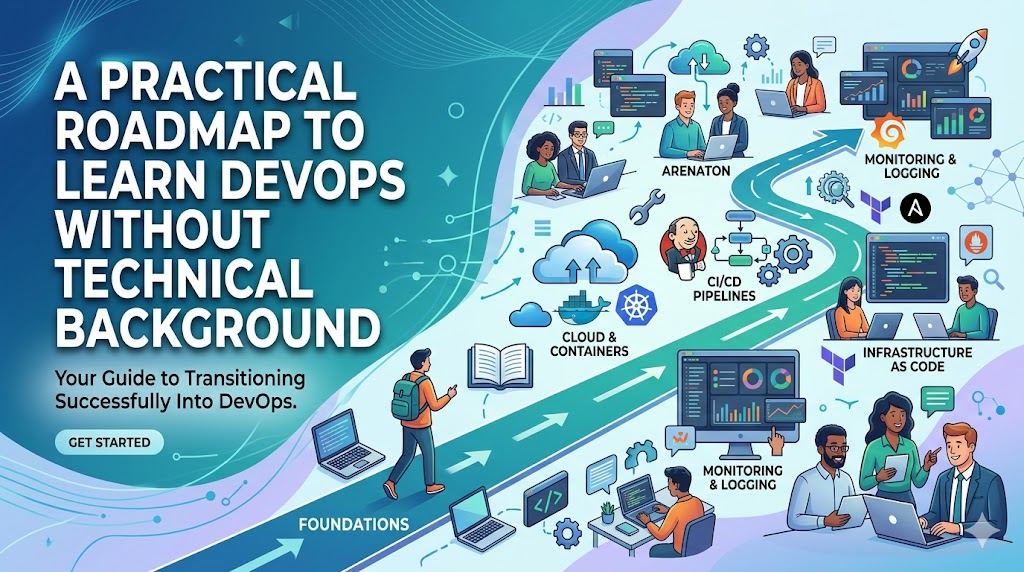
Step-by-Step Roadmap to Learn DevOps Without Technical Background
The following table provides a logical progression. Do not attempt to learn everything at once. Focus on mastering one stage before moving to the next.
| Stage | Focus Area | Goal |
| 1 | IT Fundamentals | Understand how computers and servers communicate. |
| 2 | Linux Basics | Learn to navigate the system using the command line. |
| 3 | Networking Basics | Understand IP addresses, DNS, and HTTP. |
| 4 | Git & Version Control | Learn to track changes and collaborate. |
| 5 | Basic Scripting | Automate simple tasks with Bash. |
| 6 | CI/CD Fundamentals | Learn the concept of automated delivery. |
| 7 | Docker Basics | Understand how to package applications. |
| 8 | Kubernetes | Learn the basics of container management. |
| 9 | Cloud Fundamentals | Understand how to use AWS or Azure services. |
| 10 | Monitoring Basics | Learn to track application health. |
Stage 1: Learn Basic IT Concepts
Before you touch DevOps tools, you must understand the environment. Think of this as learning the rules of the road. A server is simply a computer that provides services to other computers. Applications are the software running on those servers. Understanding that data lives on a disk and is accessed via networks is the foundation of all DevOps work.
Stage 2: Learn Linux Basics
Linux is the backbone of the internet and the primary operating system for DevOps engineers. You do not need to memorize every command, but you must be comfortable navigating folders, creating files, and managing permissions in a terminal. Practice by installing a Linux distribution on a virtual machine and performing basic administrative tasks.
Stage 3: Understand Networking Basics
Networking is how servers talk to each other. You need to know what an IP address is, how DNS translates a website name into an address, and how HTTP requests work. If you understand how you access a website on your browser, you are already halfway there.
Stage 4: Learn Git and Version Control
Git is how teams manage changes to their files. Think of it as a “save game” feature for code. You will learn to commit your changes and push them to a central location. This is essential for collaboration and is used in almost every technical role today.
Stage 5: Learn Basic Scripting
Scripting is not the same as complex programming. It is about writing simple, repetitive commands into a file so the computer can run them for you. Start with Bash scripting. If you can write a script to move a file from one folder to another, you have mastered the fundamental concept of automation.
Stage 6: Understand CI/CD Concepts
Continuous Integration and Continuous Deployment (CI/CD) is the heart of DevOps. It is the process of automating the testing and delivery of code. Imagine an assembly line in a factory; CI/CD ensures that every “part” of the software is tested and inspected before it is delivered to the customer.
Stage 7: Learn Docker Basics
Docker allows you to package an application and all its dependencies into a single “container.” Think of a container as a shipping crate; no matter what is inside, the ship (or server) treats it the same way. This eliminates the “it works on my machine” problem.
Stage 8: Introduction to Kubernetes
Kubernetes is a system that manages these containers at scale. If you have one container, you can manage it manually. If you have one thousand, you need an orchestrator. Start by learning how to deploy a simple application using basic Kubernetes commands.
Stage 9: Learn Cloud Fundamentals
Cloud providers like AWS, Azure, or Google Cloud provide the hardware you need over the internet. You will learn how to “rent” virtual servers and storage space. Focus on understanding the core services: Compute (servers), Storage (disks), and Networking (firewalls).
Stage 10: Learn Monitoring Basics
Once your application is running, you need to know if it is healthy. Monitoring tools provide logs and alerts. If the server runs out of memory, the monitoring system sends you an alert. Learning to read these logs is critical for troubleshooting.
Why Hands-On Practice Matters
Theory is helpful, but practice creates mastery. When you read about a concept, your brain stores it as information. When you perform the task, your brain builds muscle memory. For a non-technical learner, setting up a real server or running a simple Docker container provides a massive confidence boost that no book or video can replicate.
Real-World Example: Beginner Without Learning Plan
Consider “Alex,” who jumps straight into learning complex Kubernetes tutorials on YouTube without knowing what a server or an IP address is. Alex feels overwhelmed, confused, and eventually gives up, concluding that “DevOps is not for me.” Alex’s mistake was not a lack of intelligence; it was a lack of a structured path.
Real-World Example: Beginner Following Structured Learning
Consider “Sam,” who starts by learning Linux command lines. Once comfortable, Sam learns how to move files, then how to host a simple website on a Linux server. By the time Sam reaches Kubernetes, the concepts feel like a natural progression. Sam feels a sense of accomplishment at every stage and eventually lands a junior role.
Common Mistakes Non-Technical Beginners Make
- Trying to learn too many tools at once.
- Skipping Linux fundamentals to jump to “fancier” tools.
- Avoiding hands-on practice in favor of just watching videos.
- Comparing their “Day 1” to an expert’s “Year 10.”
- Getting discouraged by error messages rather than using them to learn.
Best Practices for Learning DevOps Successfully
- Follow a Roadmap: Stick to a structured path rather than jumping between random topics.
- Practice Daily: Even 30 minutes of terminal practice is better than 5 hours once a week.
- Build Projects: Create a “portfolio” by deploying a basic website or automating a small task.
- Ask Questions: Join communities and ask for help when you are stuck.
- Stay Curious: Treat technical problems as puzzles to be solved, not chores to be completed.
Role of DevOpsSchool in Beginner Learning
DevOpsSchool is designed to bridge the gap between absolute beginner status and professional readiness. We focus on structured roadmaps that prioritize hands-on learning. By providing exposure to real-world CI/CD workflows and industry-standard tools, we help beginners transition from theory to practice effectively, ensuring they understand the “why” behind every command they run.
Career Opportunities After Learning DevOps
- Junior DevOps Engineer: Focusing on system administration and simple automation.
- Cloud Support Engineer: Helping companies manage their infrastructure on AWS or Azure.
- Automation Engineer: Writing scripts to reduce manual work.
- Site Reliability Engineer (SRE): Ensuring systems stay online and performant.
- Platform Engineer: Building the tools that other developers use to deploy code.
Industries Hiring DevOps Professionals
- SaaS Companies: Everything they do is software-based.
- Healthcare: Requires secure, automated systems for patient records.
- Banking & Finance: Needs high-availability infrastructure.
- E-Commerce: Needs to scale up during sales events.
- Telecom: Managing massive network infrastructures.
- Enterprise IT: Modernizing legacy systems to be cloud-ready.
Future of DevOps Careers
The field is evolving toward “Cloud-Native” technologies, where everything is automated and scalable. We are also seeing a rise in “DevSecOps,” which integrates security into the automation process. With the help of AI-assisted operations, the role of a DevOps engineer is becoming more focused on design and strategy rather than just manual server maintenance.
FAQs
1. Can non-technical people learn DevOps?
Yes. DevOps is a skill set that can be acquired through structured learning and practice.
2. Is coding mandatory?
You need to learn scripting (like Bash) to automate tasks, but you do not need to be a software developer.
3. Is Linux difficult?
It is different, but once you learn the basic commands, it becomes very logical and intuitive.
4. How long does learning take?
It depends on your pace, but a dedicated beginner can build a strong foundation in 6 to 12 months.
5. Can I learn DevOps without IT experience?
Yes, but you will need to start by learning basic IT fundamentals like how servers and networks work.
6. Which tool should I learn first?
Always start with Linux. It is the foundation for almost everything else in DevOps.
7. Do certifications help?
Certifications can validate your knowledge, but practical experience and projects carry more weight in interviews.
8. Can beginners get jobs?
Yes, there is a high demand for junior DevOps engineers who have a solid grasp of the basics.
9. Is there a lot of math involved?
No. DevOps is more about logic and problem-solving than advanced mathematics.
10. What if I fail a task?
Failure is part of the learning process. Every error message is a lesson that makes you a better engineer.
11. Do I need a powerful computer?
No, a standard laptop is enough to get started. You can also use cloud resources.
12. Is DevOps just for large companies?
No, companies of all sizes use DevOps to improve their efficiency and reliability.
13. How do I stay updated?
Follow industry blogs, join communities, and keep experimenting with new tools.
14. What is the most important skill?
The ability to troubleshoot and a willingness to learn continuously.
15. Can I work remotely?
Yes, DevOps is one of the most flexible roles for remote and global work.
Final Thoughts
Embarking on a journey into DevOps is a significant decision, but it is one that can redefine your career path. Remember that everyone, even the most senior engineers, started at the same place as you. There is no shortcut, but there is a clear, proven path. Focus on consistency, prioritize hands-on practice, and do not let the breadth of the field intimidate you. You are building a toolkit that will serve you for years to come.

